VIBTOOL 02.2009
11
VIBTOOL operation
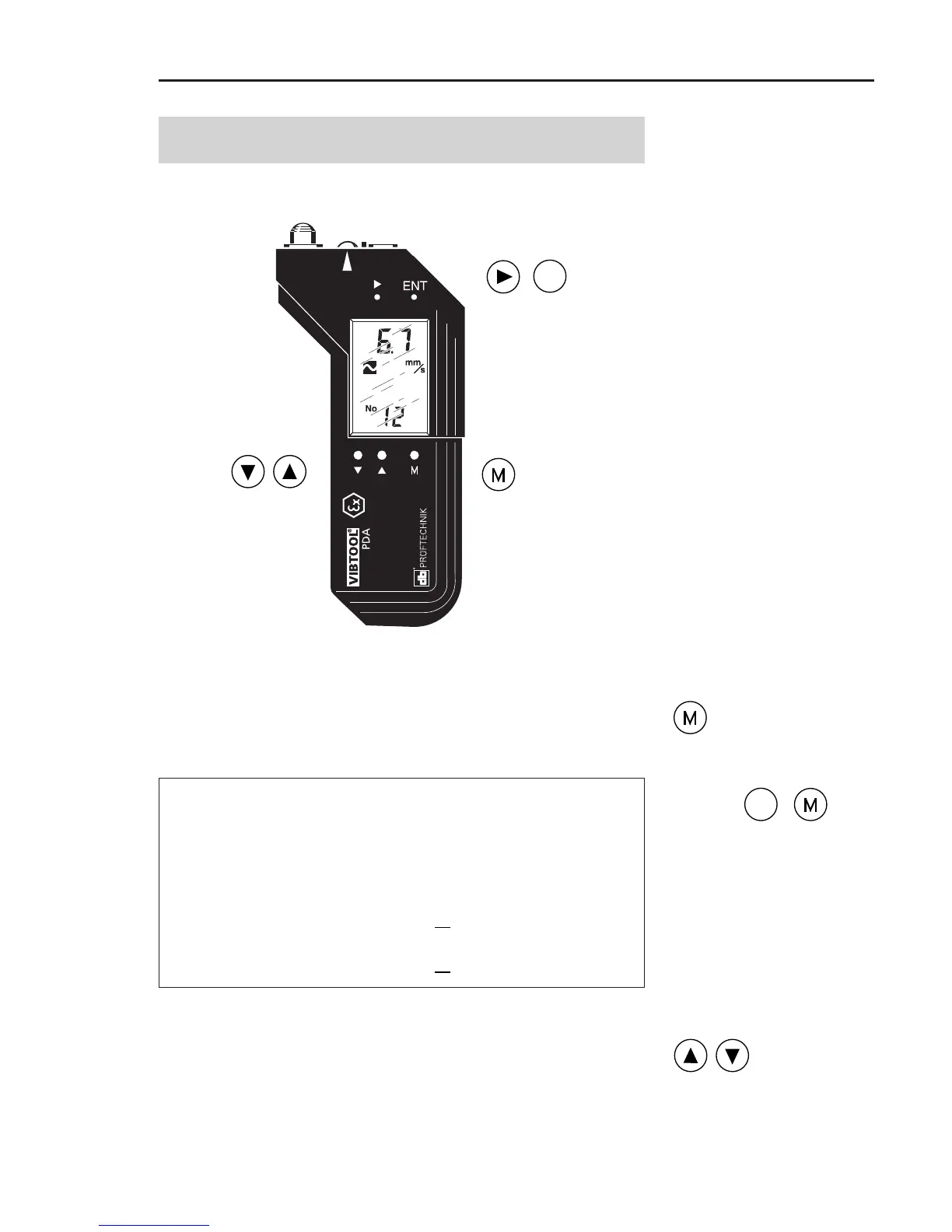
Operating keys
DOWN & UP:
Navigate /
Turn off device
NEXT: Navigate / Change
operating mode
ENTER: Confirm / Scroll
NEXT & ENTER : Start
update via bluetooth
MEASURE:
- Turn on device
- Start measurement
- Measures continuously
while pressed
Turn on VIBTOOL by pressing the ‘M’ key until the LCD
lights up. After about one second, the device enters
Bluetooth mode, signified by the text ‘bt’ at the bottom of
the screen (see page 15 for details).
To display the type of Bluetooth module installed,
press and hold the ENTER key before switching on the
device with the M key. The following text appears for
approx. 2 seconds: “bt|19” or “bt|46”.
bt|19 = WML-C19 module is installed. VIBTOOL
instrumens with serial number < 999.
bt|46 = WML-C46 module is installed. VIBTOOL
instrumens with serial number > 1000.
Turn off VIBTOOL by pressing the DOWN and UP keys
simultaneously. The firmware revision and build number
will be briefly displayed before the device turns off (p. 52).
VIBTOOL turns off if no key is pressed for more than 10
minutes. VIBTOOL also turns off if any key is continuously
pressed for more than 3 minutes.



 To Next Page