VIBTOOL 02.2009
15
Typical measurement procedure
Bluetooth operating mode
VIBTOOL receives all information for measurement via
Bluetooth from a PDA computer. This computer is used to
create measurement tasks with the corresponding soft-
ware.
Bluetooth mode is signified by ‘bt’ at the bottom of the
screen. In this mode the tool is ready to pair* with a host
device, or if it is already paired, to begin taking readings. A
Bluetooth pairing is not lost when the VIBTOOL is turned
off. A VIBTOOL can only be connected with one host device
at a time. When the VIBTOOL is communicating with a host
device vie Bluetooth, the ∆ icon appears in the lower left
corner of its display.
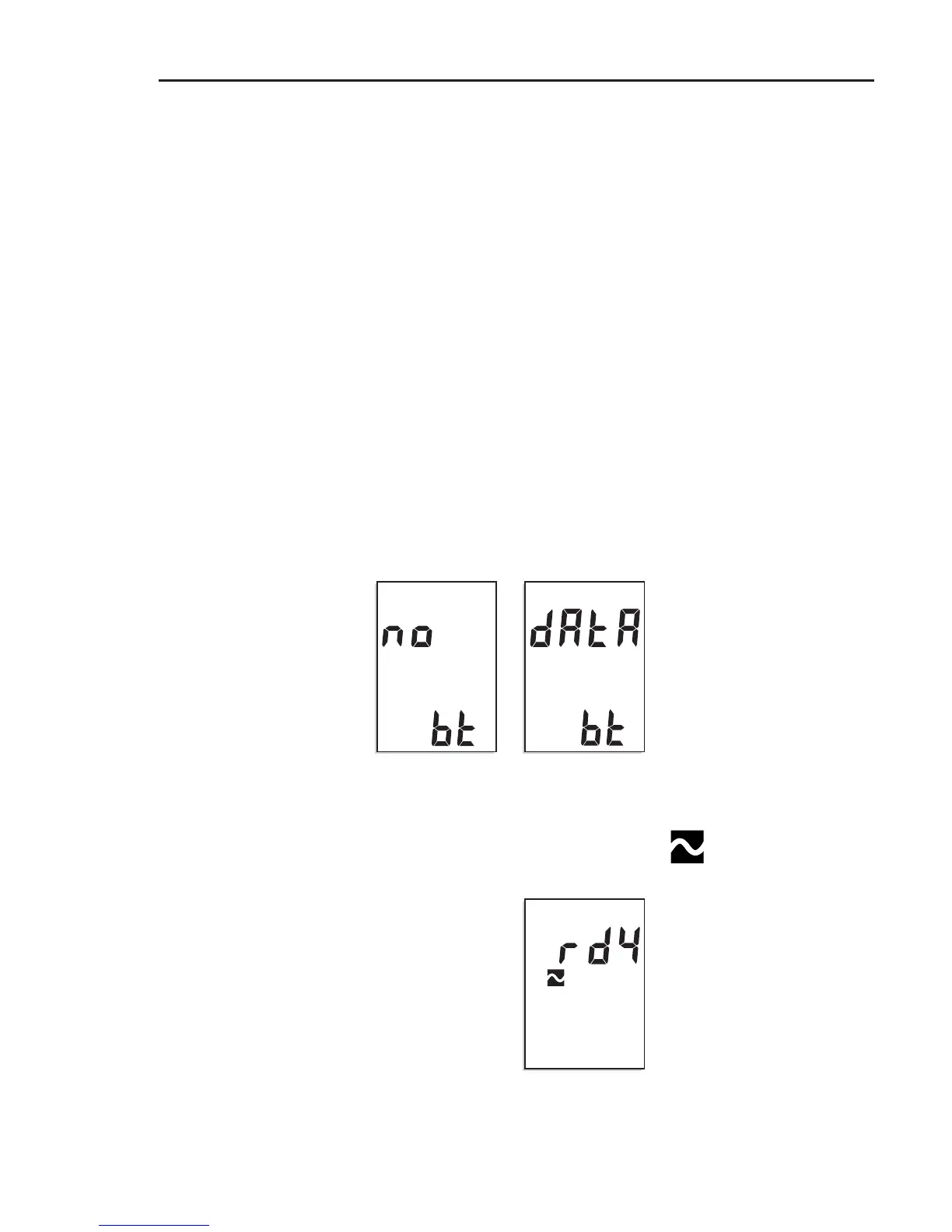
Once VIBTOOL has been switched on, the ‘No data’ mes-
sage appears on the display. VIBTOOL is now ready to
receive the first measurement task:
After the measurement task has been received, the ‘rdy’
(ready) message appears. At the same time, the corre-
sponding measurement symbol flashes – e.g. for a vibration
measurement:
‘no data’ appears when
the device is switched on
Measurement task received
- ready to measure
Operation
* The host device must pair
with a Bluetooth peripheral
device before they can
communicate. Pairing consists
of exchanging information that
allows the two devices to
uniquely identify each other.



 To Next Page