VIBTOOL 02.2009
48
It can take several seconds for the VIBTOOL probe to
reach the same temperature as the surface it is measur-
ing. If necessary, press ‘M’ continuously to show a live
display where you can see when the correct tempera-
ture has been reached.
When a flashing measurement level is seen on the screen,
the current measurement is outside preset stability limits.
Press ‘M’ continuously to show a live display where you can
see how stable the measurement is.
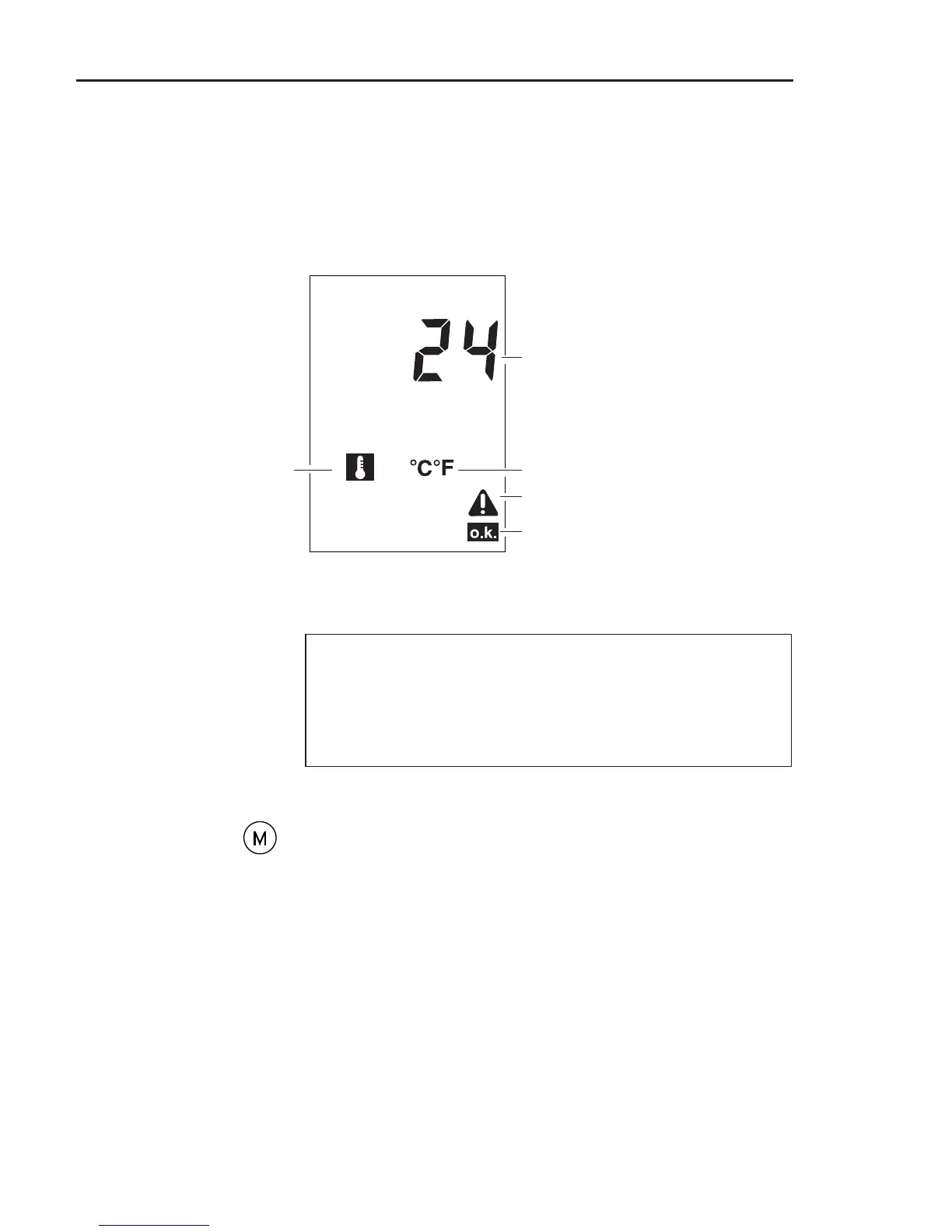
Temperature measurement display
The following display shows all the symbols which can
appear during a temperature measurement. However, the
symbols may not all appear simultaneously.
Unit: Celsius or Fahrenheit
Measurement value
Symbol indicating
temperature measurement
Measurement OK
))
))
)
Note
Symbol indicating measurement
error (instable signal, etc.)
Temperature measurement



 To Next Page