VIBTOOL 02.2009
51
Cleaning
The VIBTOOL optical sensor must be clean and free from
dust, etc. to avoid inaccuracy during measurement. Use a
soft cotton cloth to remove any dirt from the optical sensor
and display window. Also, avoid vigorous polishing to
preserve the anti-reflective coating of the glass element.
The VIBTOOL housing can be cleaned using a soft cloth
dampened with a mild detergent.
When it is not in use, cover the con-
nector for an external sensor with the
dust cap to keep it clean.
Moreover, it is important to follow the
specifications of EN 60079-14 and EN
60079-17 that apply to maintenance
and servicing.
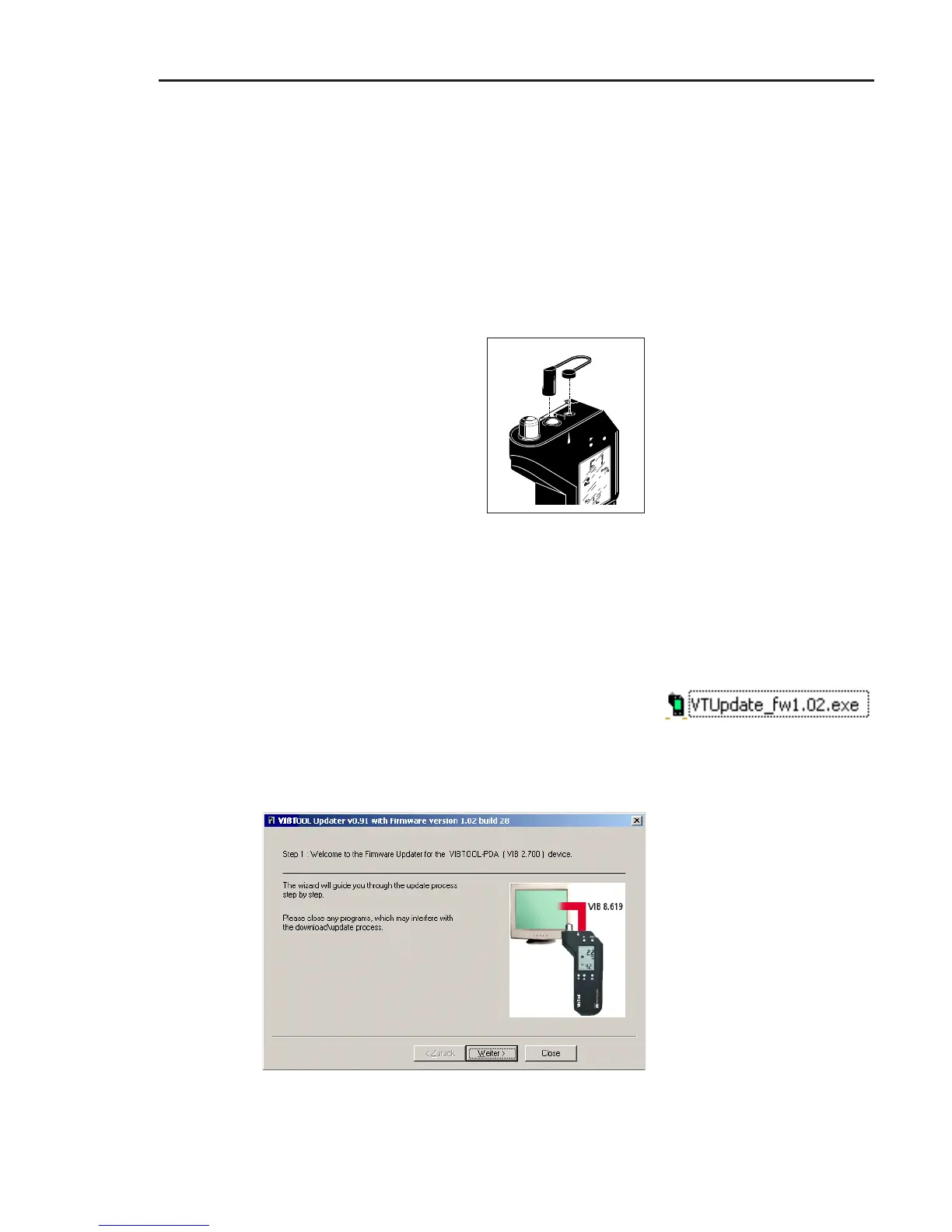
Update via serial cable
The standard method of updating the firmware in VIB-
TOOL is via serial cable. The VIBTOOL update program is
loaded onto a PC with the latest firmware version.
• Start the ‘VTUpdate_fwXXX.exe’ update program. The
firmware version is specified as a three-digit number in
the file name - ‘1.02’ in the example.
• Click on ‘Continue’ in the first screen and connect the
appropriate serial PC cable* (part no.: VIB 8.619).
ENT
Appendix
* available as an accessory (see
page 55)



 To Next Page