VIBTOOL 02.2009
24
Operation
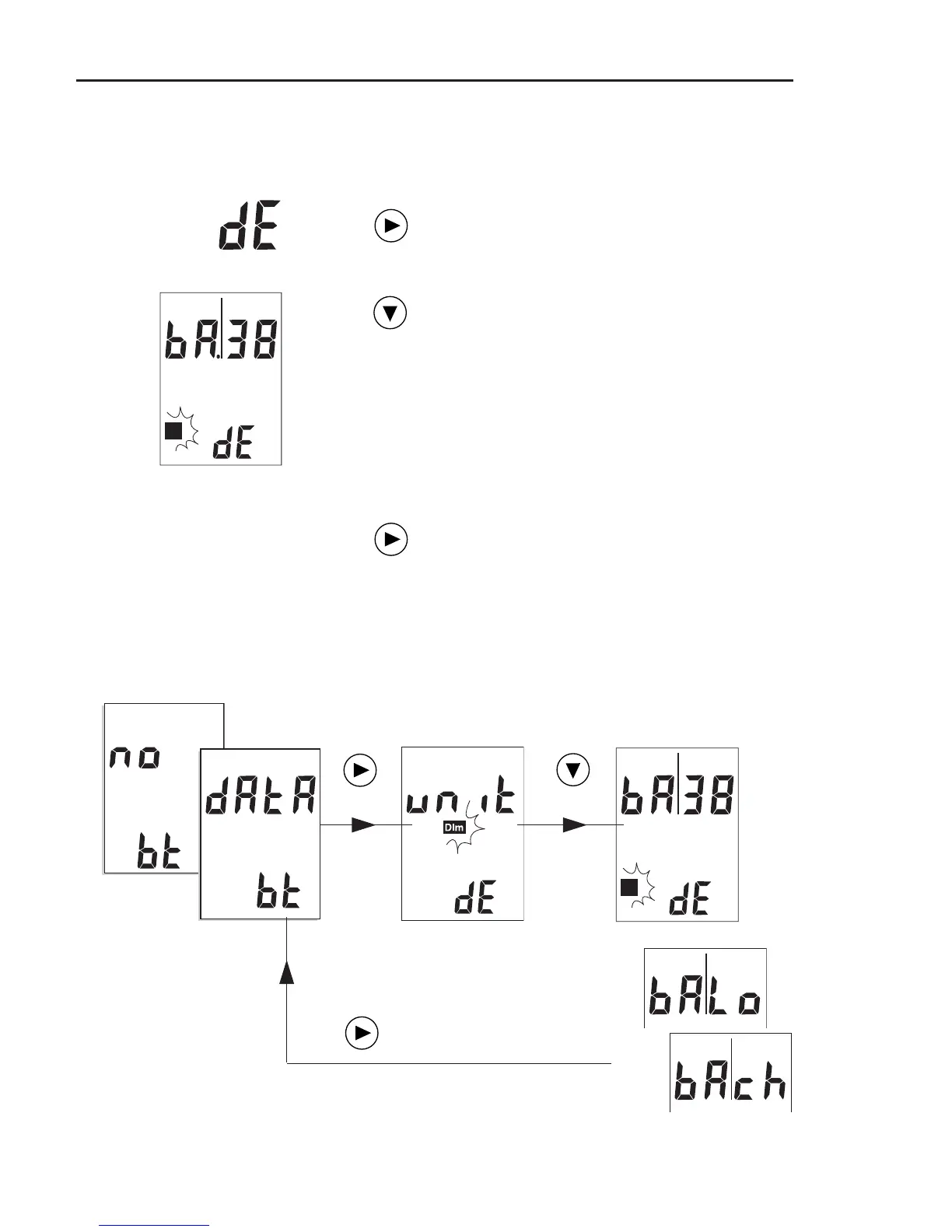
Display battery status (Device setup)
To display the battery status, proceed as follows:
Switch on VIBTOOL and press NEXT until
‘dE’ appears in the lower display field
(see previous pages).
Press the DOWN key until ‘bA|xx’ ap-
pears and the square icon flashes in the
display.
“xx” shows the battery status:
1 .. 99 = Battery charge in %
Lo = Battery empty
ch = Battery is being charged OR is
fully charged (100%).
To leave the Device Setup again, press
the NEXT key. The ‘Bluetooth’ operating
mode is activated.
Bluetooth
operating
mode
Device setup (units)
Device setup
(battery)
Overview



 To Next Page