6.3.9 First layer calibration (kit only)
Now we will finally calibrate the distance between the tip of the nozzle and the probe.
Check if your print surface is clean! You can find instructions on how to clean it
in the chapter 6.3.2 PEI print surface preparation. Don't forget to complete 6.3.5
Calibrate XYZ chapter or you can permanently damage the print surface!
You can launch the calibration from menu Calibration -> First layer cal.
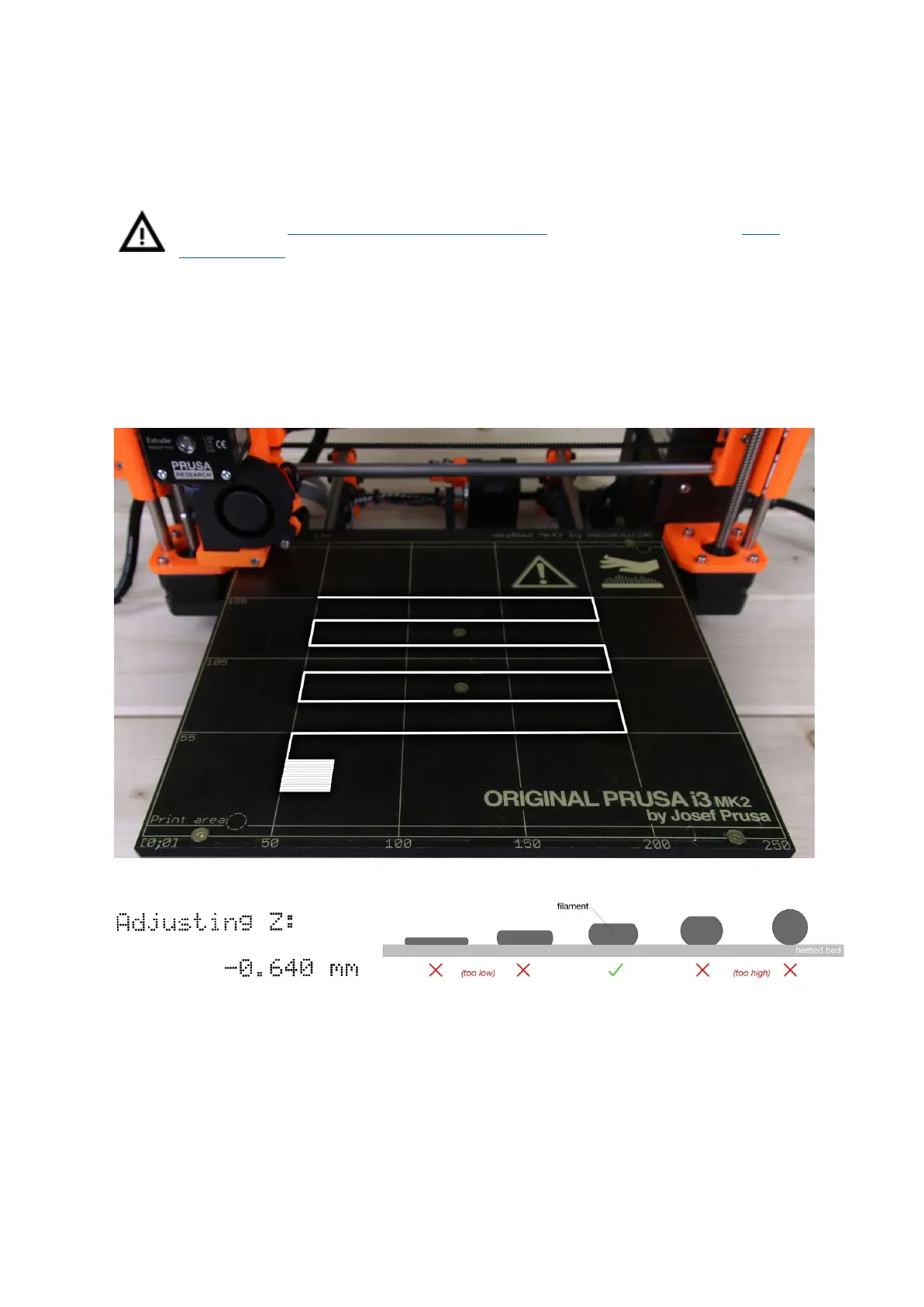
The printer will probe the bed and start printing a zig zag pattern on the print surface. The
nozzle will be at the height based on the PINDA probe setting, it must not by any means
touch the print surface.
Pict.
10
-
How
to
tune
the
nozzle
height
live
during
the
test
print.
Note:
-0.640
mm
is
only
for
illustration.
Your
setting
will
be
different!
Observe the line which is being extruded on the print surface. A new menu will automatically
show up where you can tune the nozzle height live during the test print. The point is to lower
the nozzle until the extruded plastic sticks nicely to the bed and you can see it is being
slightly squished. Set value should not exceed -1 mm, if you have to adjust it more, move
the probe slightly higher.
23



 To Next Page