6.2 Printer assembly
For the Original Prusa i3 MK3 printer kit we suggest following the guidelines and
assembling the kit according to the the online manual at manual.prusa3d.com. (The
online manual is available in several languages on the website). The construction of
the printer should not take more than one working day. After a successful
completion, continue to the chapter 6.3 Setup before printing.
6.3 Setup before printing
● Place the printer in a horizontally stable position; the best place is a workbench
where there is no risk of draft.
● Attach the filament holders to the upper frame.
● Attach a spool of Filament to the holders. Make sure the filament spool doesn’t jam
and can move freely.
● Plug in the AC power cord and turn on the switch.
● Check out the firmware version (in the Support menu via LCD panel) and please
upgrade to the latest one from our website www.prusa3d.com/drivers.
Filament is a common term for the plastic rod - material provided on a spool from
which 3D objects are printed.
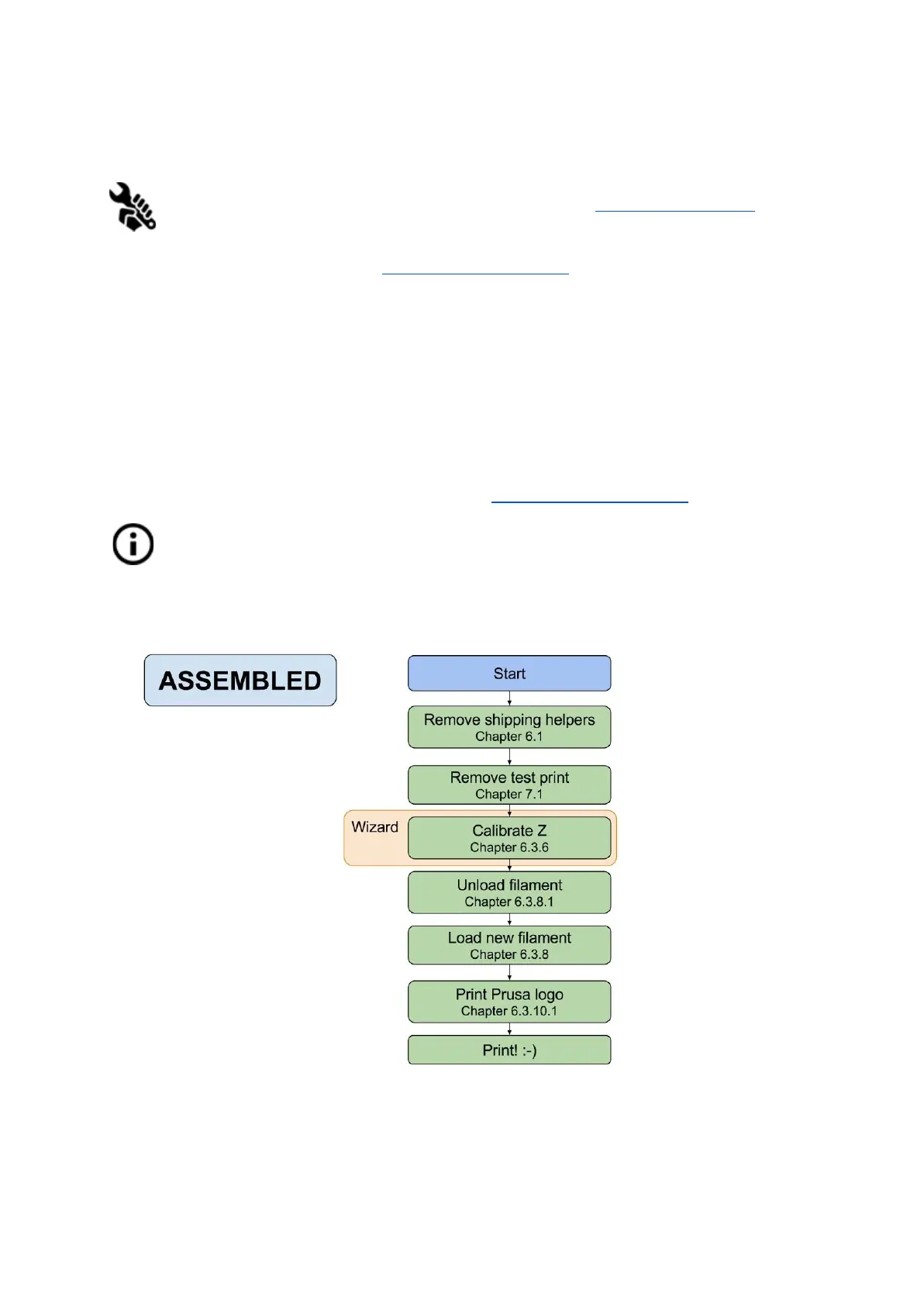
6.3.1 Calibration flow and wizard
11



 To Next Page