7.2 Printer Control
There are two ways to control the printer. You can use the LCD panel integrated with the
printer, or you can connect your computer via the USB cable. We suggest the LCD panel
because of its speed and reliability, and moreover you do not have to rely on a computer.
7.2.1 LCD screen
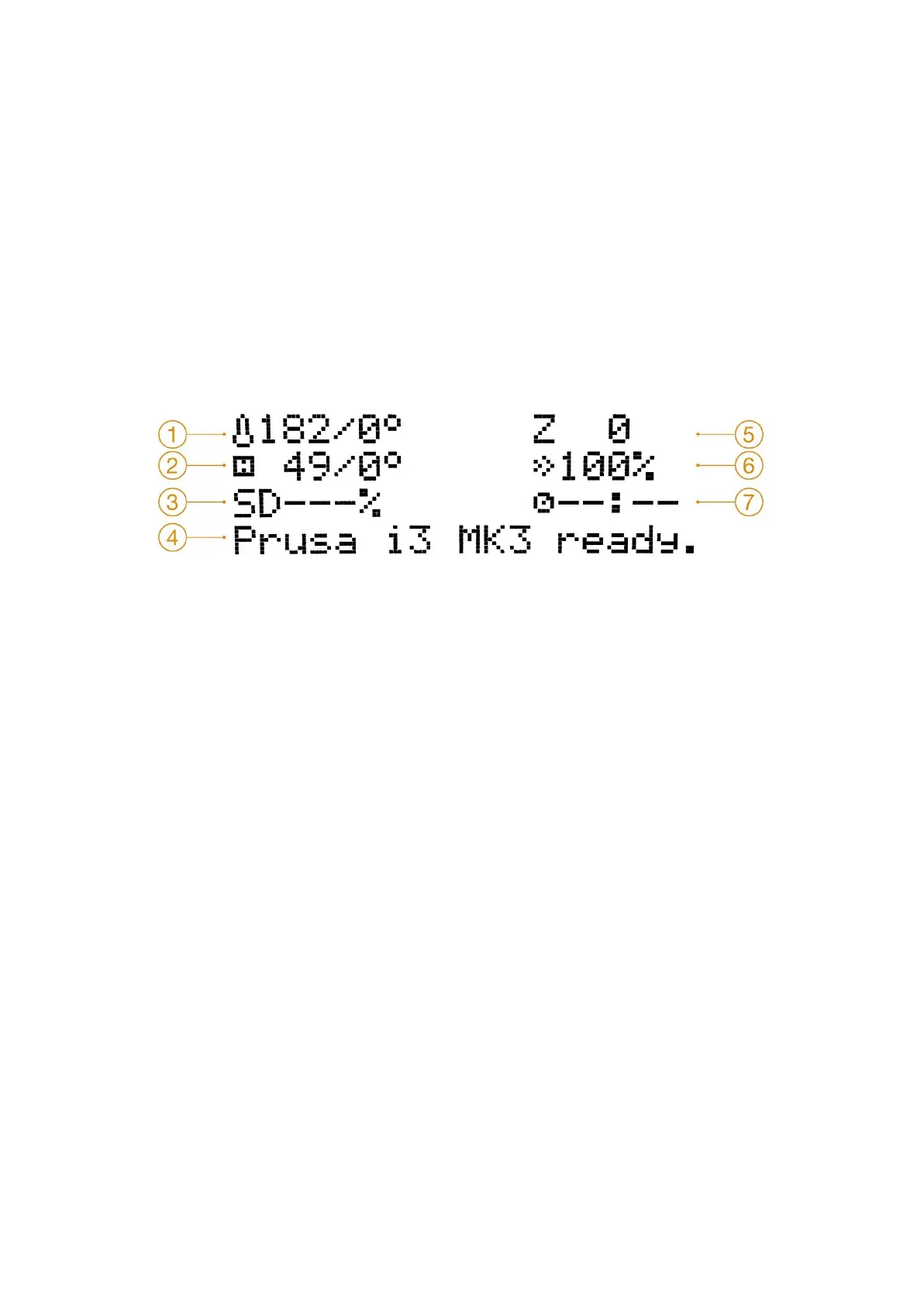
The main screen is an information screen displaying the most important details. They are
the temperature of the nozzle and the heatbed (1, 2), printing time (3) and the actual Z-axis
position (5).
Pict.
15
-
LCD
layout
1. Nozzle temperature (actual / desired temperature)
2. Heatbed temperature (actual / desired temperature)
3. Progress of printing in % - shown only during the printing
4. Status bar (Prusa i3 MK3 ready / Heating / file_name.gcode, etc.)
5. Z-axis position
6. Printing speed
7. Elapsed printing time - shown only when printing
7.2.2 Controlling the LCD screen
Controlling the LCD screen is done by a single control element: a rotational knob that you
press to confirm.
27



 To Next Page