13 FAQ - common issues when assembling the printer kit
13.1 Printer is rocking - YZ frame - geometry check
If your printer is rocking on the table, please check Step 11 of Y axis assembly - YZ frame -
geometry check.
All the components are cut, or drilled, by a machine for highest precision, but with uneven
tightening it is possible to warp the frame.
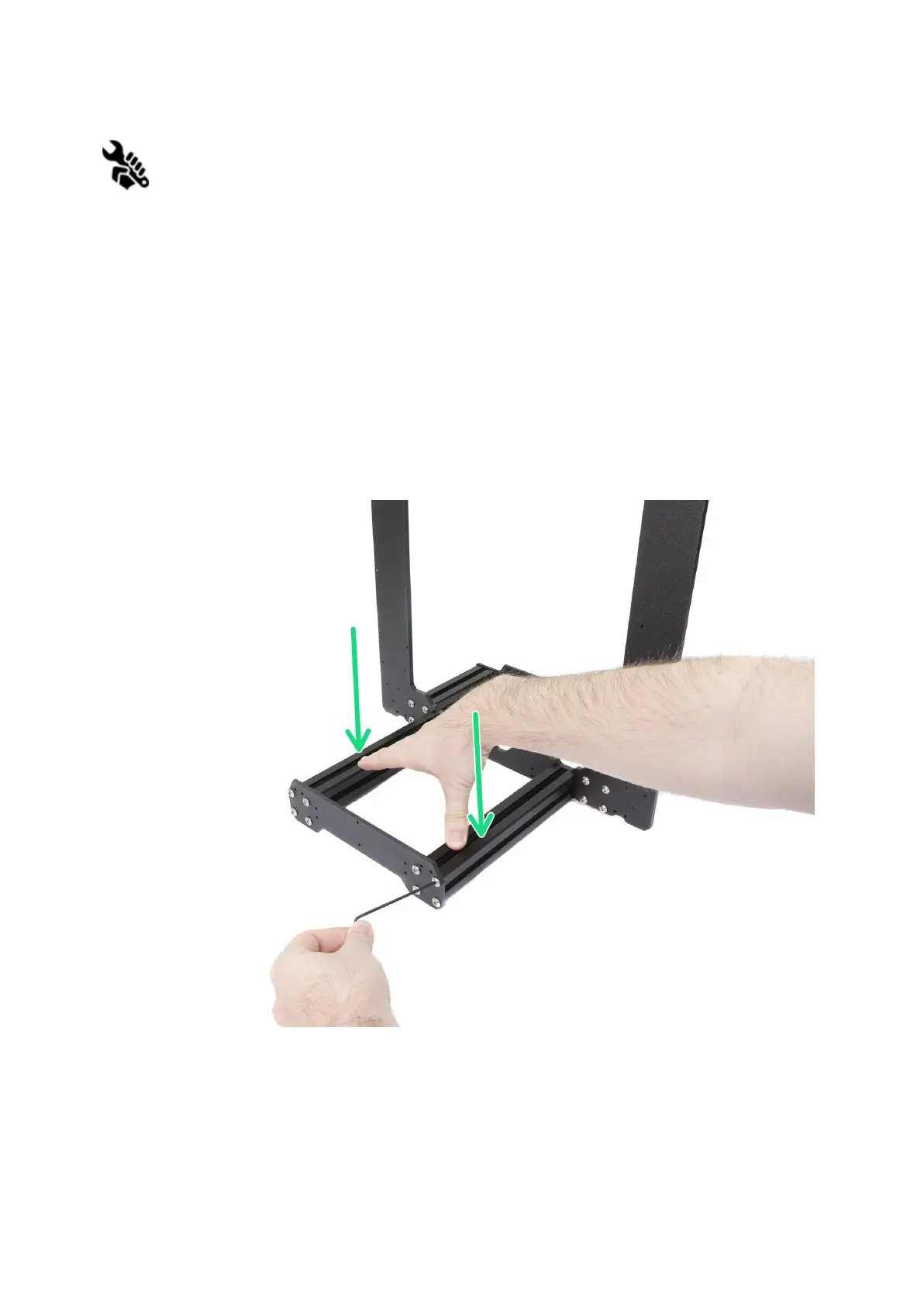
● Using your hand, try to wiggle with the frame sides and check whether some corners
are lifting up or not.
● In case you find some imperfections, release the screws, press the extrusions
against the FLAT SURFACE and tighten them again.
Pict.
41
-
Proper
way
to
tighten
the
frame,
plates
and
aluminium
extrusion
together.
67



 To Next Page