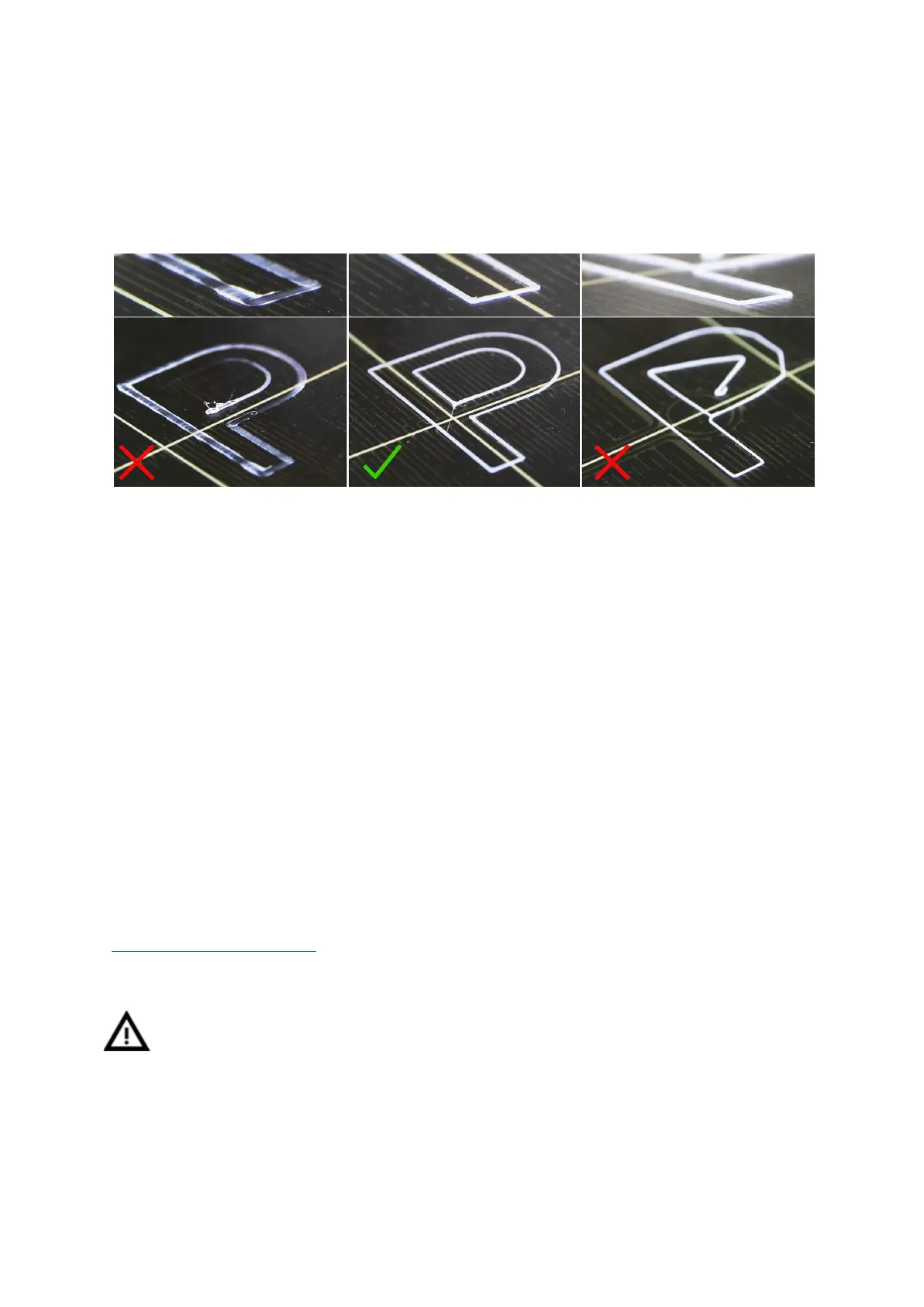
Loosen the two screws on the probe holder to make adjustments. Rotating the probe
counter clockwise will raise it 1mm per turn. Rotating it is very handy for precise
adjustments, but it can also be pushed in and out when the set screws are loosened
completely. Then rerun Calibrate Z followed by the First layer calibration again.
Pict.
11
-
The
properly-tuned
first
layer
6.3.9.1 Bed level correction (kit only)
Bed level correction is an advanced feature that is designed to allow advanced users to
correct for the slightest imperfections in the first layer. This feature can be found in
Calibration - Bed level correction. For example, if the first layer seems to be ever so
slightly more squished on the right side, you can virtually raise the nozzle by +20 microns on
the right side. Settings are available for Left, Right, Front and Back. The limit is +-50 microns
and even +-20 microns can make a huge difference. When you are using this function, do
small incremental changes. A negative value will act as lowering the bed in the selected
direction.
6.3.10 Fine tuning the first layer
6.3.10.1 Print Prusa logo
After finishing the calibration gcode, it is a good idea to print a simple object. The Prusa logo
from the supplied SD card is a great example. The Live adjust Z function (described in
6.3.9. First layer calibration) works during every print, so you can fine tune at any point. You
can see the properly-tuned first layer in Pict. 12.
Calibration might be slightly different for different steel print sheets as the coating
thickness varies. It is a good practice to check the first layer and adjust accordingly
with Live adjust Z when switching between different types of steel sheets.
24



 To Next Page