There are few special occasions where you will need to redo the calibration or part of it.
● Firmware update - A complete guide is in the chapter 12.9 Updating printer
firmware. 6.3.9. First layer calibration needs to be rerun otherwise the printer will
show an error message.
● Readjusting the PINDA probe - Run 6.3.6 Calibrate Z to store new reference Z
height values.
It is important to disconnect the printer USB from any computer or OctoPrint running
on Raspberry Pi for the whole calibration because during the calibration, the printer
will not respond to any request from a host connected via USB, and communication
will time out. Such a time out would cause the host to reset the connection, causing
the printer to restart (in the middle of calibration) and it might end up in a weird state
requiring 7.2.6 Factory Reset.
6.3.2 Flexible steel sheet surface preparation
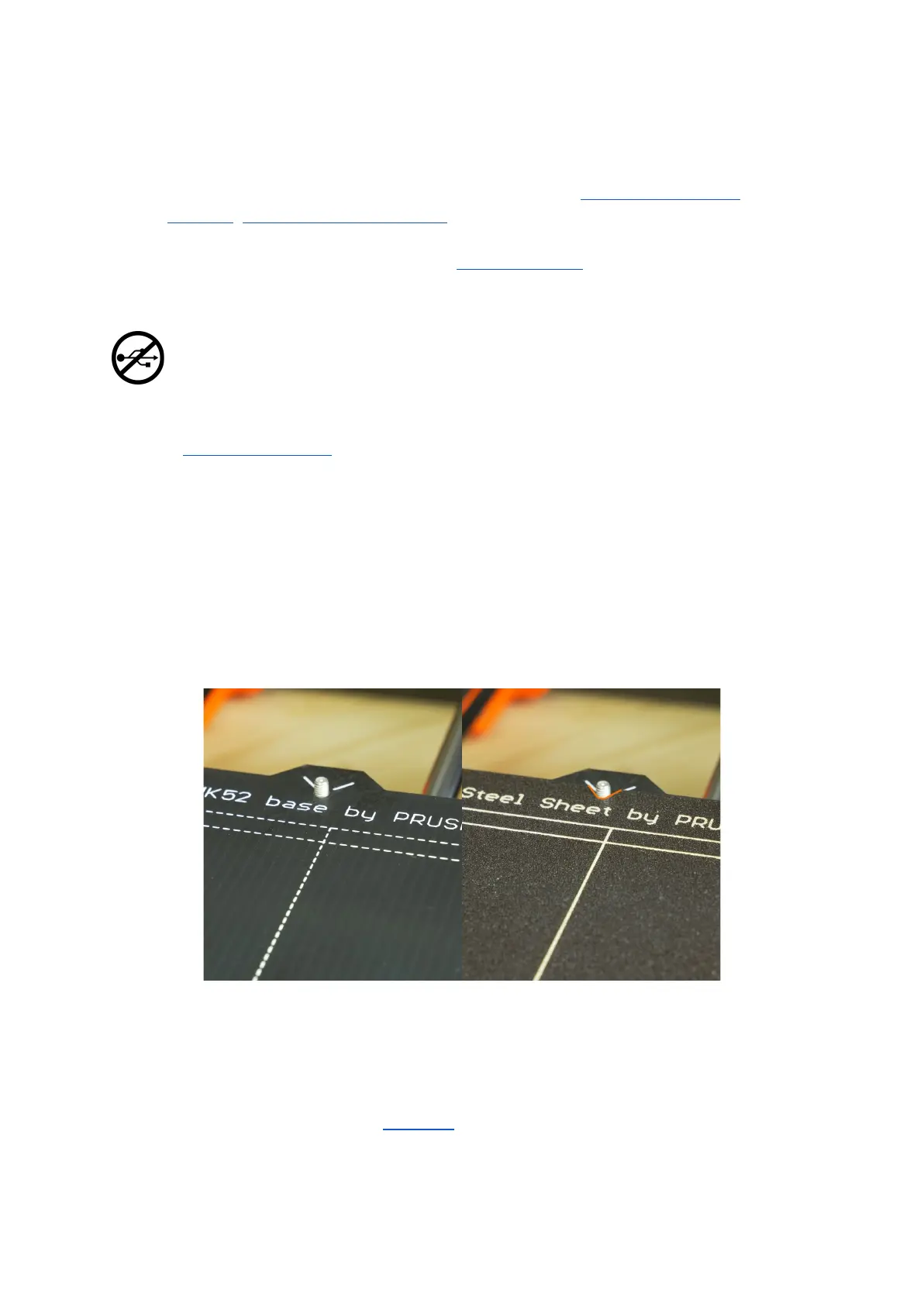
The MK52 heatbed has embedded high curie temperature magnets. These magnets are
able to firmly hold removable spring steel sheets. There are two pins at the end of the
heatbed that will align perfectly with cut out slots in the spring steel sheets. Make sure the
bed is clean and there isn’t any debris on it before you put on the steel sheet. Never print
directly on the heatbed.
Pict.
5
-
HeatBed
MK52
base
and
powder
coated
steel
sheet
surface
To achieve the best adhesion on the new surface, it is important to keep the surface clean.
Cleaning the surface is very easy. The best option is Isopropyl alcohol available in
drugstores which is the best for ABS, PLA and others (except for PETG where the adhesion
may be too strong. See the chapter 11.3 PET for instructions). Pour a little amount on
unscented paper towel and wipe the print surface. The bed should be cleaned while cold for
the best results but it can also be cleaned when already preheated for PLA, just be careful
13



 To Next Page