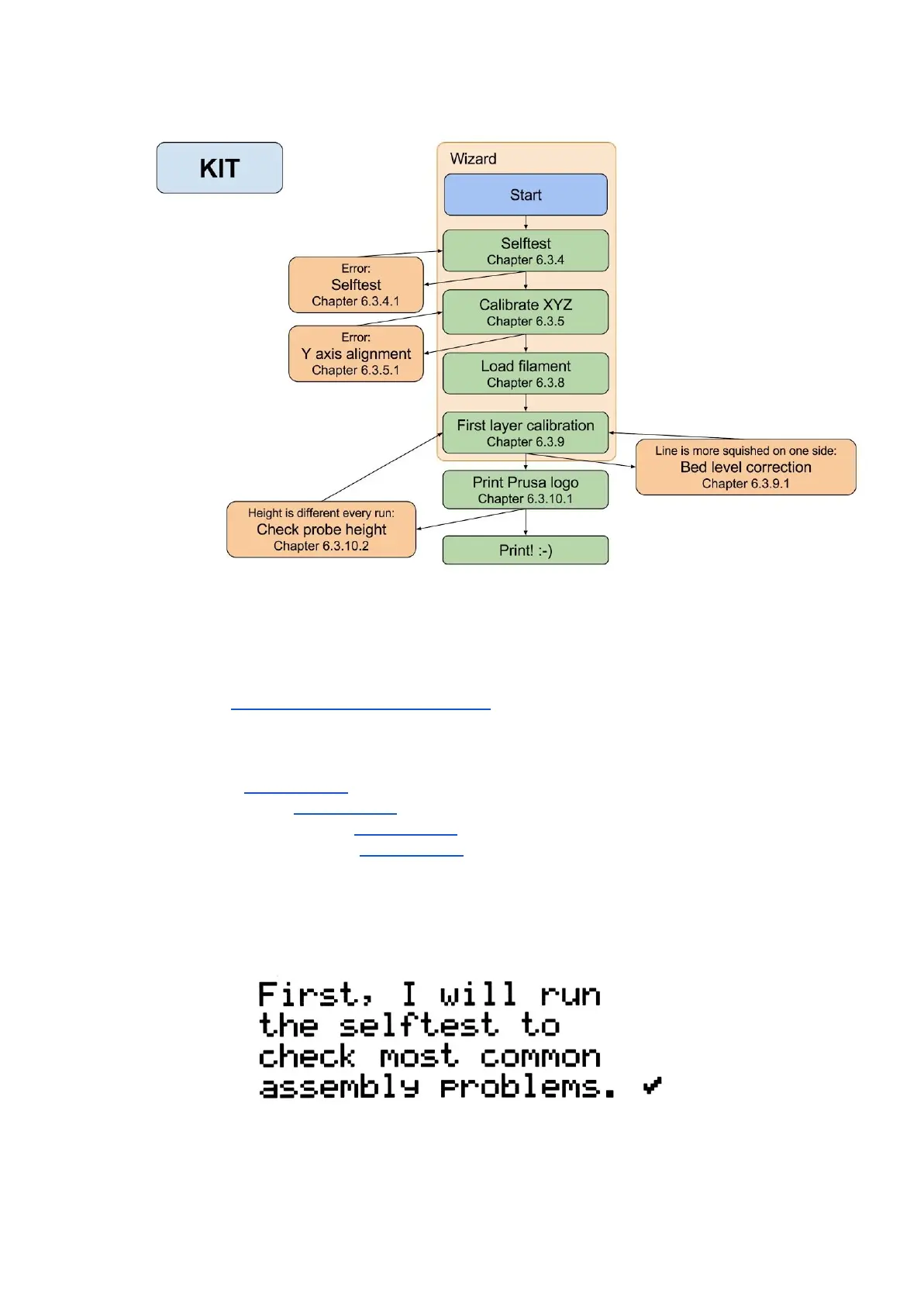
With your first start-up of your freshly-assembled printer, it will guide you through all the tests
and calibrations you need to do to get started printing.
Wizard can be also started manually from LCD menu Calibration -> Wizard. Do not forget
to read chapter 6.3.2 PEI print surface preparation before running the Wizard.
It follows the calibration flow and helps you with the following steps:
● Selftest - Chapter 6.3.4
● Calibrate XYZ - Chapter 6.3.5
● Loading the filament - Chapter 6.3.8
● First layer calibration - Chapter 6.3.9
It is not mandatory to use it, and you can cancel the wizard at the beginning. Then you
should just manually follow the calibration flow.
Pict.
4
-
Wizard
setup
12



 To Next Page