Chapter 3: Getting To Know Your Omnii
Onscreen Indicators
Psion Omnii Hand-Held Computer User Manual
30
3.5.2 Onscreen Indicators
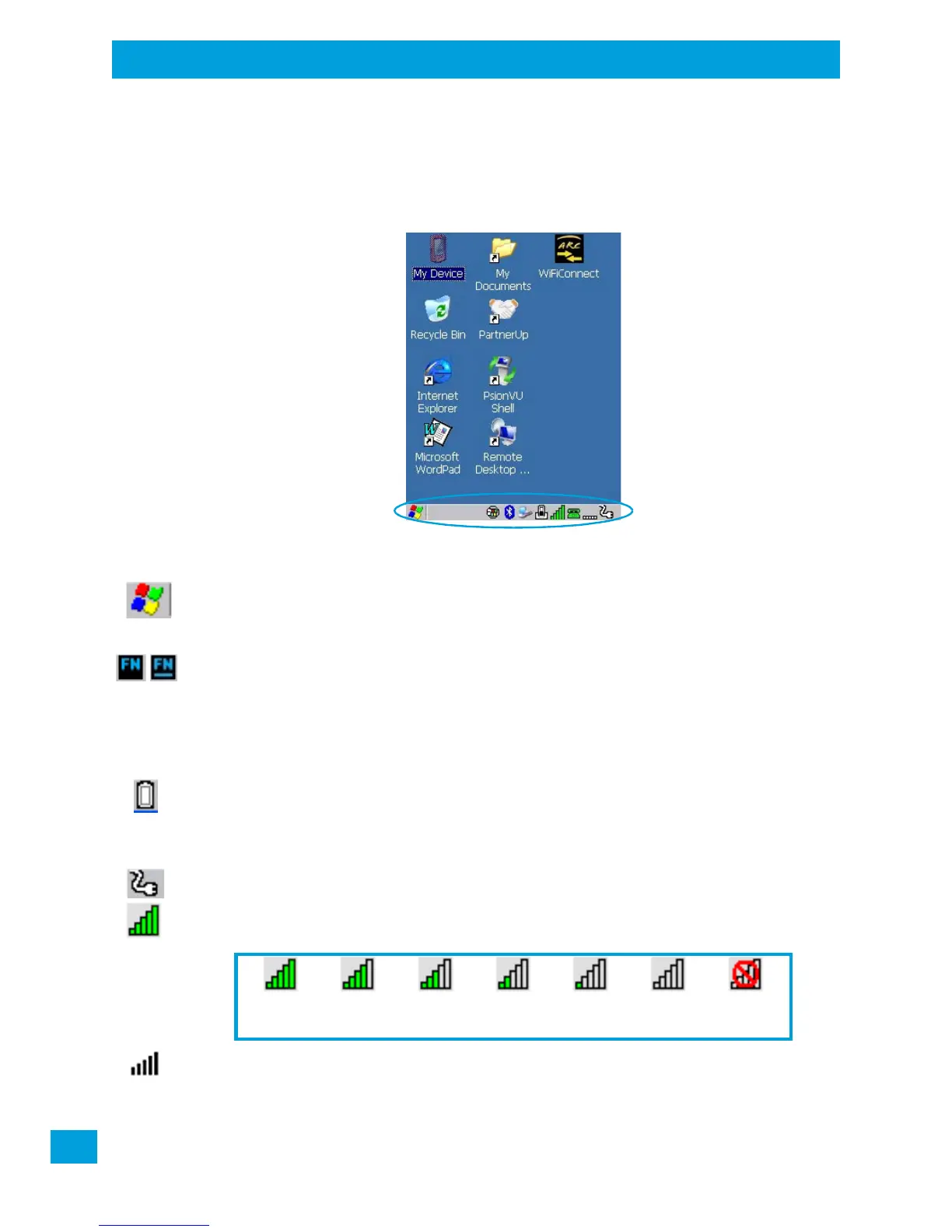
The taskbar at the bottom of the screen displays a variety of system status indicators, including the Input
Panel button if you have chosen to show that option in the Taskbar and Sta r t Menu settings.
Figure 3.4 Taskbar
The taskbar changes dynamically, and only those icons that are applicable are displayed. For example, if a
radio is not installed in your Omnii, the radio signal icon is not displayed in the taskbar.
Windows
®
Start Button
If you are using the touchscreen, you can either tap the Windows icon at the bottom left of the screen, or
press the [Windows] key to display the Start Menu, and then tap on the desired application.
Modifier Key Indicators
[SHIFT], [CTRL], [ALT], [FN] and [SYM] are modifier keys that have onscreen indicators to show when a key
is active or locked. If a modifier key is pressed once to activate it, the key is displayed in the taskbar, for ex-
ample, pressing the [FN] key once displays ‘FN’ in the taskbar. If a modifier key is pressed twice, it is ‘locked
on’ and the onscreen indicator is displayed with underlined letters in the taskbar, for example, pressing [FN]
twice displays ‘FN’ in the taskbar.
Power
The battery shaped icon displayed in the taskbar provides quick access to the charge state of the battery.
Tapping on the icon once will show the percentage charge left in the battery. Tapping on the icon twice
opens the Power Properties menus (see “Power Properties” on page 88), where you can set the low battery
warnings levels, and time to enter Suspend.
If the Omnii is using external AC power, an AC icon is displayed in the taskbar.
802.11 Radio Signal Quality
Increasing radio signal quality is represented by longer, filled bars within this icon.
WWAN Radio Signal Quality
Wireless WAN icons in the taskbar indicate the status of your wide area network connection. For details, see
“Taskbar Icons” on page G-3.
Good No Radio
Reception
Weak
Reception Link



 To Next Page