Chapter 4: Configuration
Paired
57
Psion Omnii Hand-Held Computer User Manual
4.4.1 Paired
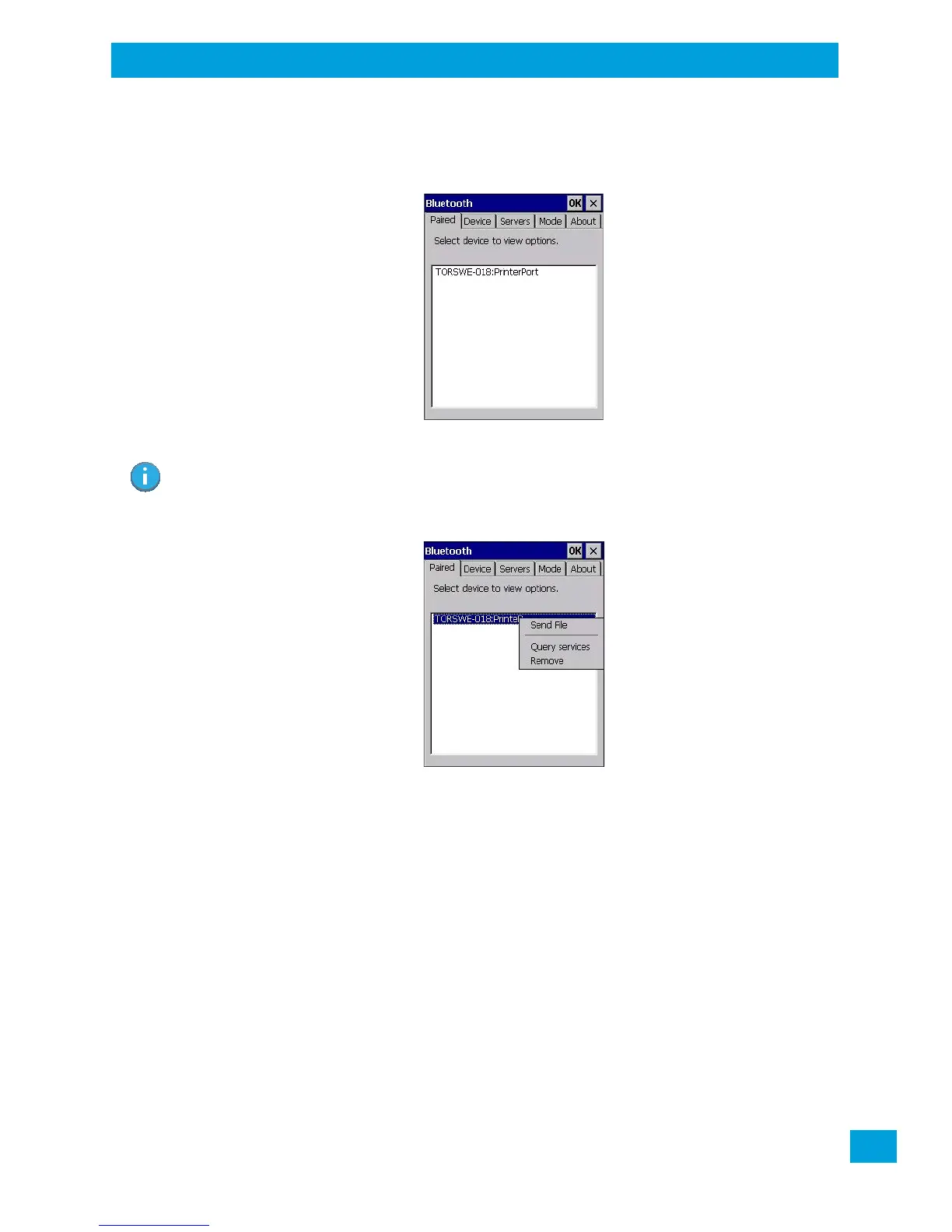
This tab lists all paired devices and their corresponding services. The format of the name is <Device
Name>:<Service Name>. Additional information may appear in this screen such as the Port Numbers for
Serial Profiles service.
To learn how to scan for devices to pair, review “Device” on page 58.
• Tap on an item in the Paired tab to display an associated pop-up menu.
The displayed menu depends on the type of the service chosen.
Query Services and Remove Commands
• Query Services displays a Services dialog box where a pairing service is chosen.
• Remove unpairs the highlighted service and deletes the entry from the tab.
OBEX OPP (Object Exchange-Object Push Profile) Commands
The OPP defines two roles—a Push Server and a Push Client. Push Server is the device that provides an
object exchange server. Push Client is the device that pushes and pulls objects to and from the Push Server.
OBEX OPP contains the following unique menu option:
• Send File displays an Open File dialog box where the file to be sent can be selected. When the transmis-
sion begins, another dialog box tracks the progress of the file transmission.
HSP/HFP (Headset Profile/Hands-Free Profile) Service Commands
The HSP (Headset Profile) allows users to connect their device to Bluetooth enabled headsets and other
audio devices.
HSP/HFP services provide the following unique menu options:
• Connect Audio establishes an audio connection to the Bluetooth headset.
Note: If a service is actively paired and connected, the device and its services are displayed in bold
typeface in this list.



 To Next Page