Chapter 4: Configuration
Compass
Psion Omnii Hand-Held Computer User Manual
66
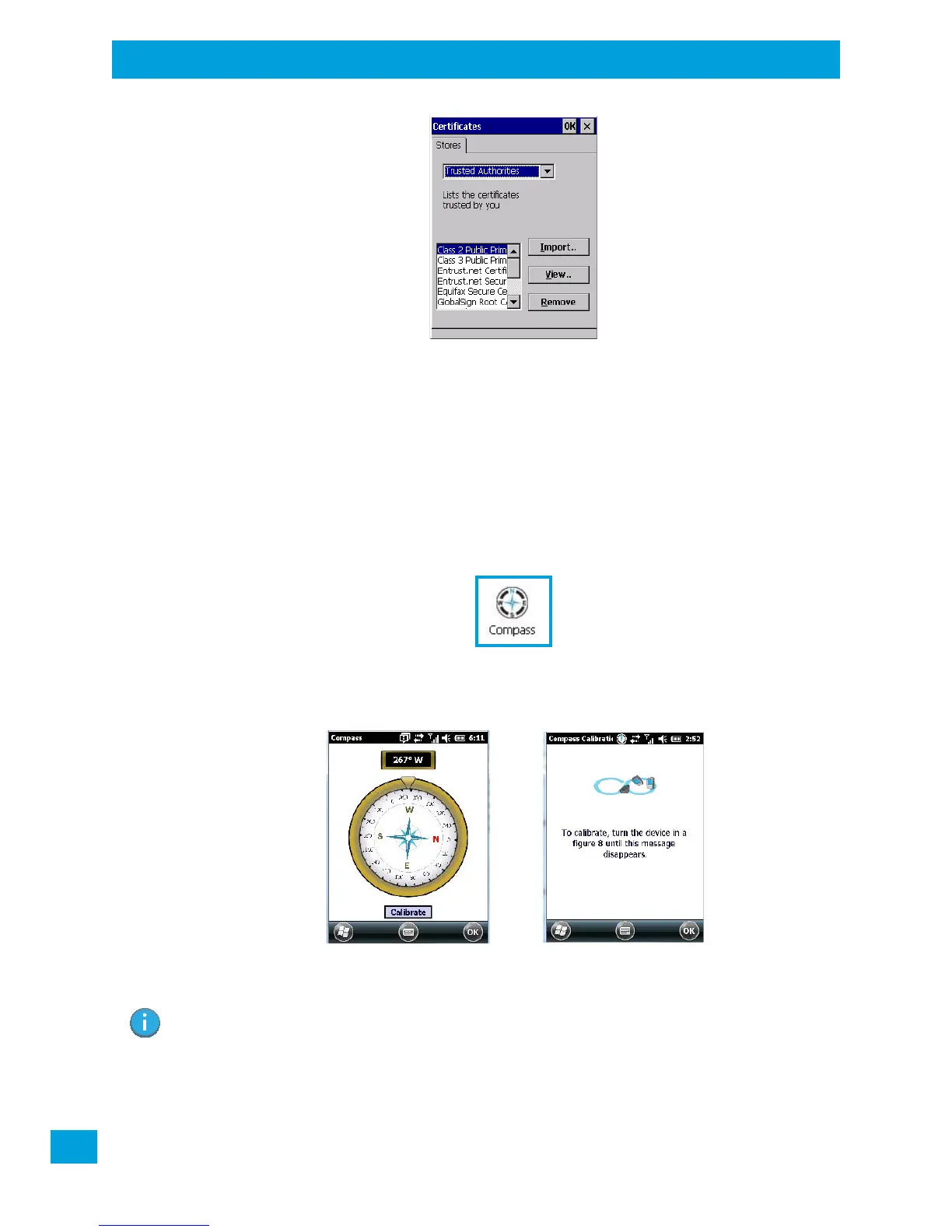
You can import or remove certificates, and view certificate information for any listing, including names,
dates, serial numbers, etc.
For a detailed description about Certificate setup for both the server and client-side devices (Omnii Hand-
Held Computers), refer to the following website:
http://technet.microsoft.com/en-us/windowsserver/dd448615.aspx
4.6 Compass
Like all compasses, the Omnii digital compass indicates the direction in which the unit is pointed. If you find
that the compass is inaccurate, you may need to calibrate it.
•In the Control Panel, choose the Compass icon.
• Tap on the Calibrate button and follow the directions to calibrate the compass. Make certain that
you perform the figure ‘8’ indicated in the instructions in a fairly wide loop to better ensure
successful calibration.
When the compass recalibration is complete, a message appears on the Omnii screen indicating
successful calibration.
Note: The accuracy of the digital compass is affected by the following:
a) close proximity to large magnets or metal structures, and
b) internal scanner/imager activation.


 To Next Page