Chapter 4: Configuration
Keyboard Properties
77
Psion Omnii Hand-Held Computer User Manual
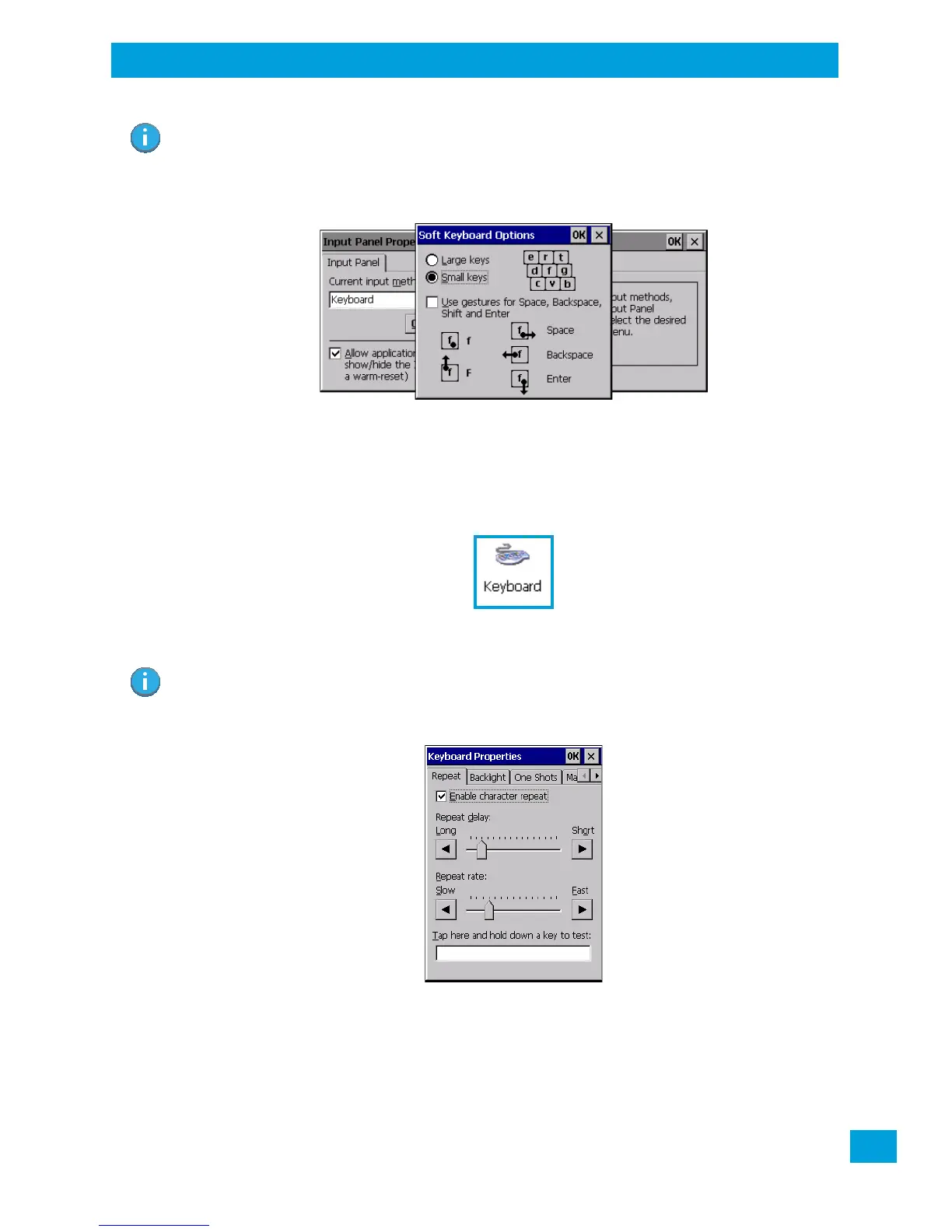
Figure 4.3 Soft Keyboard Options
4.14 Keyboard Properties
This icon displays the Keyboard Properties dialog box in which you can adjust the repeat rate of the keys,
the intensity of the keyboard backlight and the behaviour of the [FN] and [SYM] modifier keys. This dialog
box also allows you to define macro keys and Unicode characters.
•In the Control Panel, choose the Keyboard icon.
4.14.1 Key Repeat
•In the Keyboard Properties dialog box, open the Repeat tab.
Repeat Delay
The value assigned for this parameter determines the delay in milliseconds between repeat characters.
Sliding the Repeat Delay bar to the left increases the delay between key repeats, and sliding the bar to the
right shortens the repeat delay time.
Note: You can also display this dialog box by double-tapping on the Input icon in the far-right cor-
ner of the taskbar.
Note: These settings apply when a key is held down continuously.



 To Next Page