Chapter 3: Getting To Know Your Omnii
The Windows Classic Shell Startup Desktop
Psion Omnii Hand-Held Computer User Manual
38
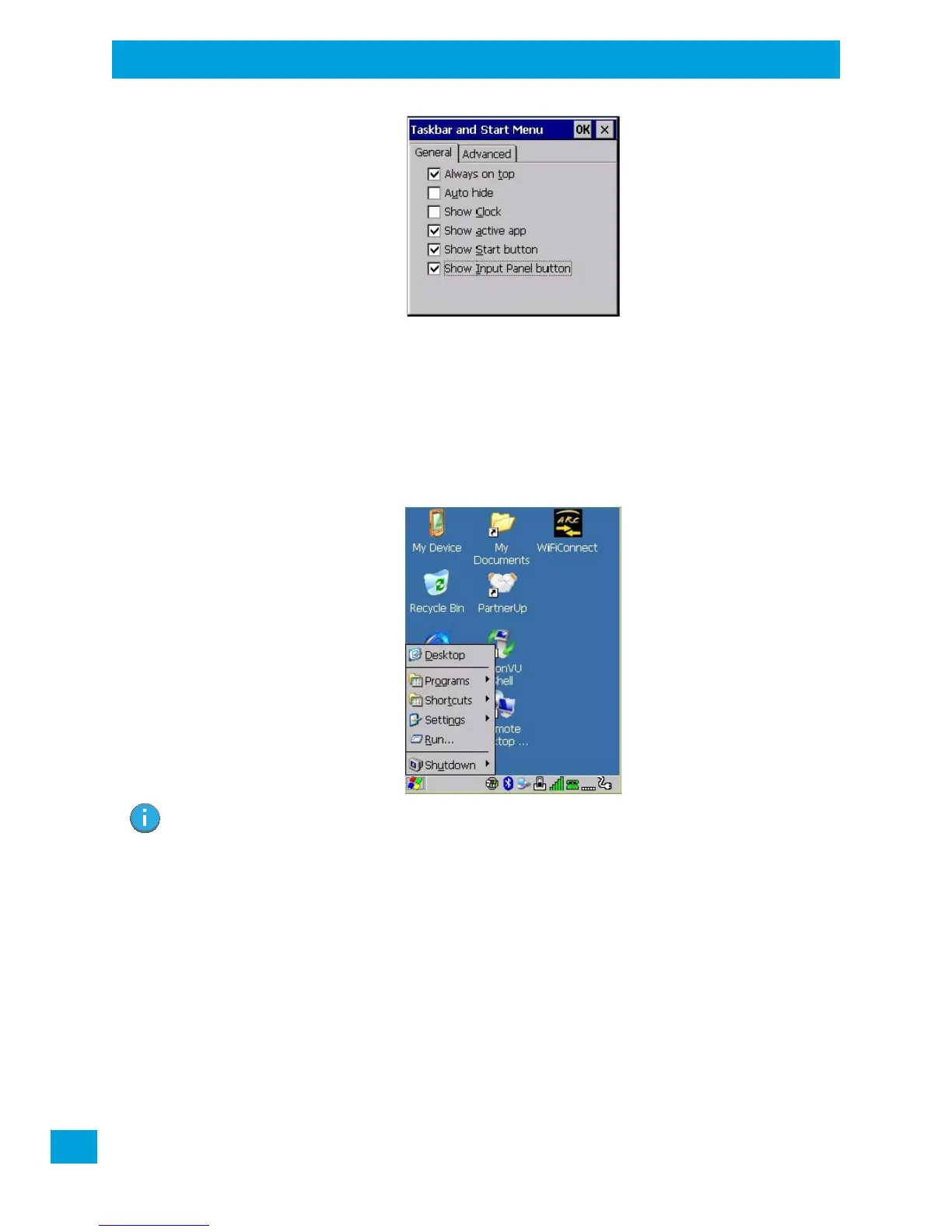
• Tap on the items you want to activate or deactivate. The check mark indicates active items.
If you’re using the keyboard:
• Highlight the options you want to activate, and press the [SPACE] key to select them. A check mark
indicates active items.
3.8.2.2 The Start Menu
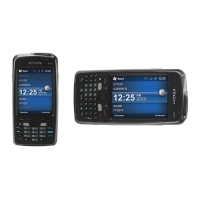
The Start Menu lists the operations you can access and work with. It is available from the startup desktop or
from within any application.
• To display the menu, tap on the Start Menu.
If you’re using the keyboard:
• Use the arrow keys to highlight a menu item, and press [Enter], or
If the menu item has an underlined character:
• Type the underlined alpha character. For example, to display the Run dialog box, type the letter ‘r’.
3.8.2.2.1 Programs
•Choose Programs to display a sub-menu of options. The programs displayed will be those resident in
the Windows\Programs folder of the computer.
Note: Tap on the item in the menu with which you want to work.



 To Next Page