Chapter 4: Configuration
Scancode Remapping
81
Psion Omnii Hand-Held Computer User Manual
ample, the sample screen above shows “a (U+0061)” indicating that the character “a” is represented by the
Unicode value “0061”, and so on. Keep in mind that Unicode configurations are represented as hexadecimal
rather than decimal values.
All user-defined Unicode mappings are listed in the Unicode Mapping tab in order of virtual key value, and
then by order of the shift state. If a Unicode mapping is not listed, the Unicode mapping is mapped to the
default Unicode value.
Adding and Changing Unicode Values
• Choose the Add/Change button.
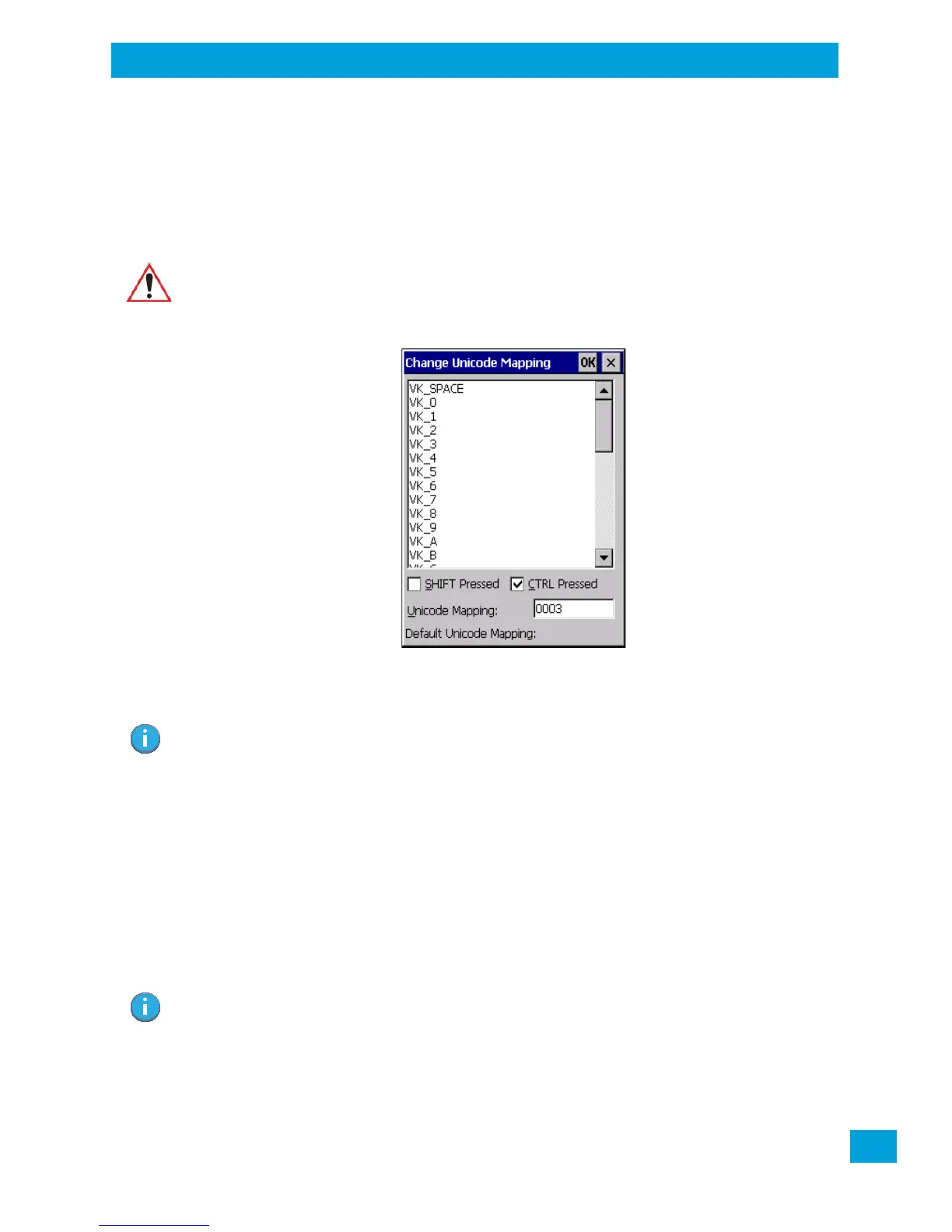
• Highlight a value in the Unicode mapping list. In the sample screen above, a value will be assigned to
virtual key 0 (VK 0).
• Position the cursor in the Unicode Mapping field, and type a Unicode value for the highlighted key.
Removing Unicode Values
•In the Unicode Mapping tab, highlight the item you want to delete, and choose the Remove button.
4.14.6 Scancode Remapping
A scancode is a number that is associated with a physical key on a keyboard. Every key has a unique scan-
code that is mapped to a virtual key, a function or a macro. Scancode Remapping allows you to change the
functionality of any key on the keyboard. A key can be remapped to send a virtual key (e.g. VK_F represents
the ‘F’ key; VK_RETURN represents the [Enter] key, etc.), perform a function (e.g. turn the scanner on,
change volume, etc.) or run a macro.
There are three different tables of scancode mappings: the Normal table, the FN table and the SYM table.
The Normal table defines unmodified key presses; the FN table defines key presses that occur when the
[FN] modifier is on; the SYM table defines key presses that occur when the [SYM] modifier is on. The default
Important: Changes to Unicode mappings are not saved until you exit the Keyboard Proper-
ties dialog box.
Note: To add a shifted state, [SHIFT] and/or [CTRL], press [TAB] to position the cursor in the check
box next to ‘SHIFT Pressed’ and/or ‘CTRL Pressed’. Press [SPACE] to select the shift state
you want to assign.
Note: When using the Mobile Devices SDK Developers' Guide (PN 8100016), note that the
[ORANGE] key is interchangeable with the [SYM] key. Similarly, in the context of the scan-
code mapping tables, ‘Orange’ is interchangeable with ‘SYM’.



 To Next Page