26. February 2024 © Copyright 2024, PROCEQ SA 59
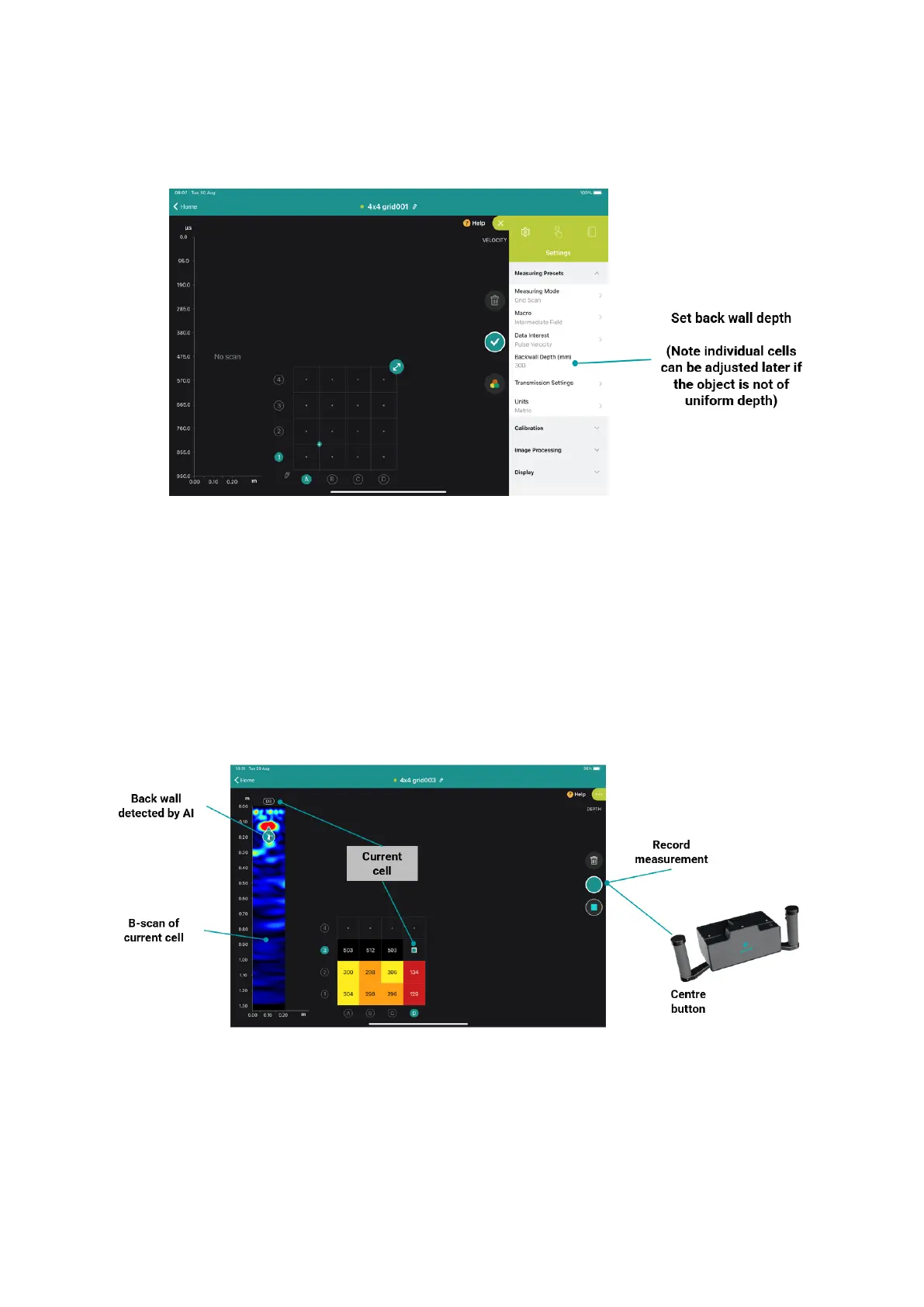
Additionally, set the backwall depth if it is known.
Figure 70: Setting up the backwall depth.
Once you start doing the measurement, you will be able to see a 2D plan view with the
information (either the backwall depth or the pulse velocity) of each measured cell. On the left
area, you will be able to see the B-scan of the selected cell.
To save the measurement, you can either use the “play” button on the iPad or the left central
button of the handle.
Figure 71: Grid scan.



 To Next Page