5. Maintenance
The ‘Failure Definition’ and ‘Failure Mode’ column is reference from Pylontech Modbus protocol Appen-
dix IV Error code 1 bit to present.
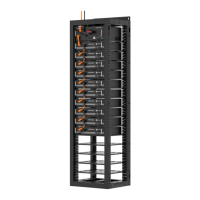
Danger: The PowerCube-H1/H2-V2 is a high voltage DC system, operated by qualified and
authorized person only.
Danger: Before check the failure, must check all the cables connection and the BESS system
can turn on normally or not.
5.1. Trouble Shooting
5.1.1. Before start up
5.1.2. During operation
temperature
sensor error
(Bit1)
Hardware
1.Sensor cable issue
2.Sensor connection
issue
1.Change the RED LED module's
BMU
2. Check the temp. sensor cable
connect between BMU and battery
pack of the connectivity
3. Change the RED LED module.
4.If problem remain, contact
Pylontech service engineer.
voltage sensor
error(Bit0)
Hardware
1.Sensor cable issue
2.Sensor connection
issue
3.BMU issue
Failure Definition SolutionPossible ReasonFailure Type
1.Change the RED LED module's
BMU
2.Check the voltage sensor cable
connect between BMU and battery
pack of the connectivity
3. Change the RED LED module.
4.If problem remain, contact
Pylontech service engineer.
Other error
4. If problem remain, contact Pylontech service
engineer.
PMU issue
3. Open BMS case, use multimeter check PMU
12Vdc output and CMU LEDs. If neither is on,
please swap the PMU.
Internal cable issue
2. Open BMS case, check the connectivity and
reliability of the internal power supply cable.
Power cable issue
Battery system
DO NOT start up
until correct wiring
connection and
start up procedure
Possible Reason SolutionFailure Mode
1. Check the wiring connection and connectivity
of the power cables.
34
/
42


 To Next Page