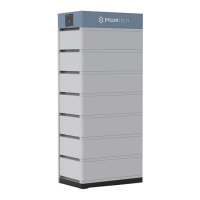
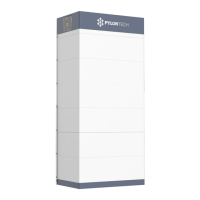
11
Turn the BMS (Battery Control Modules) of each battery string
on (from 1st BMS to the last, one by one)
Turn on the “Power Switch”:
Turn on the “Start Button”:
The battery string’s system will check itself, if work normal
the battery string system will go into self-check mode.
If has failure during the self-check, must debug the failure then
can start next step.
The master control module must be turned on after other slave
control modules self-check finish.
Refer to chapter
3.7
10
Switch the external power or PCS on, to sure all the power
equipments can work normally.
Refer to chapter
3.7
9
Double check every power cables, communication cables
installed well. And ADD Switches are setting right.
Refer to chapter
3.6.3. and 3.6.4.
8
Connect external communication cables from BMS to BMS,
BMS to inverter or upper controller, or another.
Refer to chapter
3.6.4.
7. Shipment
Annex 1: Installation and System Turn ON Progress List
Single module is pre-charged to ~100%SOC, or according to customer requirement, before the
shipment. The remaining battery capacity after delivered on-site, is determined by the storage time
and condition.
1. The battery modules should meet the UN38.3 certificate standard.
2. In particular, local rules and policy for the product transportation shall be complied with. For
more details, please enquiry the Safety Data Sheet (SDS) from Pylontech for more information.
7
Set up ADD switch of every BMS (Address Assignment for
Master and slave control).
Refer to chapter
3.6.4.
6
Connect internal communication cables of each battery string. Refer to chapter
3.6.3.
5
Connect internal power cables of each battery string.
Refer to chapter
3.6.3.
4
Connect External Power Cable +/- between each BMS to the
PCS or DC-bus distribution cabinet.
Refer to chapter
3.6.3.
3
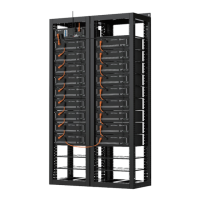
Control Module (BMS) and Battery Module are installed well. Refer to chapter
3.5.3. and 3.5.4
2
1
The environment is meeting all technical requirements.
3.3.1 Cleaning
3.3.2 Temperature
3.3.3 Radiating System
3.3.4 Heating System
3.3.5 Grounding System
Battery rack is installed follow the technical requirements.
No. RemarkItem
Tick after
completion
Refer to chapter
3.3
Refer to chapter
3.5.2.
41
/
42


 To Next Page