P
OWER UP
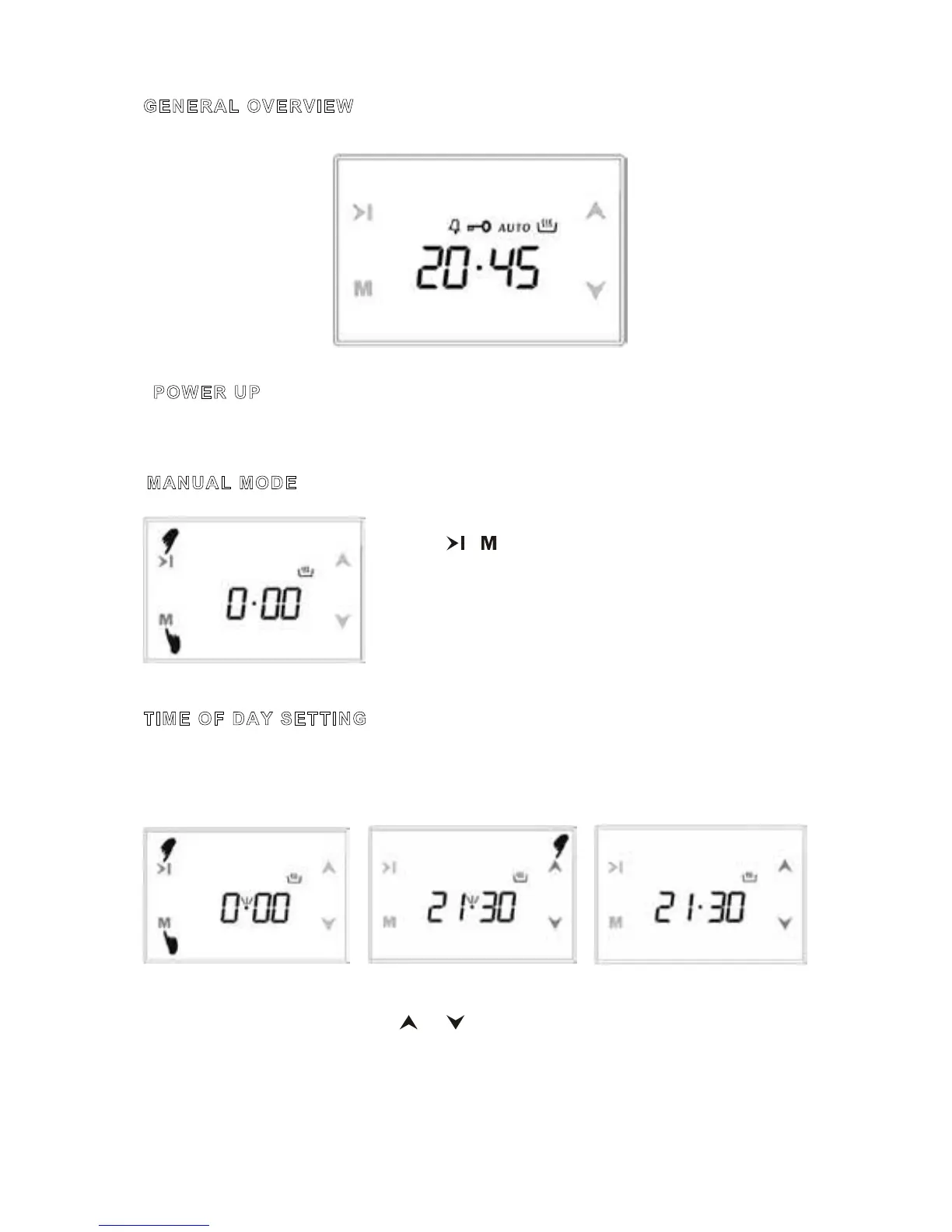
Upon power up, flashing digits and AUTO icon, the oven is inoperative. Press M to return
to the manual mode and adjust the time of day using up and down buttons.
MANUAL MODE
Touching & at the same time, manual mode is entered.
Any previous cooking program will be cancelled.
TIME OF DAY SETTING
Time of day adjustment is only allowed, when no cooking program is in progress. First
enter manual mode as described above. The point between the hours and minutes display
flashes.
You can change more quickly this time by holding down the keys.
1) Switch into time 2) Adjust the time using 3)
After a few seconds,
adjustment mode. the or buttons. screen will stabilize.



 To Next Page