SELECTING A COOKING FUNCTION
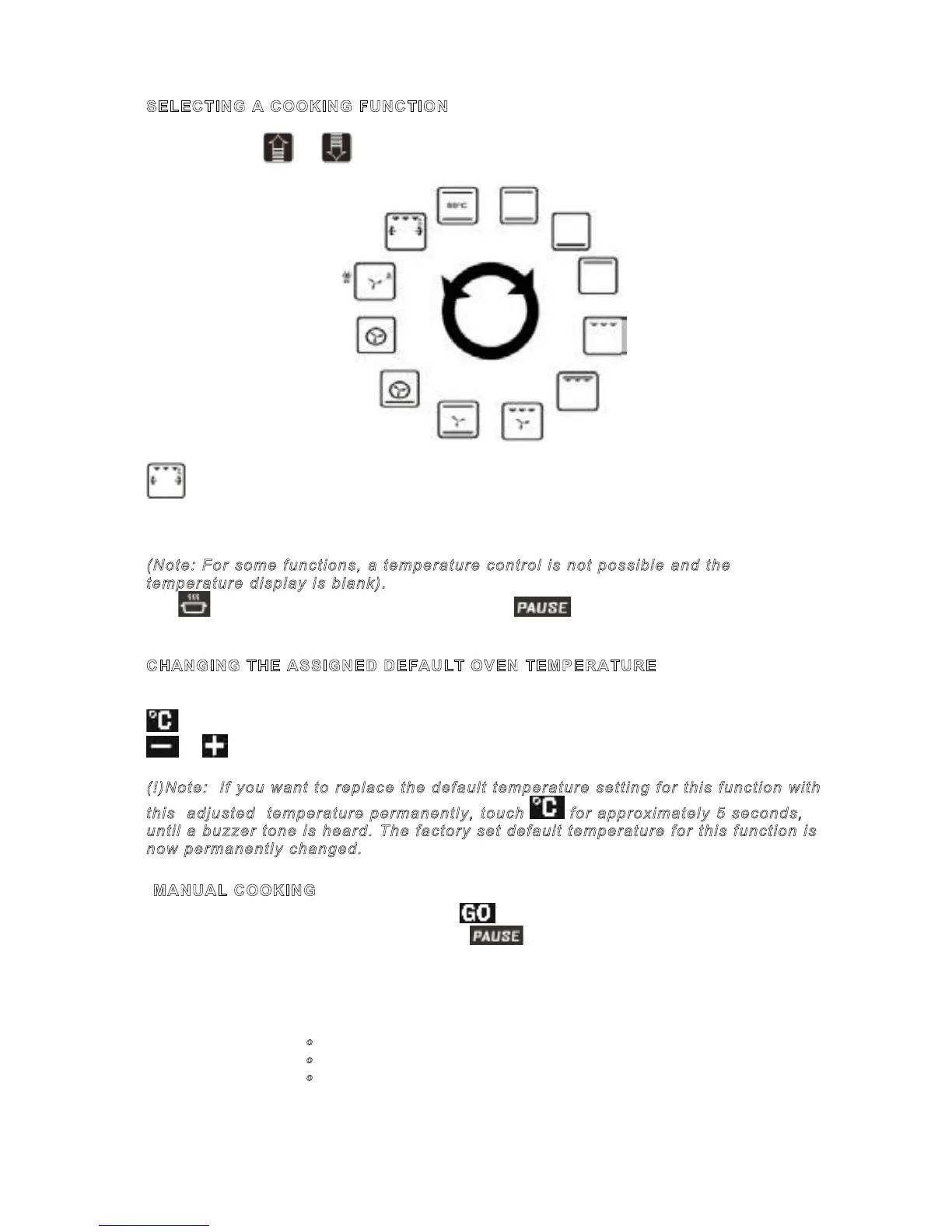
Using either of or keys, you may scroll through the function menu.
Optional feature of the function.
The current function will flash on the Function Display for 7 seconds and the default
cooking temperature assigned to this function will appear on the temperature display
(Note: For some functions, a temperature control is not possible and the
temperature display is blank).
The is steady on the status display, whereas is flashing, indicating that you
are ready to cook but not started yet.
CHANGING THE ASSIGNED DEFAULT OVEN TEMPERATURE
The Temperature Setting on the Temperature Display might be changed by touching the
button- the Temperature Display starts flashing- and setting the desired value using
or in 5 degree intervals.
(!)Note: If you want to replace the default temperature setting for this function with
this adjusted temperature permanently, touch for approximately 5 seconds,
until a buzzer tone is heard. The factory set default temperature for this function is
now permanently changed.
Once a function is selected, touching the key, initiates cooking with a temperature
setting on the temperature display (if any). disappear and the time passed in
cooking starts to be displayed on the timer/* meat probe display. Cooking will continue
until it is ended by the user manually (see: to pause, edit or end cooking) or the maximum
allowed cooking time, depending on the selected cooking temperature, has passed, as
listed below:
050-120 ºC 10h
121-200 ºC 6h
201-250 ºC 3h
In half and full automatic cooking, as described later, cooking is ended automatically
depending on the parameters entered by the user before initiating cooking (by touching
)
TO PAUSE, EDIT or END COOKING
Touching during cooking interrupts the cooking progress and starts
flashing, whereas other portions of the display remain the same. All oven heating elements
and turbo fan are disabled temporarily. Cooking is paused.
To end cooking, touch once again, all cooking related indications on the display
disappear. The temperature display will indicate the residual heat, if any (see: Residual
Heat Indication).
Note: After cooking has ended, touching brings the previous function and temperature
settings on the screen, by a second touch, cooking may be initiated again.
To edit the cooking parameters (Function, Temperature, etc), use the appropriate buttons
as described in this document. Touching will restart cooking with the edited
parameters.
AUTOMATIC COOKING
Automatic cooking means, that cooking will end automatically according to the parameters
you tell the control after selecting the cooking function and temperature but before
touching .
Tımed-Duratıon Cooking:
This method is used when no * meat probe is used and you want to start cooking
immediately, entering the desired cooking duration.
1) Select the desired function and adjust (if needed) the temperature as described
before in this document.
2) Touch key. will flash on the timer screen.
3) Adjust the required cooking duration using and keys. appears on the
status display. (If duration is brought to 0:00, two warning beeps occur)
Page 3 / 8
SELECTING A COOKING FUNCTION
Using either of or keys, you may scroll through the function menu.
Optional feature of the function.
The current function will flash on the Function Display for 7 seconds and the default
cooking temperature assigned to this function will appear on the temperature display
(Note: For some functions, a temperature control is not possible and the
temperature display is blank).
The is steady on the status display, whereas is flashing, indicating that you
are ready to cook but not started yet.
CHANGING THE ASSIGNED DEFAULT OVEN TEMPERATURE
The Temperature Setting on the Temperature Display might be changed by touching the
button- the Temperature Display starts flashing- and setting the desired value using
or in 5 degree intervals.
(!)Note: If you want to replace the default temperature setting for this function with
this adjusted temperature permanently, touch for approximately 5 seconds,
until a buzzer tone is heard. The factory set default temperature for this function is
now permanently changed.



 To Next Page