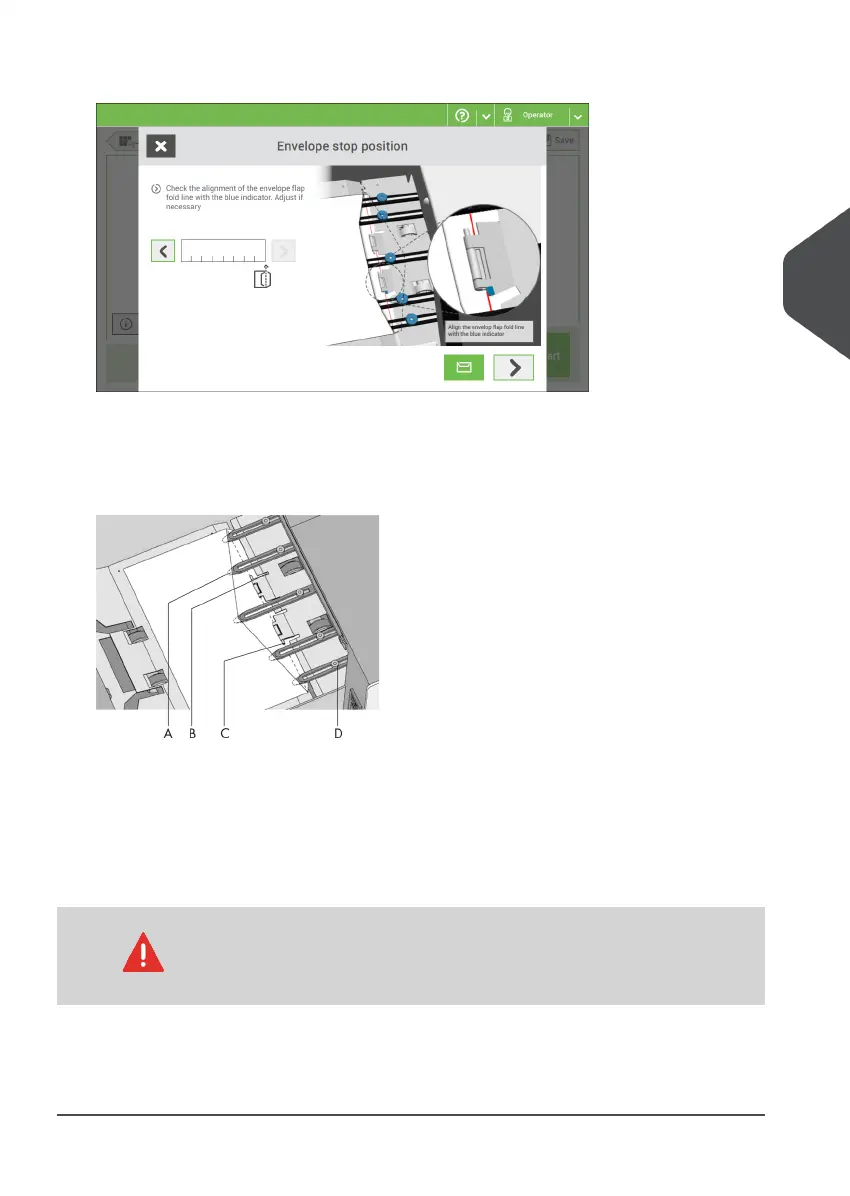
4. Follow the instructions on screen.
5. Tap the arrow to move to the next screen.
If the insert fingers are not correct, adjust the fingers as follows:
1. Loosen the knurled knob D on top of each finger.
2. Adjust each finger so that the tip enters about 5 mm (0.2 inch) into the envelope.
3. Re-tighten the knurled knob.
The fingers can be moved sideways to the desired position.
4. Place the outer fingers about 5 to 10 mm (0.2 to 0.4 inch) from the edges of the
envelope.
Check the position of the insert fingers when changing to a different
type of envelope.
5. Tap the envelope button on the touch screen to fetch another envelope.
6. Make sure that the finger position is correct. If not, repeat the steps for adjusting the
fingers.
4
English
41
| Page 41 | Nov-25-2020 04:16 | Working with Jobs



 To Next Page