980 User Guide Rev. B29
Page 107 August 5, 2011
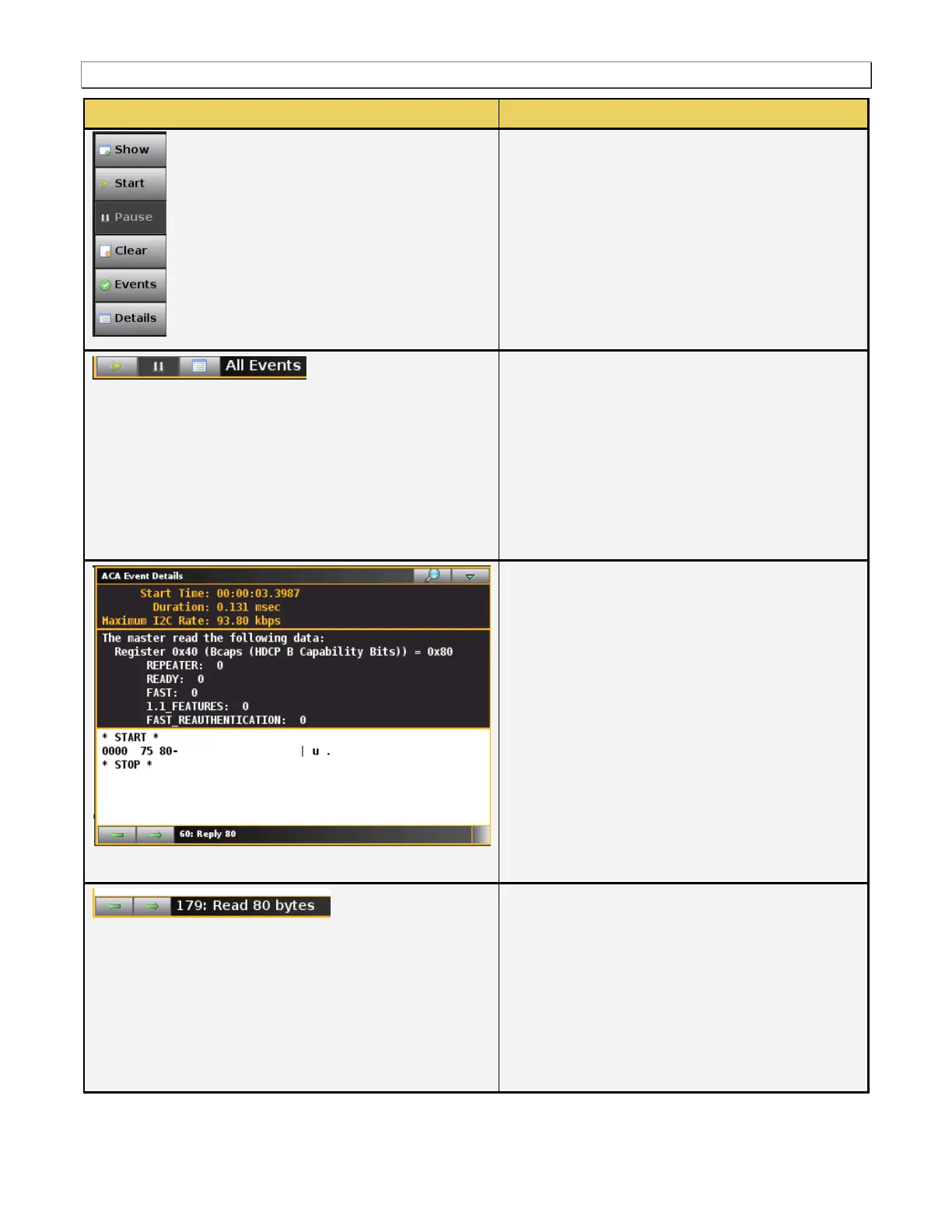
Pause – Halts the updates of the data to the
ACA panel.
Events – Shows or hides events.
Details – Opens up the Details panel described
below.
There is a set of controls on the bottom of the ACA
Info panel. These are described below:
Pause/Resume – The control enables you to
pause the collection of real time AVI infoframes
or resume the collection of them.
Stop – Stops updates on the GUI. Collections
still occur.
Details – Opens up another panel to view the
details of a specific highlighted transaction.
The following information is provided in the ACA
Event Details dialog box:
Start Time – This the start time of the
transaction in microseconds from a reference
time determined when the capture of real time
data began.
Duration – The duration in milliseconds of the
transaction.
Maximum I2C Rate – The rate that the DDC
channel clock is operating.
Details (text) – The contents of the transaction
in human readable text.
Details (hex) – The contents of the transaction
in hex data.
There are some control arrows on the bottom of the
ACA Event Details panel. These are as follows:
Left arrow – The left arrow allows you to see
the details of the next transaction.
Right arrow – The right arrow allows you to see
the details of the previous transaction.
Status field – Shows the sequence number and
the number of bytes read of the selected
transaction.



 To Next Page