980 User Guide Rev. B29
Page 65 August 5, 2011
4.5.3 Viewing the Timestamps of the Data
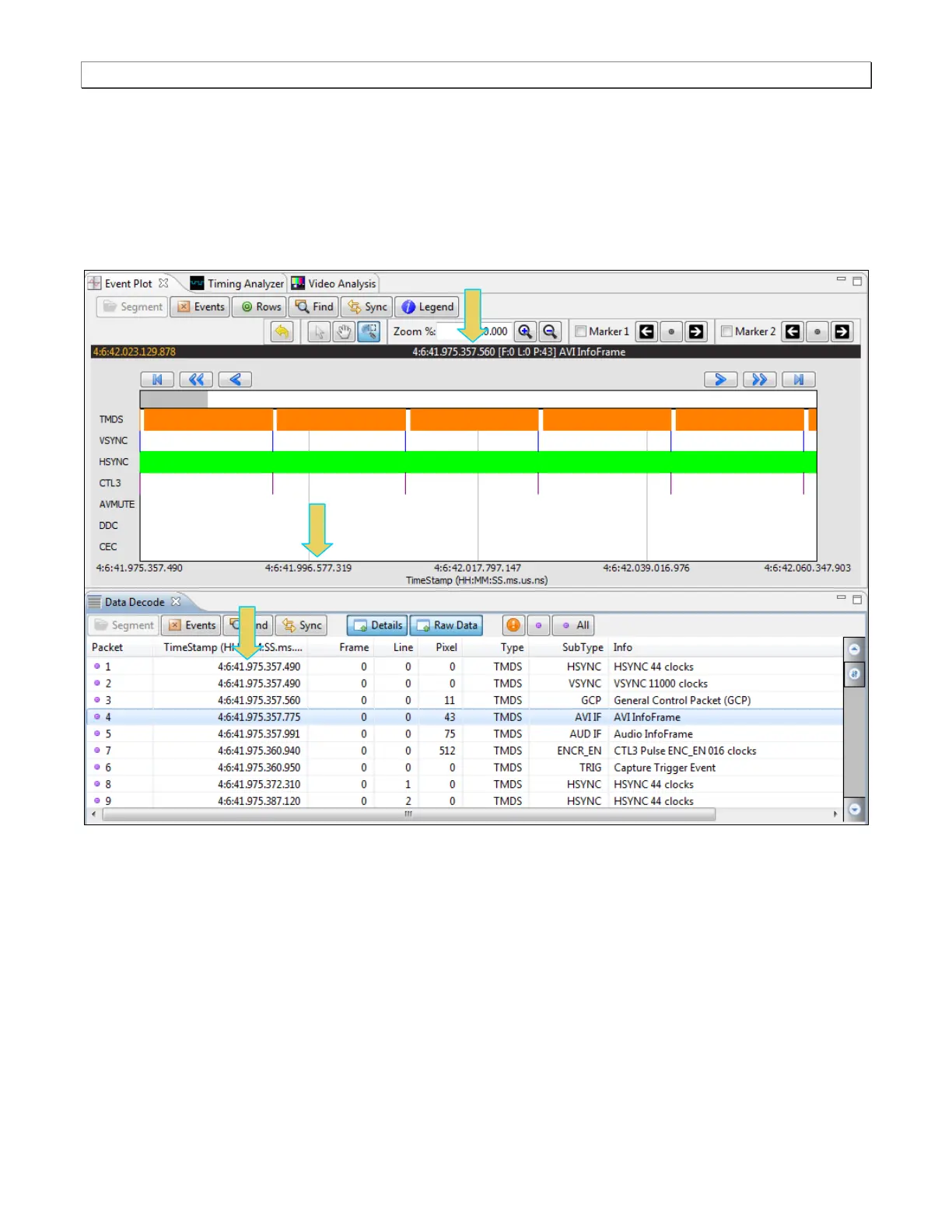
The timestamp indicated on the dark status panel just below the icons indicates the location of the scroll bar. When
you scroll or pan through the data, the timestamps are shown in the status panel. If you use the pointer tool to
select a particular point, the timestamp and data element will be shown in the center of the dark status panel. In the
example below, a selection has been made on an AVI infoframe either with the pointer tool or in the Data Decode
panel.



 To Next Page