Application Setup
Intelligent Electric Vehicle Chargepoints QUBEVSM-V01-R0 Installation and Operation Manual
Page 27 of 42 February 2023
Functional Check
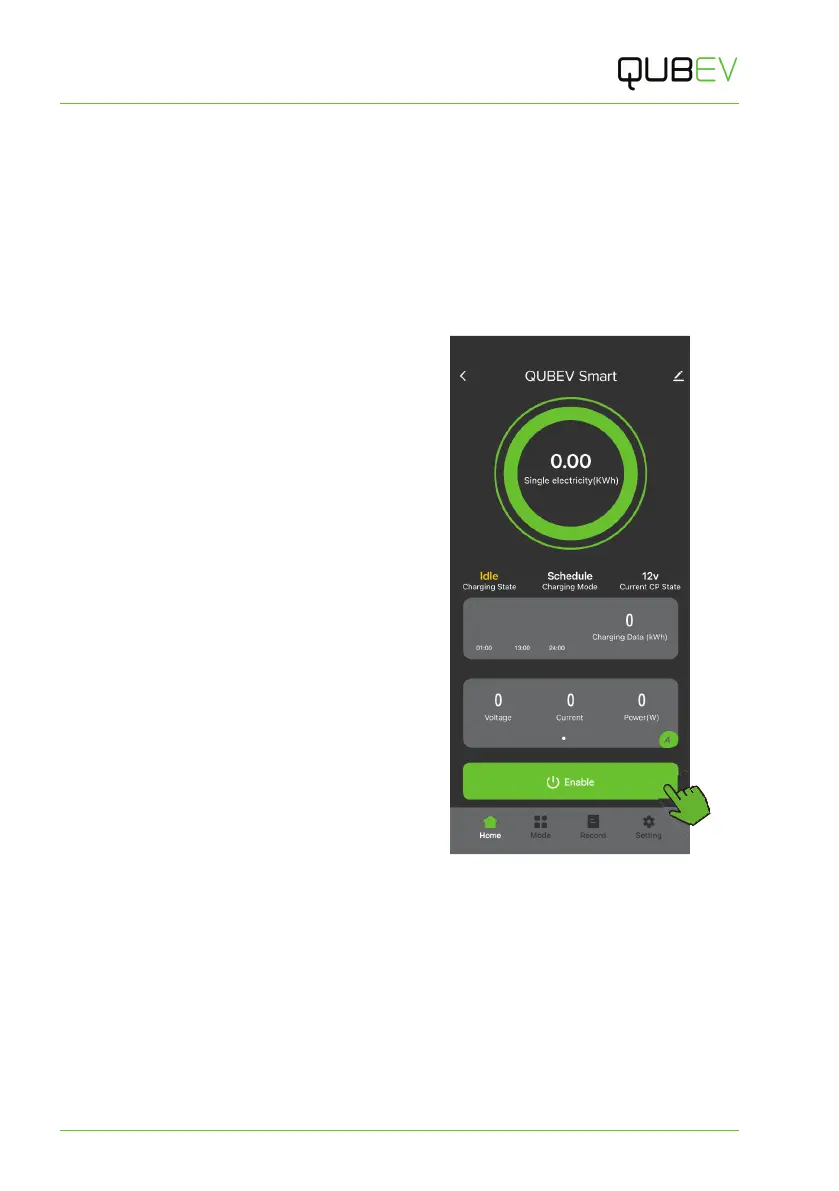
1. When first connected, the Home Screen will be shown and will present the options to…
x select default mode.
x edit the charging time.
x select Plug and charge mode.
2. Select Plug and charge mode.
3. Connect the charge point to the vehicle.
4. Tap the Enable button to START
charging.
x The charge point will start
vehicle charging after a
randomised delay of up to 10
minutes.
x The Charging State shown on-
screen should change to
indicate charging is in progress.
5. Tap the button again to STOP charging.
x The charge point should stop
charging the vehicle.
6. The Charging State shown on-screen
should change to indicate the charger
is Idle.
Figure 19 Home Screen



 To Next Page