EasyManua.ls Logo

qubev smart EVON0090 - Charger Button Functions

qubev smart EVON0090
44 pages
Print Icon
To Next Page IconTo Next Page
To Previous Page IconTo Previous Page
Loading...
Operation
QUBEVSM-V01-R0 Installation and Operation Manual Intelligent Electric Vehicle Chargepoints
February 2023 Page 34 of 42
Charger Button Functions
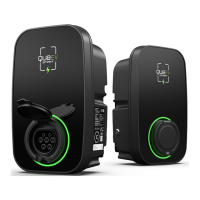
The charger button is located on the left-hand side of the enclosure.
Function Operation Status Indication Remarks
Emergency Stop
Press ONCE during normal
charging
Flashing RED
light
(1 fast, 1 slow)
Unplug the connector
if possible.
Mode Toggle
In standby state:
1. Under APP
controlled
(Schedule) mode,
press 5 times
continuously to
enter plug and
charge mode.
2. Under plug and
charge mode
(Manual), press 5
times continuously
to switch the
randomized delay
on or off.
NOTE: Plug and charge
mode automatically
starts charging after
the connection is
confirmed.
Randomized delay:
The unit operates with a
delay of up to 600
seconds each time a
charge session starts.
Beep twice
If you want to cancel
plug and charge
mode, click schedule
by APP on standby
state.
Wi-Fi Reset
In standby state:
Press and hold for more
than 10 seconds to reset
the Wi-Fi, then re-add the
device for pairing
connection on the App.
Beep twice N/A