CV200 Dash Camera User Manual
16
Step #2 DMS feature calibration
The DMS module offers “dynamic self-calibration” essentially, but firstly it needs to initialize the
“calibration done” state manually to assure the camera is installed on the correct position to
avoid faulty/false alarms. The steps are as following:
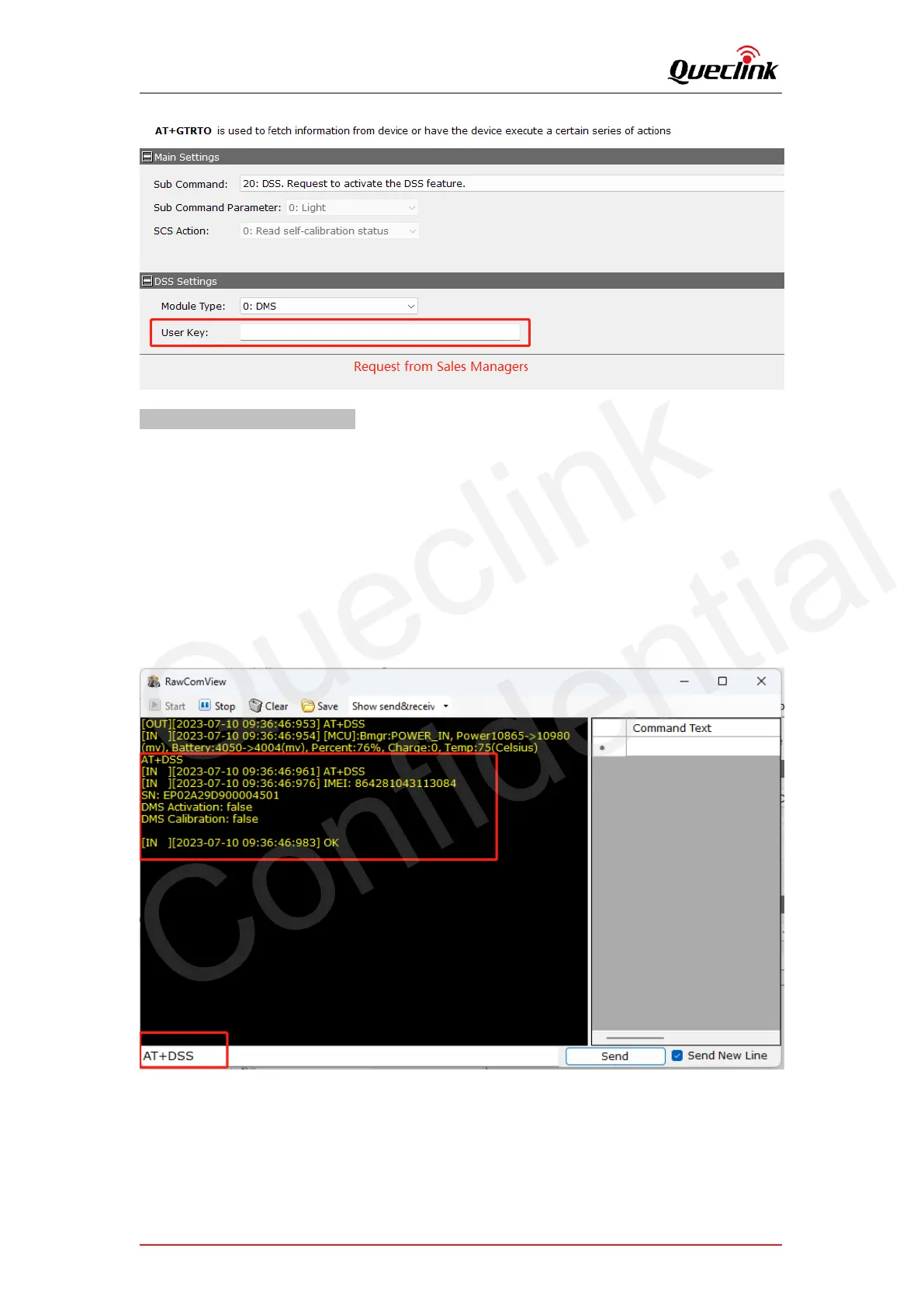
1. Query the calibration state if needed, you can input “AT+DSS” command over local serial port.
Or send RTO command 21 to request online.
2. Log in the “Live” tab of mobile application to get the live view of DMS camera.
3. Loose the bracket to rotate the camera lens and adjust the driver seat position. Make sure the
driver's face to stay in the middle of face frame and then tighten the bracket.
4. Click button to calibrate the field of view and remove the protection film of lens, and screw
the shaft to complete the installation. (Refer to the section “5.5”)
5. Query the calibration state again as the methods above.



 To Next Page