CV200 Dash Camera User Manual
8
3. In-vehicle installation
3.1. Configurating the parameters
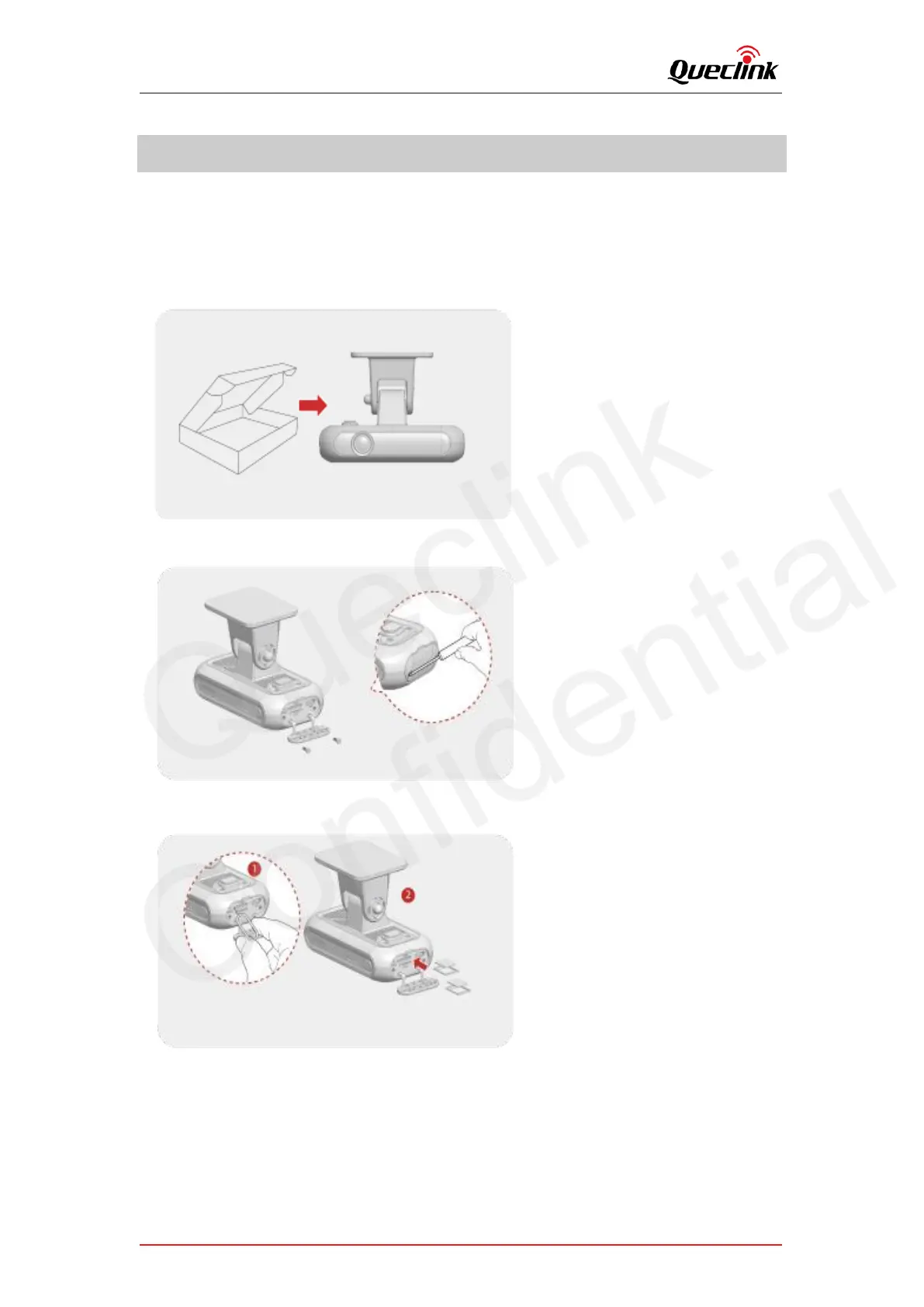
Follow the steps to setup the dashcam.
1. Take out the dashcam from the package box.
2. Open the tamper-resistant cover by screw driver.
3. Place SIM card and memory card into slots gently.



 To Next Page