CV200 Dash Camera User Manual
33
indicator is starting fast blinking once it detects the patch file)
4) The product will auto reboot and load the new application after updating finished, it may
cost 5 minutes around.
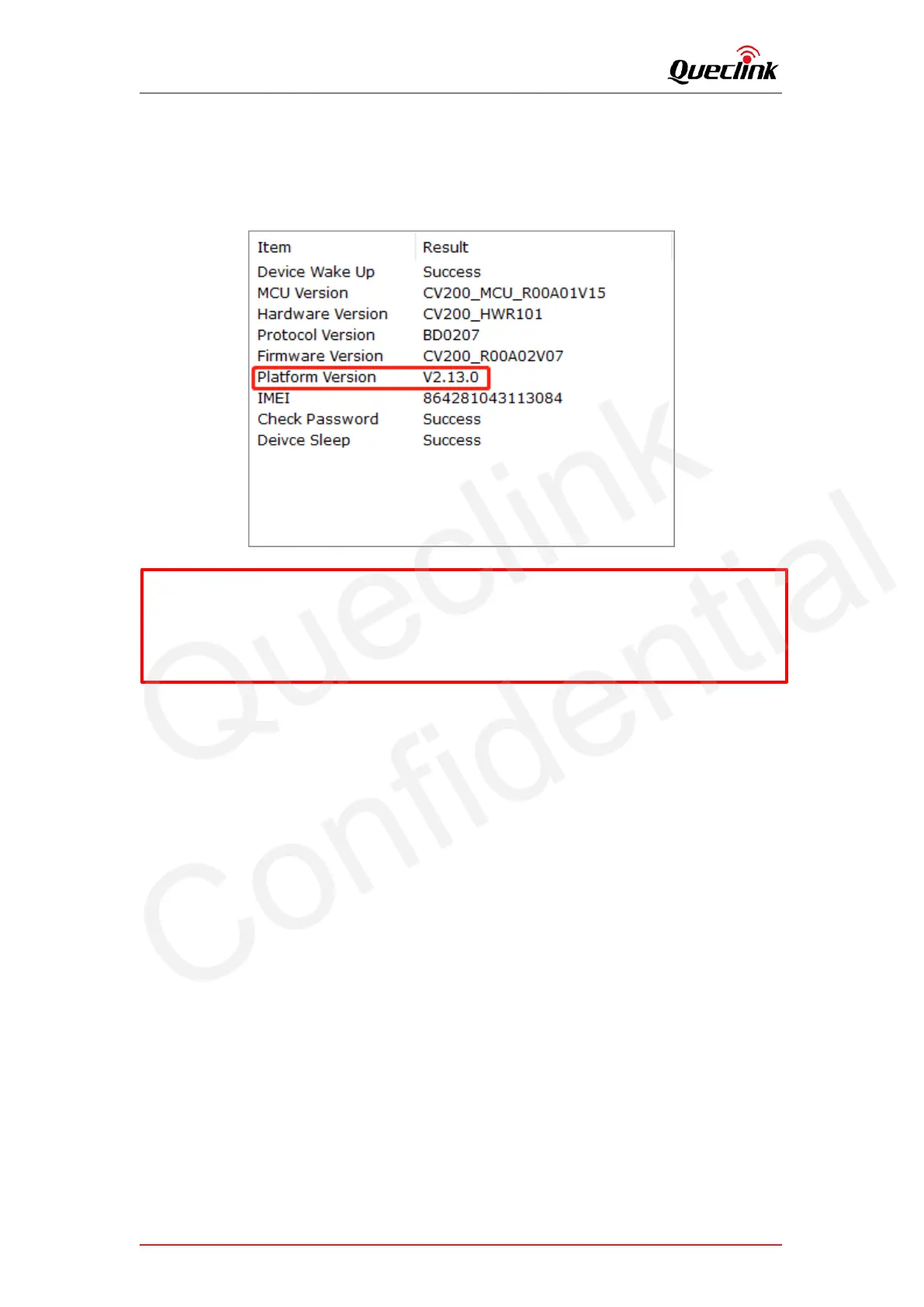
5) Run Manage tool to login the product and check the version information from the
bottom of software.
6.3. Updating over debug cable
6.3.1. Preparation before operations
1) MCU Application “CV200_MCU_RxxAxxVxx.enc”
2) Firmware Application “CV200_RxxAxxVxx.apk”
3) Manage Tool with debug cable
4) Cable drivers, includes “USB-COM” and “Google ADB” drivers.
6.3.2. Loading the application
1) Install both drivers above and plug the USB-A connector into computer to connect with the
product.
2) Login the manage tool and open the “Upgrade” window.
3) Import the application and click Start button to upgrade instantly.
*Don’t remove the power supply while updating, it probably takes a long time to update the
platform patch.
*Regarding the platform version, for example V2.13.0 and V2.13.1, it indicates the version is
2.13 and last code 0/1 means XEU/XNA type.



 To Next Page