CV200 Dash Camera User Manual
25
5.7. Connecting by IP/Port mode (for demonstration purpose)
The product affords the Point-to-Point connection while it is accessible to mobile phone
directly.
At the local network, the product and mobile phone connect into the same segment, input
the IP and port into QuCam to connect.
While going through the internet, make sure the IP address of product is of public type,
input the public IP address and connect.
The steps show as below:
1) Open the App window and tap the Add button.
2) Input the reachable IP address and confirm.
* The default communication port is 2345, it cannot be modified.
* If there is no public IP address for the connection, the remote view is invalid at your scenes.
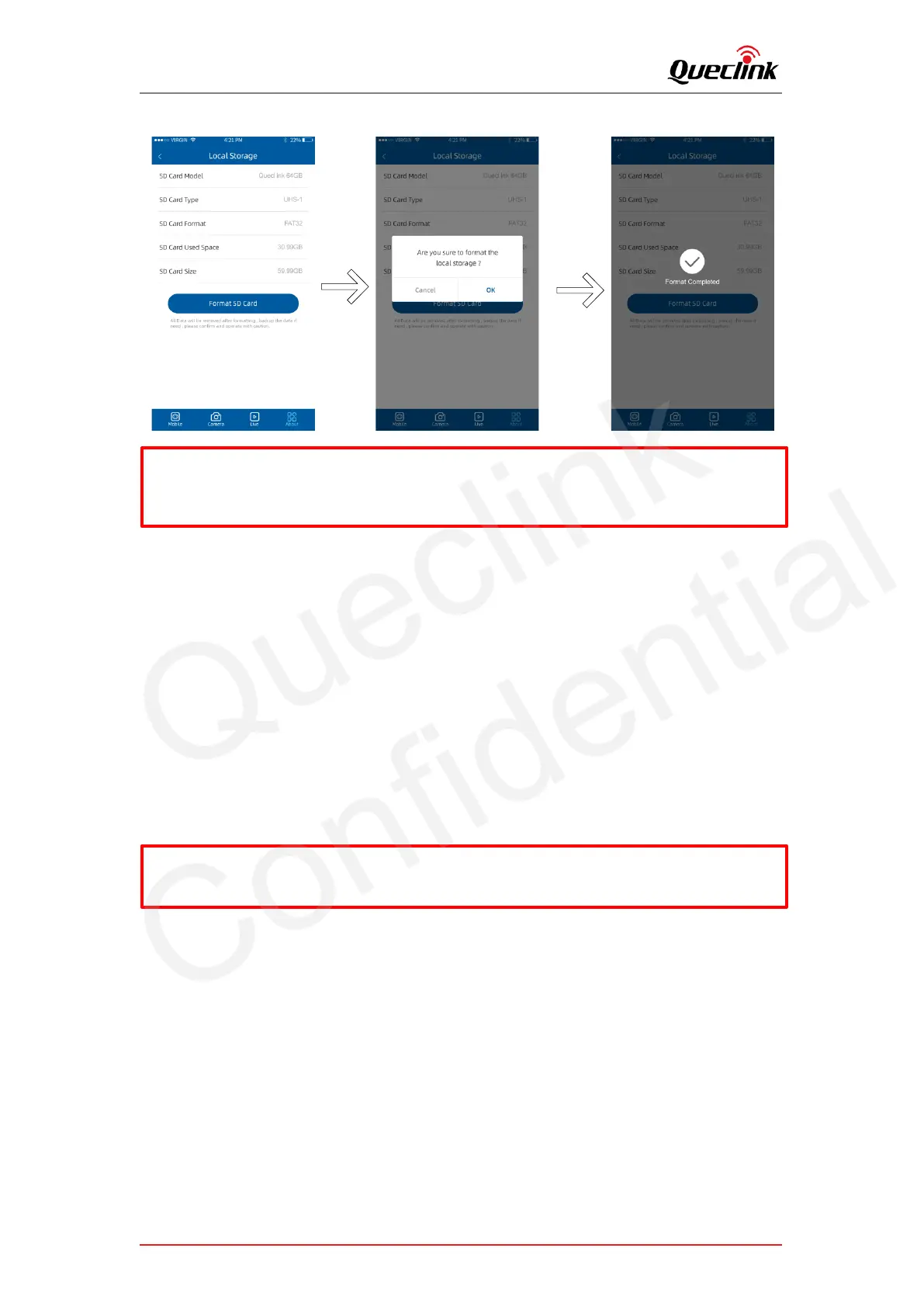
* The product identifies the FAT32 filesystem of TF card restrictedly.
* The product sounds beep once formatting is started or completed.
* The REC indictor turns off during formatting and turns on after TF card is mounted again.



 To Next Page