CV200 Dash Camera User Manual
23
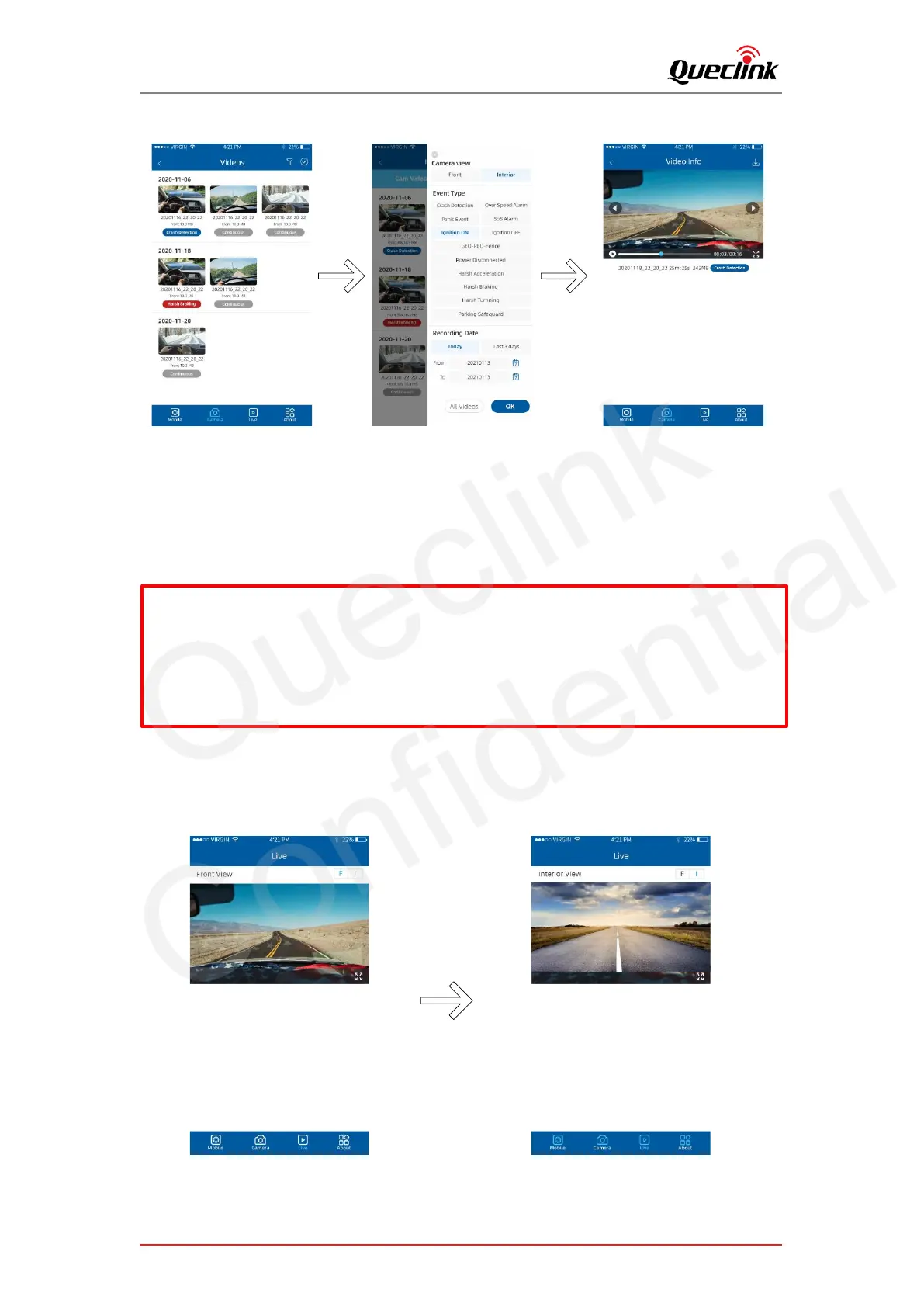
Follow the steps to play recorded videos.
1) Open the Mobile window or Camera window, tap “filter” icon to open filter page.
2) Select the filter options according to “Front / Interior”, “Event Type”, “Recording Time”
options
3) Select the desired videos to playback.
5.4. Monitoring the live view
Follow the steps to preview the real-time videos.
* Mobile: List the recorded videos download from the camera, QuCam plays the videos
offline.
*Camera: List the recorded videos stored at the local TF card of camera. QuCam must
connect the camera to play online.



 To Next Page