EasyManua.ls Logo

Queclink CV200 - Front View

Queclink CV200
47 pages
Print Icon
To Next Page IconTo Next Page
To Previous Page IconTo Previous Page
Loading...
CV200 Dash Camera User Manual
5
Number
Definition
Feature
1
Multi-function
Button
SOS alarm, Wi-Fi switch, Panic alarm
2
LED Indicator
Indicate device states
3
Microphone
Pick up cabin audio
4
Speaker
Virtual voice alerts
5
Bracket Base
With adhesive pad to install the unit over windshield
6
Bracket Shaft
Adjust the camera facing view
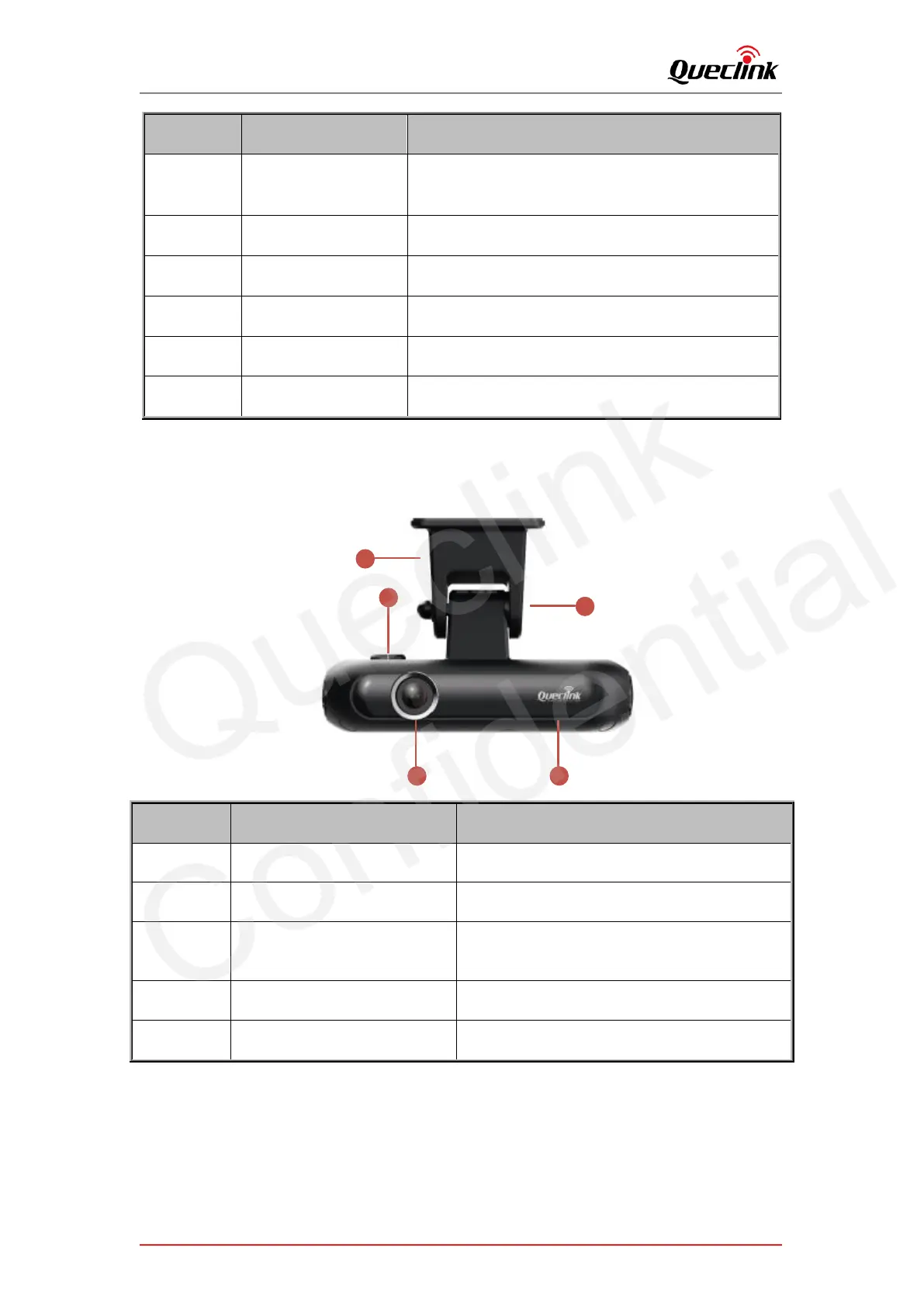
2.4. Front view
3
4
1
5
2
Number
Definition
Feature
1
Front Camera
Capture front-facing view
2
Cable Outlet
Connect function cable
3
Bracket Base
With adhesive pad to install the unit over
windshield
4
Bracket Shaft
Adjust the camera facing view
5
Brand Logo
Customizable
Queclink
Confidential

Related product manuals