CV200 Dash Camera User Manual
24
Open the Live window, tap “Front/Interior” button to switch the video source. Adjust the angle
of front and interior for best view at first installation.
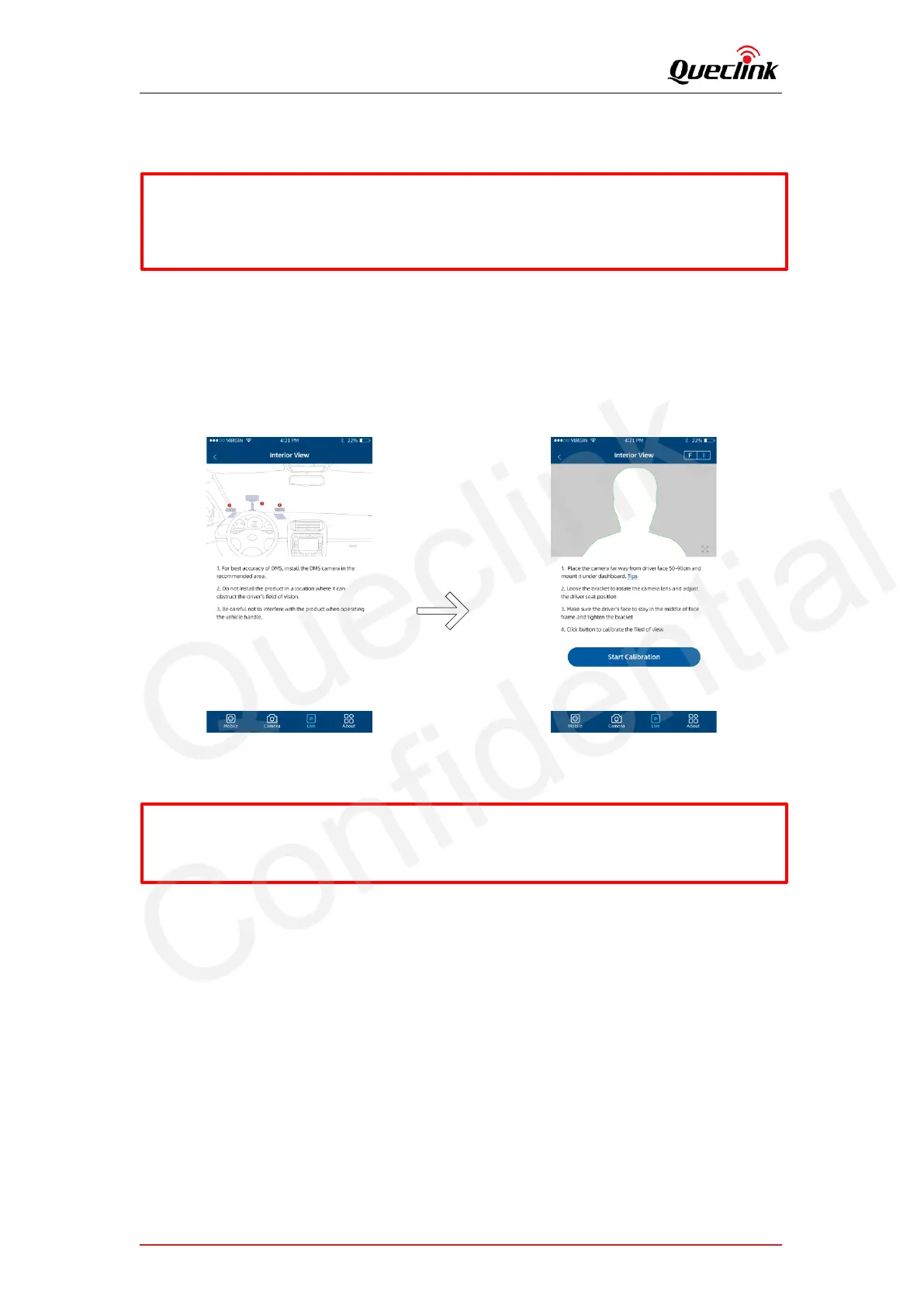
5.5. Calibrate the DMS features
It requires to calibrate the DMS feature after activating the module. The QuCam app
provides the way to complete the operation visually.
5.6. Formatting the TF card
To clear your TF card or initialize the installation, please follow the steps to format the local
storage.
1) Plug the TF card into the product
2) Power on the product
3) Connect the QuCam mobile app to the product
4) Open the Local Storage page, it shows the current status of TF card
5) Tap the “Format SD Card” button to start formatting
6) Confirm the REC indicator stays solid after formatting finished
* The Calibration wizard will be shown only after the DMS module is activated. Please follow
section 3.3 to activate it firstly.
* While installing the front and interior facing camera, use the Live window to help you
adjust your product in the most effective position.
* The recording will be paused while you open the live view.



 To Next Page