CV200 Dash Camera User Manual
19
indicates year, month, and day
indicates hour, minutes and second
5) /queclink/video
The folder stores all continuous and events recordings circularly.
File format: YYYYMMDD_hhmmss_tt_c.mp4, each file is generated per minute.
indicates year, month, and day
indicates hour, minutes and second
6) /queclink/protected
The folder stores all crucial events recordings circularly.
File format: YYYYMMDD_hhmmss_tt_c.mp4, each file is generated per minute. The storage
space of “protected” is controlled by “Storage space assignment” feature. The more space
preset, the longer saving time to avoid overwriting.
indicates year, month, and day
indicates hour, minutes and second
7) /queclink/pic
The folder stores all crucial events snapshots circularly.
File format: YYYYMMDD_hhmmss_tt_c.jpg, each file is generated per event.
indicates year, month, and day
indicates hour, minutes and second
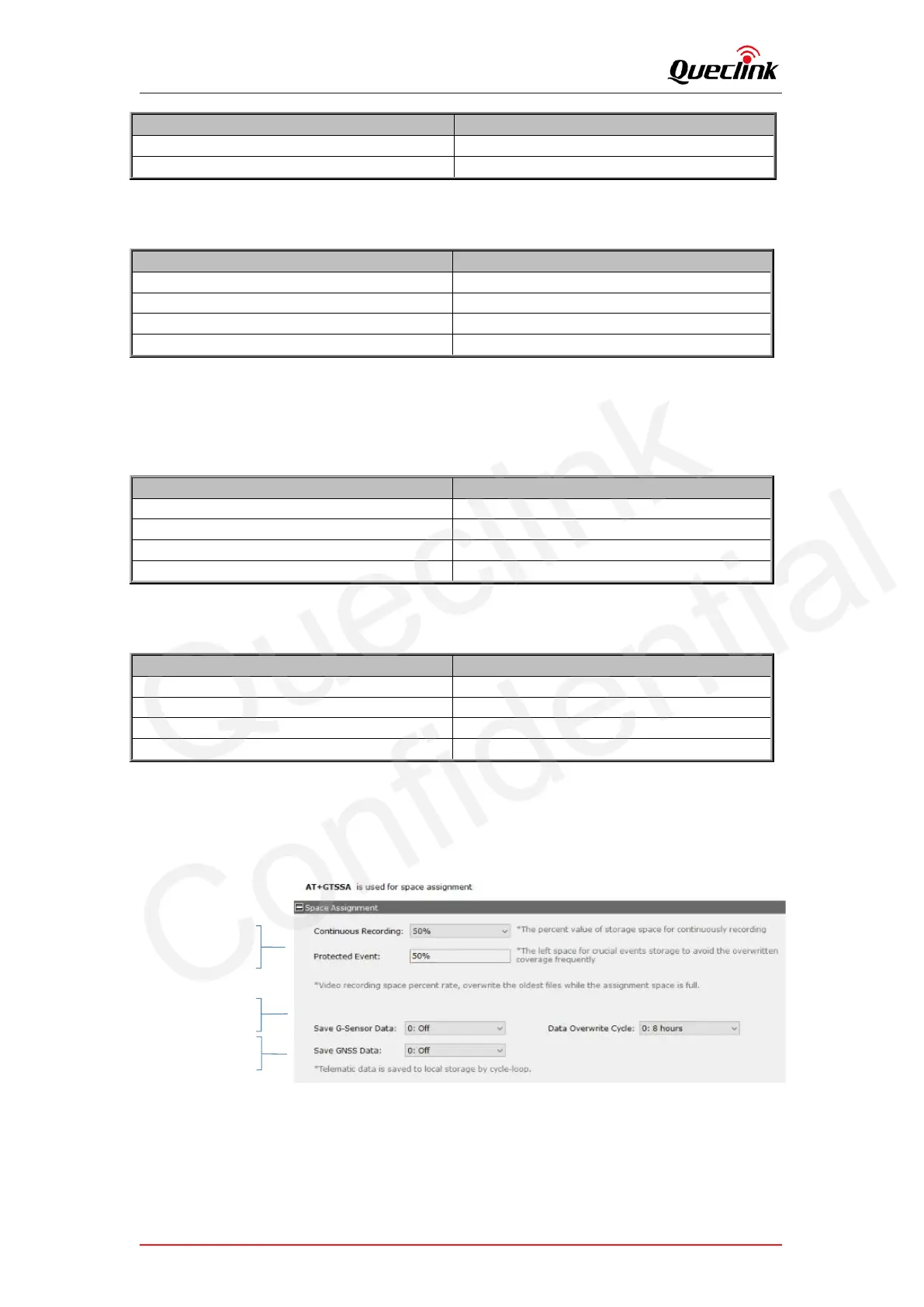
4.3. Storage space assignment
The local storage is overwritten circularly, and the oldest files will be removed automatically
while the capacity is full.
Assign the storage percent
of continuous and event
recording
Configure to save G-
sensor, GNSS data
Enable the data overwrite
feature



 To Next Page