User’s Manual 85
C.5.1 Programming Cable Tips
Once the LCD/keypad module is in place on the BL2100, it is not possible to remove or
attach the programming cable to/from the BL2100 programming port. You will have to
remove, or at least lift up, the LCD/keypad module while you connect or disconnect the
programming cable.
While you are developing your application, you may wish to connect or disconnect the
programming cable when resetting the BL2100 and switching between the Program Mode
and the Run Mode. To avoid the inconvenience of removing and replacing the LCD/key-
pad module each time, the programming cable may be disconnected/reconnected at the
RS-232/CMOS level converter in the middle of the programming cable.
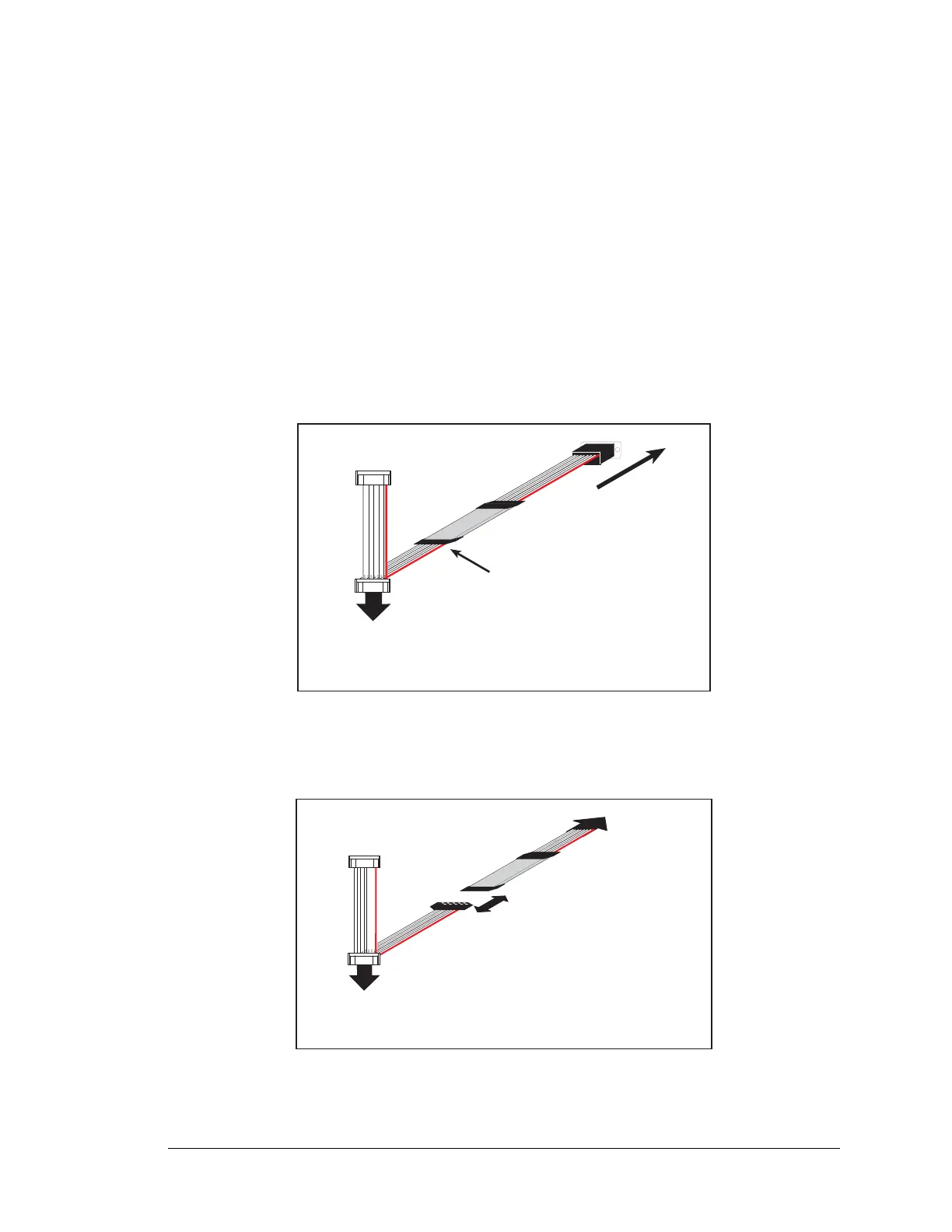
1. Peel back plastic shrink wrap as shown in Figure C-8.
Figure C-8. Peel Back Plastic Shrink Wrap
2. Disconnect the programming cable at RS-2332/CMOS level converter board.
Figure C-9. Disconnect Programming Cable
PROG
DIAG
Peel back plastic shrik wrap.
To PC
COM port
To
BL2100
programming port
PROG
DIAG
Disconnect programming cable
at RS-232/CMOS level converter
board.
To PC
COM port
To
BL2100
programming port



 To Next Page