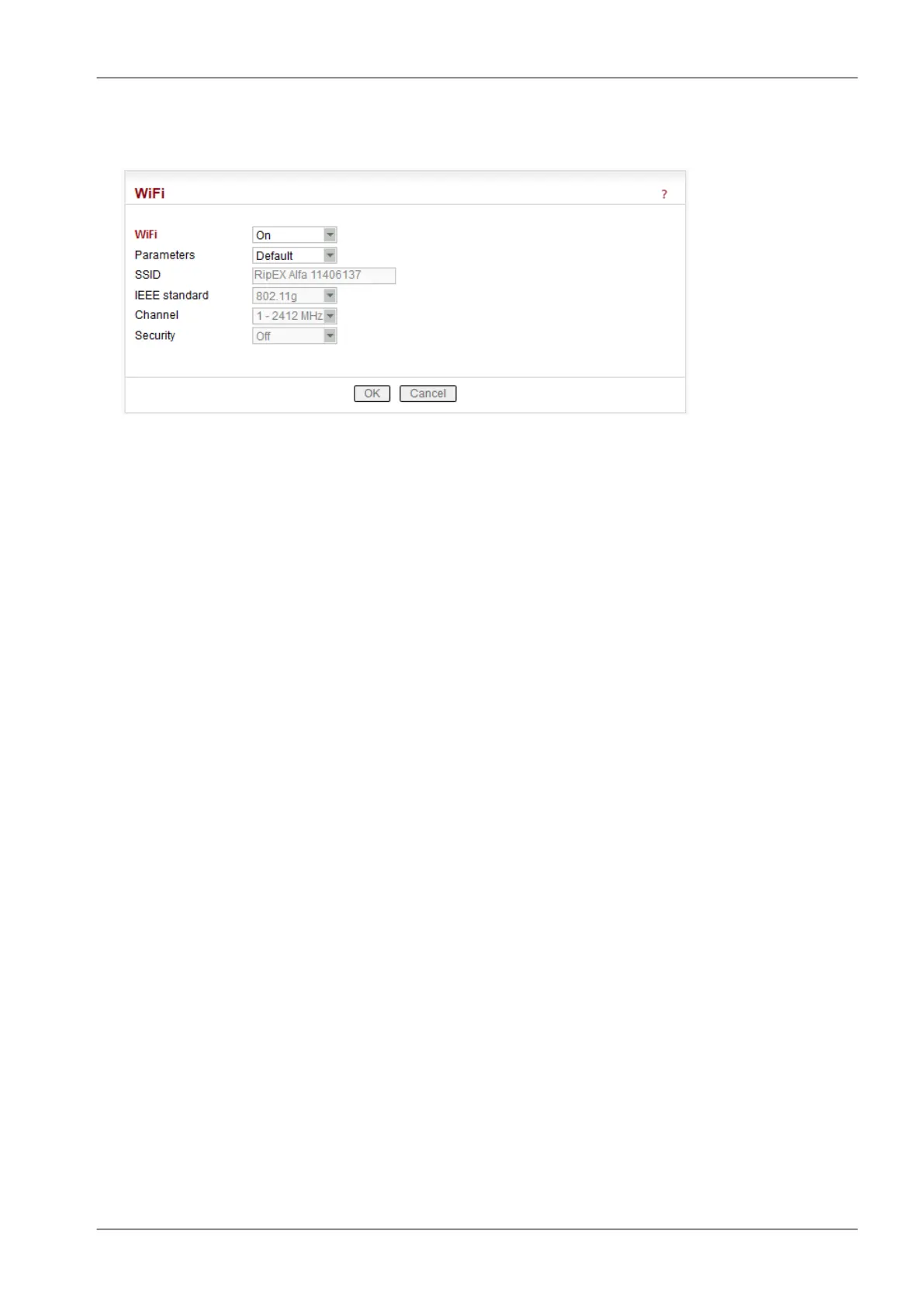
■ Wifi
List box: Off, On
Default = On
When "On", RipEX management can be executed over WiFi using the W1 - WIFI/USB adapter from
RipEX accessories. This equipment must be plugged into RipEX USB interface. You just switch on
WiFi in your device (notebook, tablet, smartphone…) and connect it to the RipEX WiFi network.
Your device will get its IP settings from the RipEX built-in DHCP server. Then type https://10.9.8.7
in your browser address line and you will be connected to RipEX web pages.
NOTE:
DHCP in the W1 - WIFI/USB adapter provides max. 5 leases, so up to 5 devices can be connected
to one RipEX via WiFi.
Parameters
List box: Default, Manual,
Default = Default
Default – Default (recommended) values are set and can not be edited.
Manual – Values can be set manually.
SSID
Default = RipEX + Unit name + S/N
An SSID (Service Set IDentifier) is a unique ID that consists of max. 32 characters and is
used for naming wireless networks. When multiple wireless networks overlap in a certain
location, SSIDs make sure that data gets sent to the correct destination. If empty, default
value is filled.
IEEE standard
There are different standards used for WiFi networks. RipEX supports some of them.
List box: possible values
Default = 802.11g
802.11g
2.4 GHz frequency band, data speed up to 54 Mbps
802.11n
802.11n is an advanced IEEE standard in the 2,4 GHz WiFi band. It was designed to
improve on 802.11g in the amount of bandwidth (100 Mbps) supported by utilizing multiple
wireless signals and antennas.
109© RACOM s.r.o. – RipEX Radio modem & Router
Advanced Configuration


 To Next Page