RC2
PLUS
USER MANUAL REV 9
INTERNAL RC2
PLUS
PORTABLE:
The RC2
PLUS
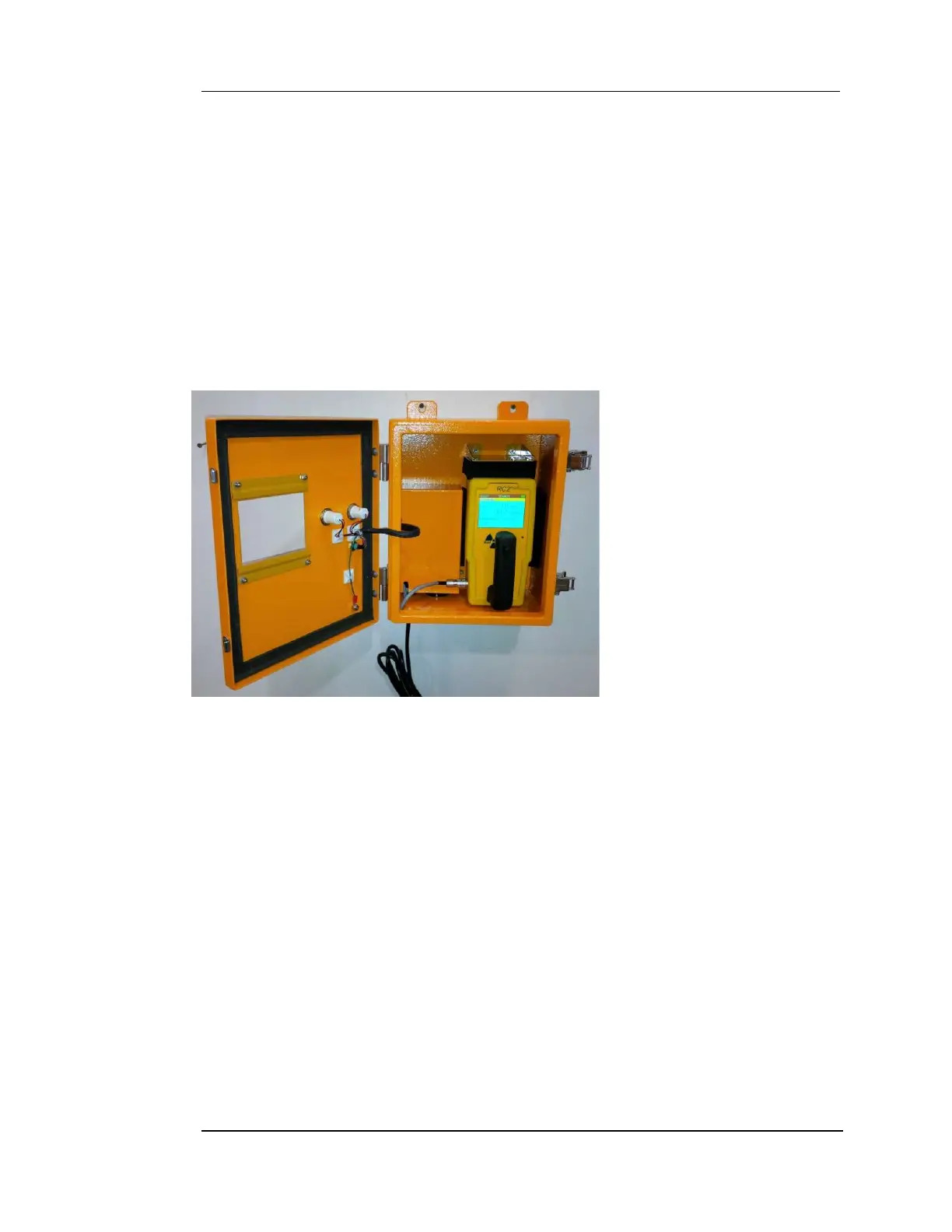
/DS is equipped with an internal portable RC2PLUS radiation detector.
The RC2
PLUS
is located behind the locked front panel door on a built-in shelf. Quick
release straps are used for holding the instrument in place. These can be easily and
quickly undone when the portable is required for remote applications. There is an 10
pin DIN connector that must be plugged into the side of the portable when
mounted in the RC2
PLUS
/DS. The connector serves 2 functions; it will charge the
internal RC2
PLUS
batteries and transfer the logic control signals to the RC2
PLUS
/DS
control circuitry. The RC2
PLUS
must be turned on at all times while mounted in the
RC2
PLUS
/DS control unit.
Figure 1 – RC2
PLUS
Docking
station
Door Latch
There are two key-lock door latches on the right side of the unit. They are spring
loaded press fit latches that snap into place. The latches can remain closed without
using the key-lock. To open the latch simply depress the black button.
Alarm Indicator
The indicator is controlled by the internal logic circuits and is used for alarm
conditions. It will illuminate steady ON when there is a detection of radiation. The
lamp is a maintenance free LED cluster and is powered by low voltage DC.
Monitoring Indicator
The indicator is controlled by the internal logic control circuits and indicates the
systems operational status. Normal operation is steady ON which means the system
is fully operational. Steady OFF means the unit is NOT operational.


 To Next Page