Wuhan Raycus Fiber Laser Technologies Co., Ltd.
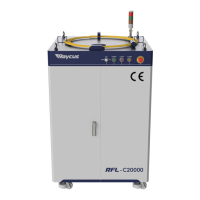
User Guide of RFL-C20000M-CE
CONTENTS
1. Safety Information
..........................................................................................................................................................
1
1.1. Security Label
..................................................................................................................................................................
1
1.2. Laser Safety Grade
..........................................................................................................................................................
2
1.3. Optical Safety
..................................................................................................................................................................
3
1.4. Electrical Safety
................................................................................................................................................................
3
1.5. Other Safety Rules
..........................................................................................................................................................
3
2. Product Description
........................................................................................................................................................
4
2.1. Features
..........................................................................................................................................................................
4
2.2. Package Parts
..................................................................................................................................................................
4
2.3. Unpacking and Inspection
...............................................................................................................................................
4
2.4. Operation Environment
.................................................................................................................................................
5
2.5. Attentions
.......................................................................................................................................................................
5
2.6. Specifications
..................................................................................................................................................................
6
3. Installation
......................................................................................................................................................................
6
3.1. Dimensions
.......................................................................................................................................................................
6
3.2. Installation rule
...............................................................................................................................................................
9
3.3. Protective end cap of output cable and using description
.......................................................................................
11
3.3.1 Types of protective end caps and factory status
.....................................................................................................
11
3.3.2 Pre-installation cleaning instructions for output cables
.......................................................................................
12
3.4. Cooling Requirements
...................................................................................................................................................
14
4. Using the Product
.........................................................................................................................................................
17
4.1. Front Panel
.....................................................................................................................................................................
17
4.2. Rear Panel
.....................................................................................................................................................................
18
4.3. Power connection
.........................................................................................................................................................
19
4.4 . Control interface definition
.........................................................................................................................................
20
4.4.1 Safety XP2 Interface
.................................................................................................................................................
20
4.4.2 HARDWIRING XP1
......................................................................................................................................................
21
4.4.3 RS232 XP3 Interface
.................................................................................................................................................
24
4.4.4 Analog Interface XP4
................................................................................................................................................
25
4.4.5 INTERNET Interface XP5
...........................................................................................................................................
25
4.5. Introduction to Safety Interlock
...................................................................................................................................
25
4.6. Schematic diagram of the internal electrical circuit of the laser
..............................................................................
26
4.7. Start operation sequence
.............................................................................................................................................
27
5. Control Mode Selection
...............................................................................................................................................
28
5.1. ON Mode
........................................................................................................................................................................
30
5.2. AD Enable Mode
...........................................................................................................................................................
30










 To Next Page