52
Wuhan Raycus Fiber Laser Technologies Co., Ltd.
User Guide of RFL-C20000M-CE
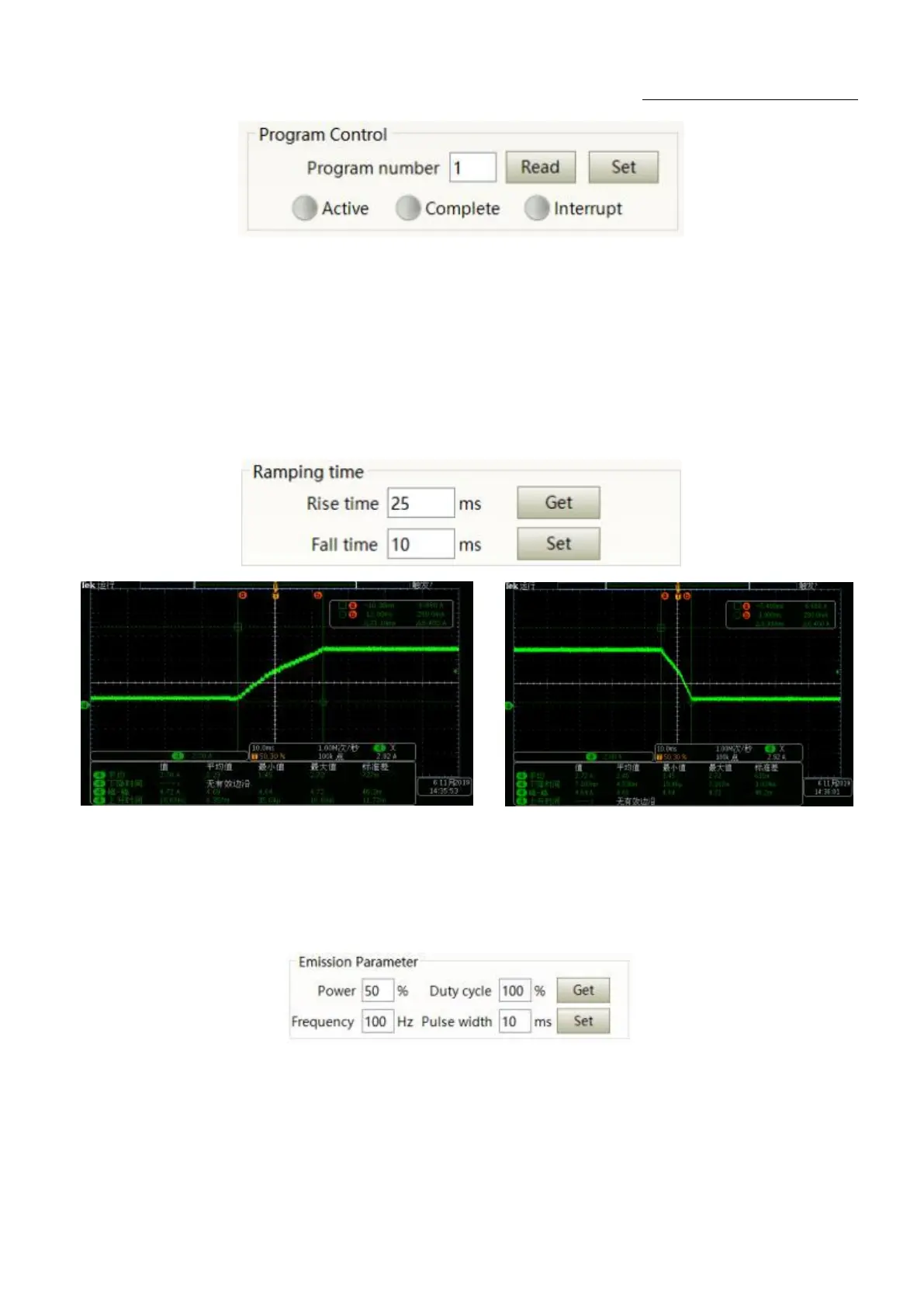
Figure 34Laser programming mode test area display interface
8.3.5 Power slow rise&down parametersettingarea
The interface of the laser power slow rise & fall parameter setting area is as Figure 35. Click „read
parameter‟ to read the power rise and fall times stored in the laser. Click „setting parameters‟ to set a new
power rise and fall time. When the rise and fall times are set to 0, the power slow rise & fall function is
automatically switched off. When there is no 0, the slow rise or fall function is automatically turned on.
Figure 35 The power slow rise and fall setting area interface and measured programmings
8.3.6 Laser output parameters read the settings area
Laser output parameter setting interface is as Figure 36. The output parameter setting is not valid
when AD mode is on.
Figure 36 Laser output parameter setting area display interface










 To Next Page