64
Wuhan Raycus Fiber Laser Technologies Co., Ltd.
User Guide of RFL-C20000M-CE
8.13.4 Editwaveform
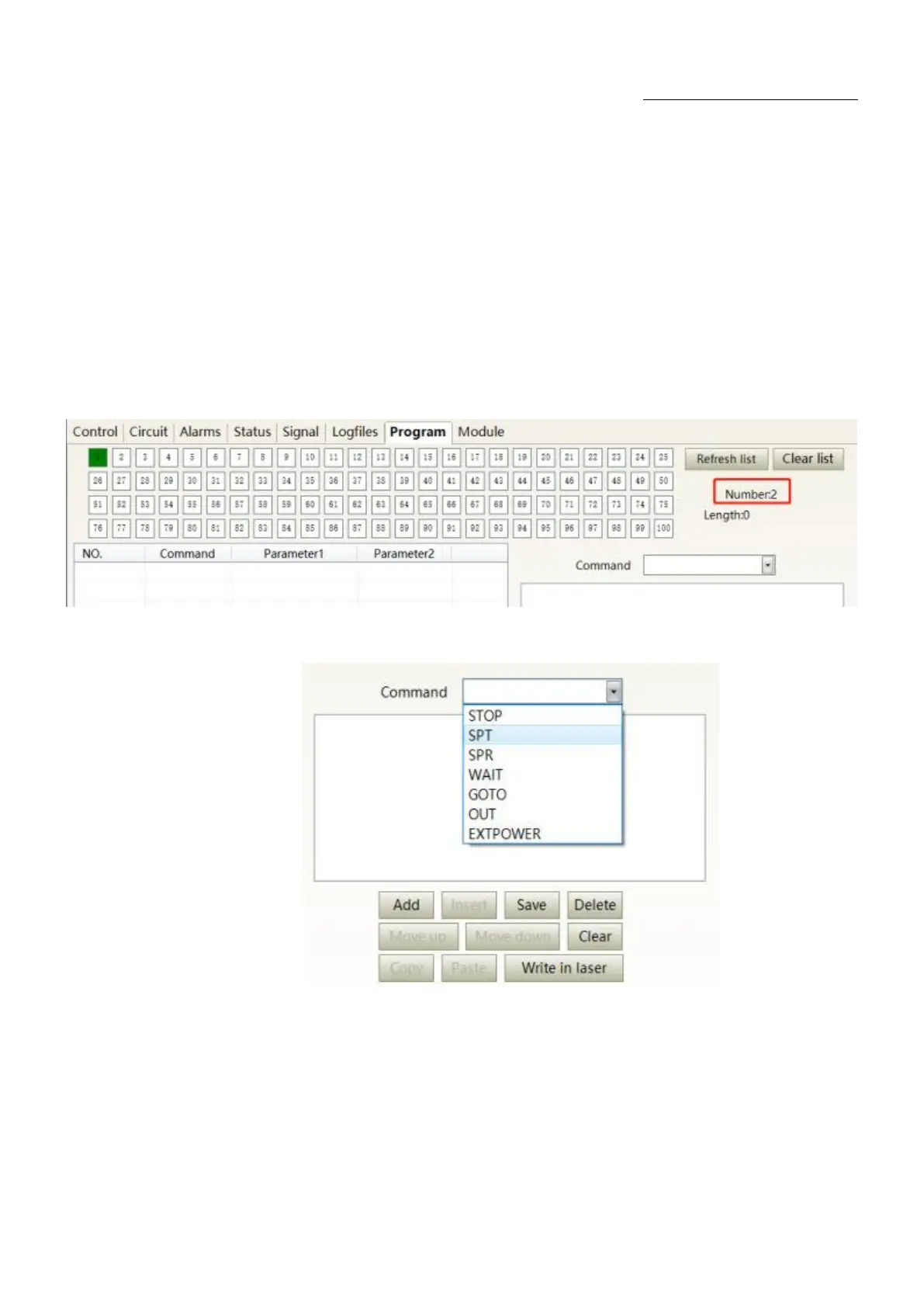
Programming editing when the laser is working in programming mode is as Figure 54.
Step 1:left click the pre-edited programming number.
Step 2:select the command under the command type, click „Add‟.
Step 3:enter the parameters and click „Save‟. The instruction appears in the left program list
immediately.
Step 4:after editing all commands, click „Write Laser‟.
Step 5:the new programming number will turn green when user re-click the „refresher list‟ button.
Write successfully.
a
)
Select the pre-edited programming number










 To Next Page