48
Wuhan Raycus Fiber Laser Technologies Co., Ltd.
User Guide of RFL-C20000M-CE
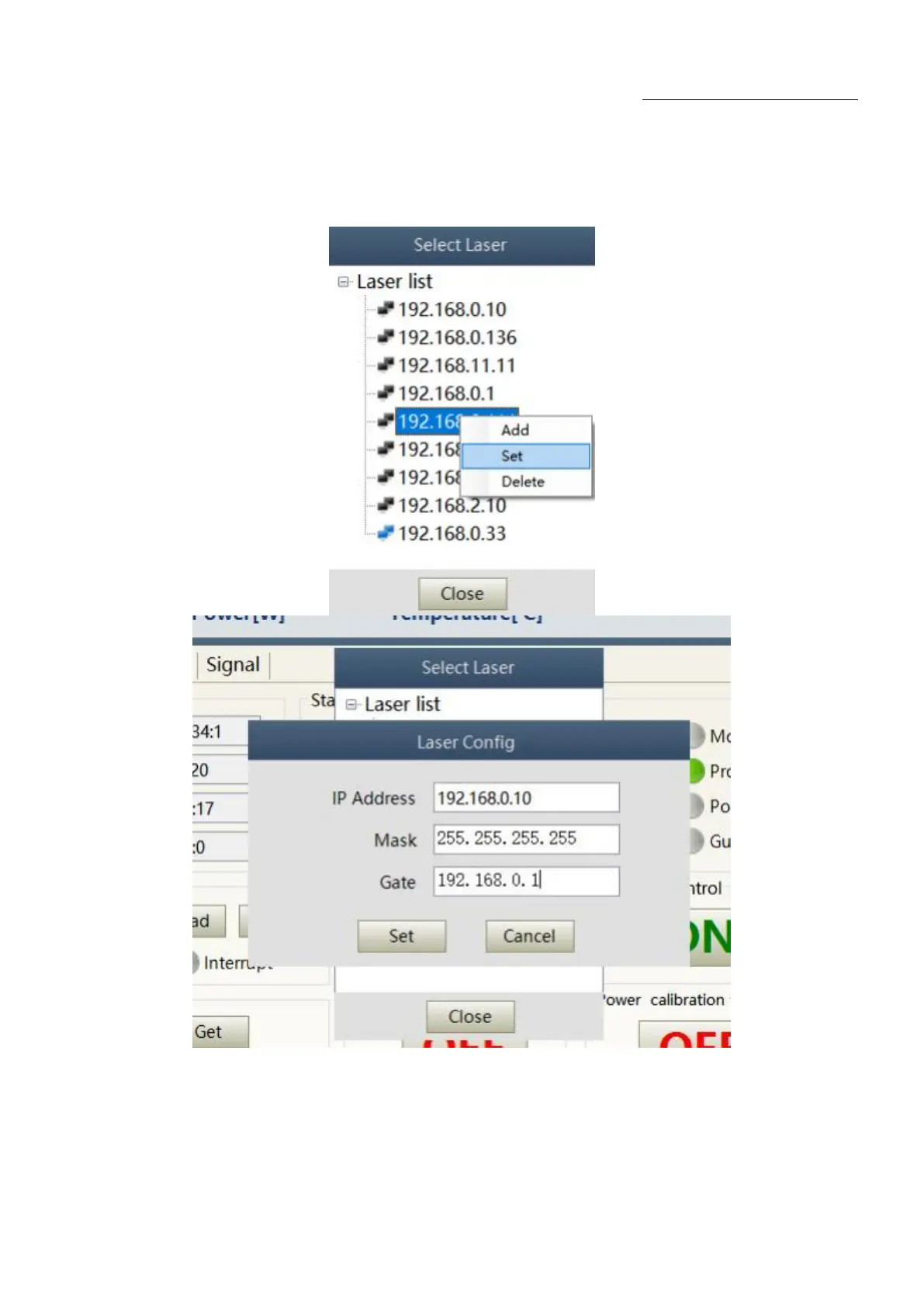
8.2.2 ModifylaserIP
After the laser connection has established, select the IP address of current laser and right-click to set
it up as Figure 29.
Figure 29Modify the IP address of laser
8.3. Main working status display
The laser‟s main status display is as Figure 30, Table 13.










 To Next Page