63
Wuhan Raycus Fiber Laser Technologies Co., Ltd.
User Guide of RFL-C20000M-CE
8.13.2 Check waveform content
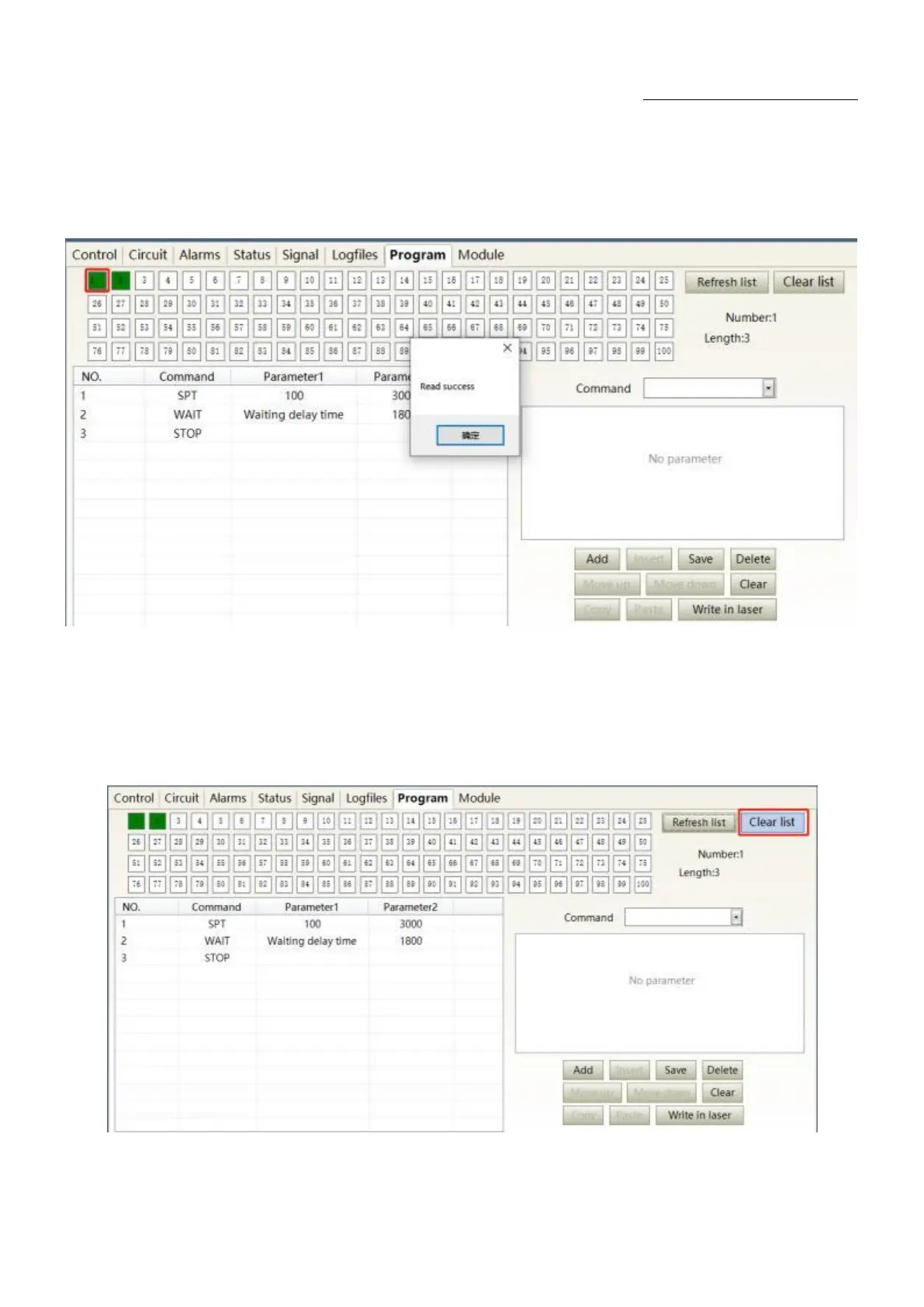
To check the programming contents in the current laser programming mode is as Figure 52. The
program automatically lists the original programmings by click the programming number that needs to be
checked.
Figure 52Programming content interface in the current laser programming mode
8.13.3 Empty all waveforms
Empty all programming interfaces stored in the current laser programming mode is as Figure 53. All
programmings stored inside the current laser. will emptied by click „Empty Program List‟.
Figure 53 Interface of empty all programming stored in the current laser programming mode










 To Next Page