55
Wuhan Raycus Fiber Laser Technologies Co., Ltd.
User Guide of RFL-C20000M-CE
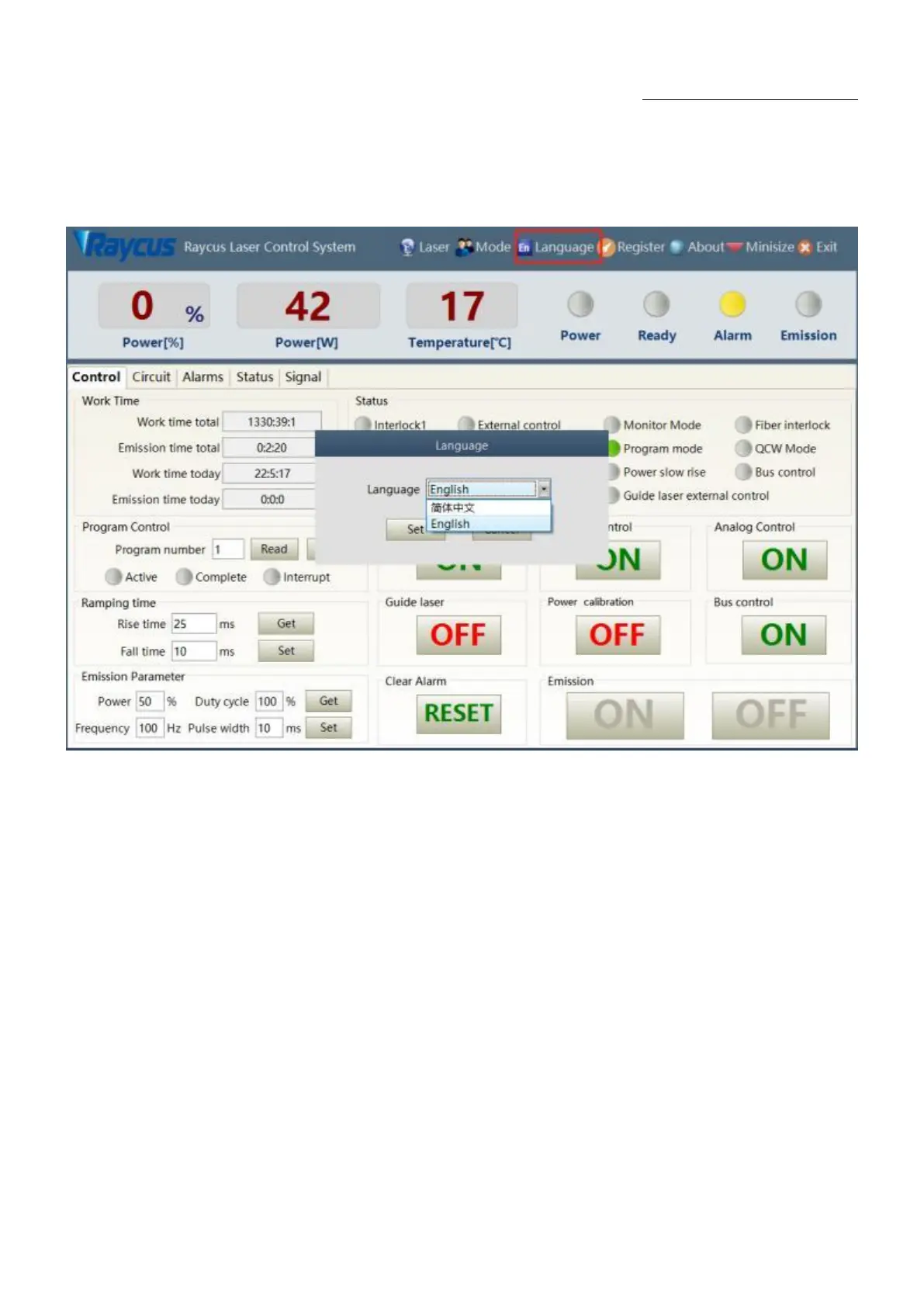
8.7. LanguageDisplays laser’s all status and parameters for diagnosis purposes
Laser‟s language selection interface is as figure 40. User can choose between Chinese simplified and
English by click „setting language‟. Setting effective after PC software restarted.
Figure 40 Language selection interface
8.8. Authorization (time-limited locking)
8.8.1 Authorization in user mode
The authorization settings in user mode are as Figure 41. Laser can be locked and unlocked by valid
authorization code.










 To Next Page