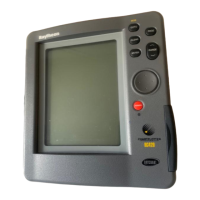
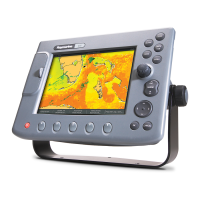
4 HSB Series Chartplotter
Display Unit Features
• Uses position information from GPS, dGPS or Loran-C technology
• Displays chart information from the C-MAP NT
®
chart cards (C-Cards)
• Displays and transfers Seatalk, NMEA and HSB data
• Provides full control of data from other HSB instruments
• Three full-screen operating modes: Radar, Chart, Data Log (if
appropriate data is available)
• View radar and chart simultaneously and synchronise radar image
with chart screen
• Half-screen windows to display additional data: Course Deviation
Indicator (CDI), Bearing Deviation Indicator (BDI), navigation data
• Cursor echo across SeaTalk, and between chart and radar windows
Display Unit Functions
The HSB Series Chartplotter includes the following functions:
• Place, Move, Erase and Edit a Waypoint
• Goto Waypoint or Cursor
• Create, Save, Name, Edit and Follow a Route
• Review Route and Waypoint Lists
• Display vessel’s track on-screen; Save and Name the Track for re-call
to screen
• Measure Chart Distances and Bearings on-screen
• Set Up Alarms and Timers
• Man OverBoard (MOB) to navigate back to a missing person or object
• Differential GPS tuning page
Operating Modes
If you have a combined Radar/Chartplotter Unit, or have an HSB Radar
connected three full-screen modes as shown opposite are available
(chart, radar and data log); data log mode is used to initiate and display a
running log of vessel travel. You select the mode using the DISPLAY
key as described in Chapter two.
Display Unit
Features &
Functions





 To Next Page