Chapter 5: Alarms 41
3. Press
ÙÙ
ÙÙ
Ù
to increase the value, or
ÚÚ
ÚÚ
Ú
to decrease it, as described in
step 5 in the Shallow Alarm procedure (page 38).
4. When you have set the value to the required number, press
ÚÚ
ÚÚ
Ú
and
ÙÙ
ÙÙ
Ù
together to display the upper adjust page, and repeat
step 3 to adjust the value.
5. When you have set the value to the required number, press
ÚÚ
ÚÚ
Ú
and
ÙÙ
ÙÙ
Ù
together to return to the Alarm page.
6. If the alarm is off, press and hold
ÚÚ
ÚÚ
Ú
and
ÙÙ
ÙÙ
Ù
together for six seconds
to turn it on. The current alarm limits are displayed.
The new values are now set. Press DEPTH or
Ù Ù
Ù Ù
Ù
to return to the Main
Depth page.
5.3 Handling Alarms
The RayData will respond to the alarms set internally, as well as any
external Watch alarms received from other instruments via the SeaTalk
connection.
Alarm Notification
When a data value goes outside the limits set for the depth, anchor or
temperature alarms, a text message is displayed on the RayData
screen and, if requested, an audible alarm sounds. You can select
whether or not an audible alarm sounds using the Setup pages (see
Chapter 4).
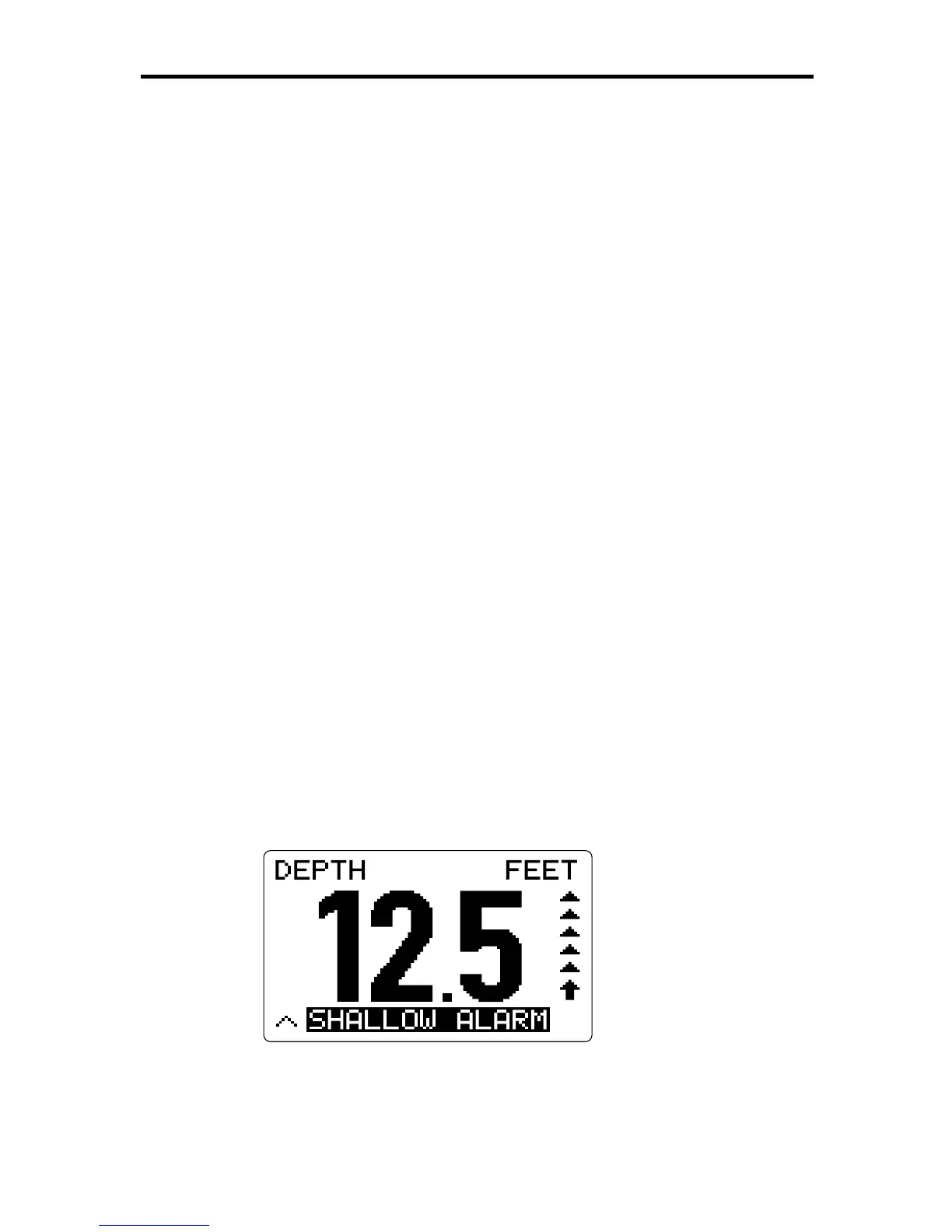
The text message appears in reversed video (white on a black
rectangle), and shows the name of the alarm that is currently active, as
shown in the example below.
D3045-1
Note: The alarm message is shown on the current data display, even if
it does not relate to the data on that page.



 To Next Page