Chapter 6: The Display Pages 47
Deep Alarm
To display this sub-page, press
ÙÙ
ÙÙ
Ù
once from the Shallow Alarm page,
or three times from the Main Depth page.
This page, and its associated Deep Alarm Adjust page, are identical to
the Shallow Alarm pages, except that they are used to display and
update the deep alarm limit rather than the shallow alarm limit.
Anchor Alarm
To display this sub-page, press
ÙÙ
ÙÙ
Ù
once from the Deep Alarm page, or
ÚÚ
ÚÚ
Ú
from the Main Depth page.
D3048-1
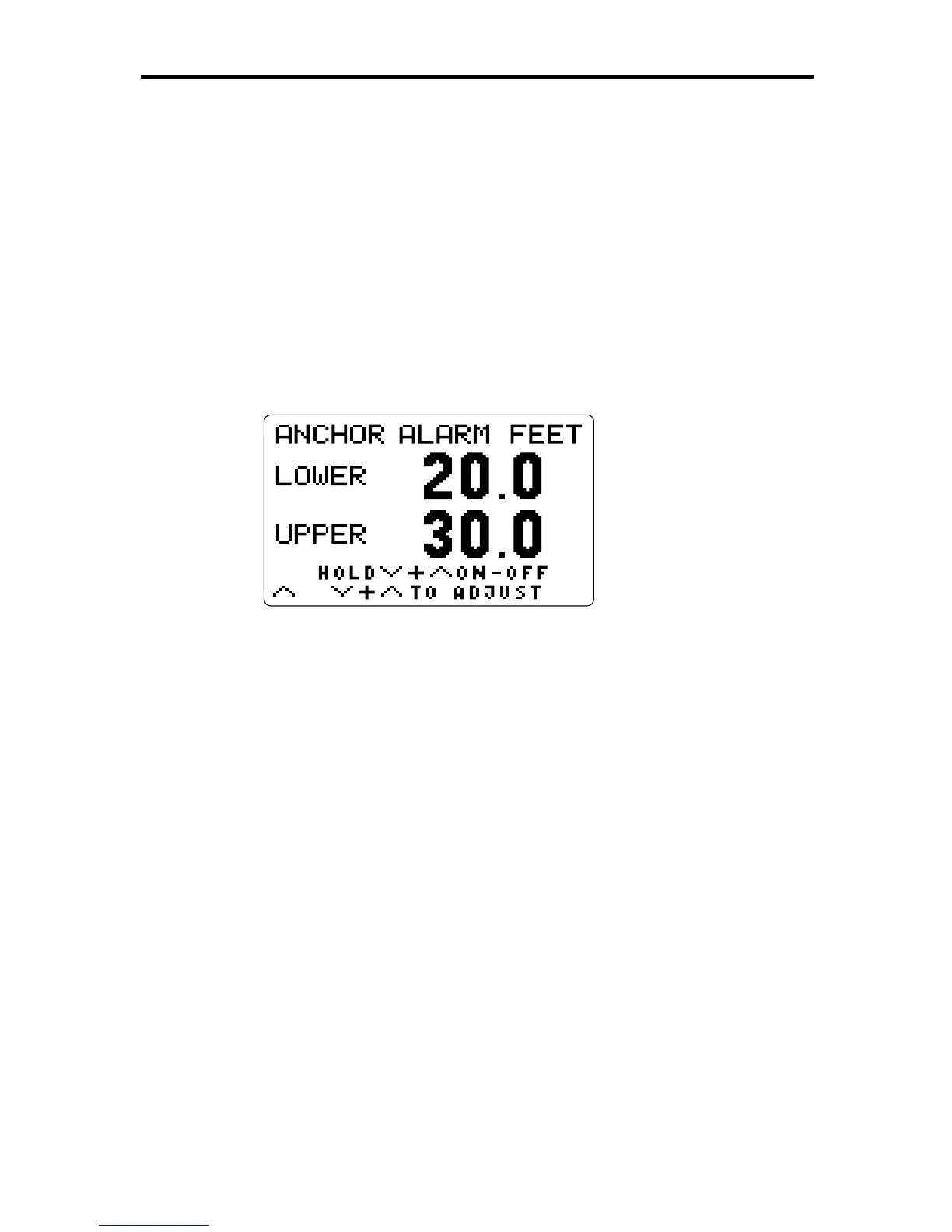
This page shows the current settings for the upper and lower values
that will set off an anchor alarm or, if the alarm has been turned off, the
text “ALARM OFF”. The units are the same as those for the Main Depth
value.
Press and hold
ÚÚ
ÚÚ
Ú
and
ÙÙ
ÙÙ
Ù
together for three seconds to toggle the
alarm either from off to on or from on to off.
For detailed information on using and setting alarms, refer to Chapter 5.



 To Next Page