28 RAYDATA Installation and Operation Handbook
4.2 Using the Setup Pages
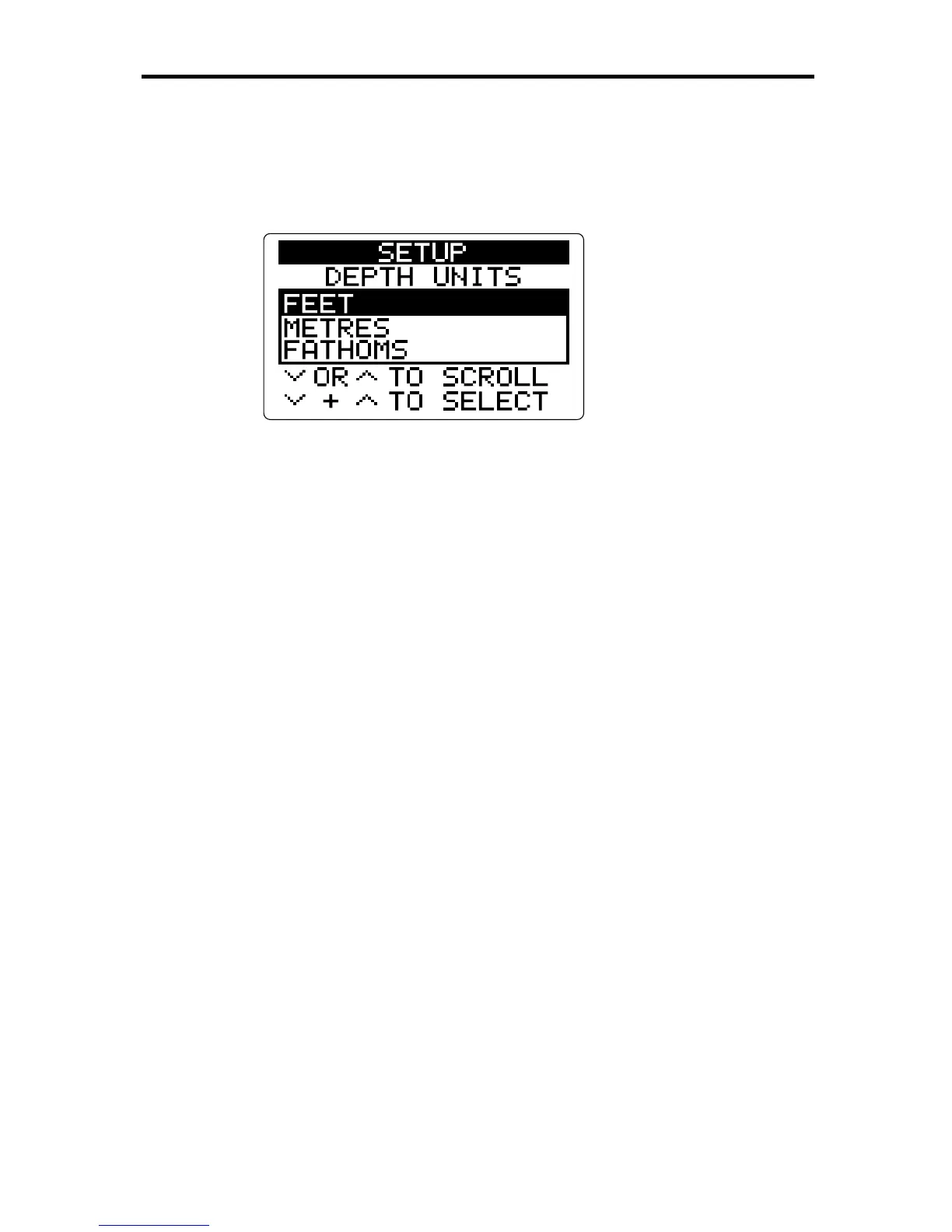
To access the Setup pages, press NAV and
ÙÙ
ÙÙ
Ù
together. The following
page is displayed:
D3040-1
This is the first of the Setup pages, and shows the Depth Units menu,
with the current default value highlighted. The initial default setting for
depth units is FEET.
To change the RayData defaults:
1. Use the
ÙÙ
ÙÙ
Ù
or
ÚÚ
ÚÚ
Ú
key to scroll forwards or backwards through the
available menus, without affecting the current settings. Some menus
consist of lists of options, from which you can select the appropriate
one. Others consist of a value that you can increase of decrease.
The options are listed in Section 4.3.
2. When the required menu is displayed, press
ÚÚ
ÚÚ
Ú
and
ÙÙ
ÙÙ
Ù
together to
select the menu. The menu title is highlighted.
3. Use the
ÚÚ
ÚÚ
Ú
or
ÙÙ
ÙÙ
Ù
key to scroll down or up the menu options, or to
decrease or increase the value displayed.
4. When you have highlighted the required option, or set the value
correctly, press
ÚÚ
ÚÚ
Ú
and
ÙÙ
ÙÙ
Ù
together. This enters the option or value
as the new default, and moves on to the next menu.
5. Repeat steps 1 to 4 until you have set all the required defaults.
6. Return to the last-used non-Setup page by pressing NAV and
ÙÙ
ÙÙ
Ù
together. All the new entries are then validated.
4.3 Setup Options
The following table lists the Setup menus and their options, shows the
factory default setting, and provides a space for you to make a note of
your new default setting. Use the
ÙÙ
ÙÙ
Ù
key to scroll forwards through the
menus in the order shown, or
ÚÚ
ÚÚ
Ú
to scroll backwards.



 To Next Page