52 RAYDATA Installation and Operation Handbook
To reset the maximum speed value, press
ÚÚ
ÚÚ
Ú
and
ÙÙ
ÙÙ
Ù
together. The
current speed will be displayed as the new maximum speed.
Average Speed
To display this sub-page, press
ÙÙ
ÙÙ
Ù
once from the Maximum Speed
page, or twice from the Speed Through Water page.
D3053-1
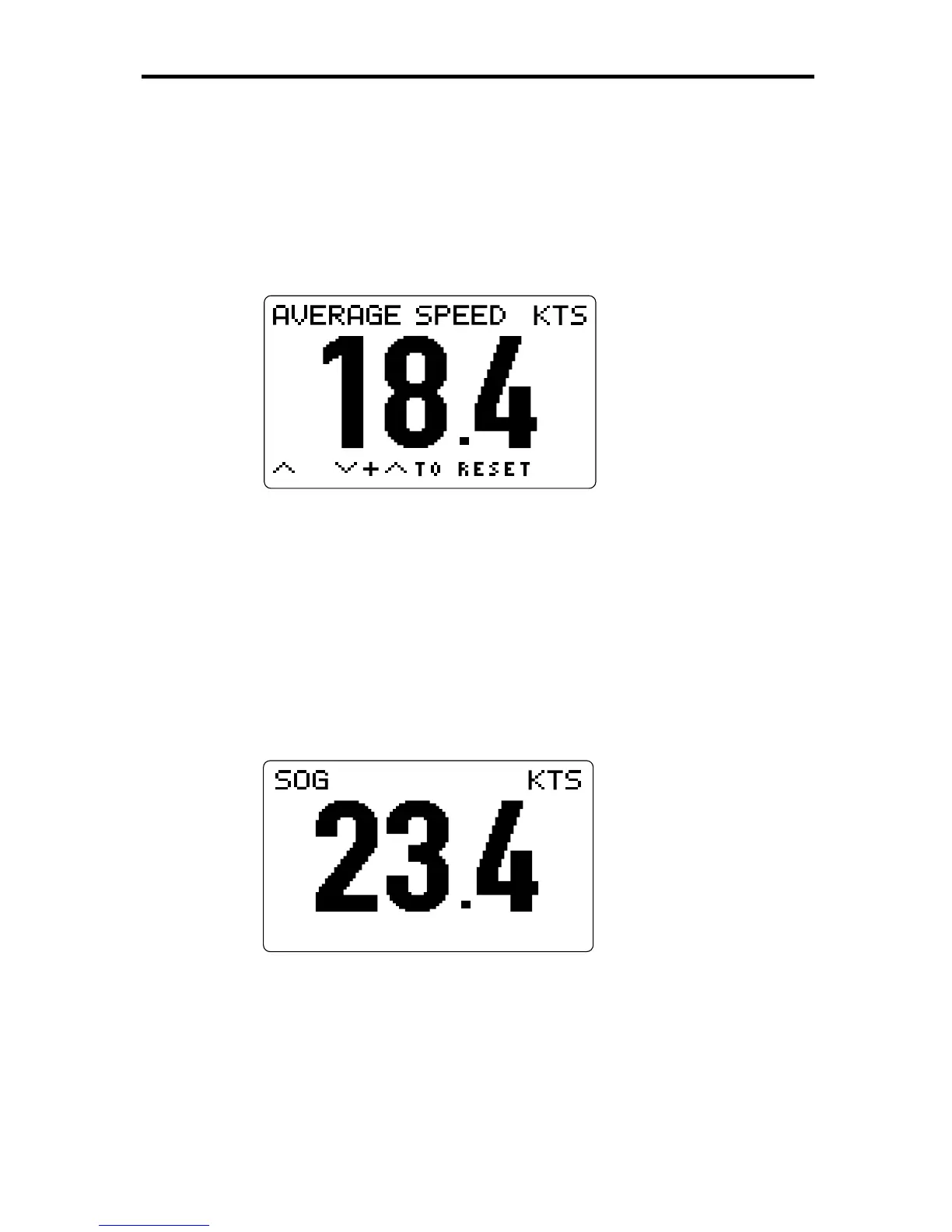
This page shows the average speed through the water that has been
achieved since the value was last reset. The units are the same as
those for the Speed Through Water value.
To reset the average speed value, press
ÚÚ
ÚÚ
Ú
and
ÙÙ
ÙÙ
Ù
together. The
current speed will be displayed as the new average speed.
Speed Over Ground (SOG)
To display this sub-page, press
ÙÙ
ÙÙ
Ù
once from the Average Speed page,
or
ÚÚ
ÚÚ
Ú
from the Speed Through Water page.
D3054-2
This page shows the current speed over the ground, if this information
is available over a SeaTalk or NMEA connection. The units are the
same as those for the Speed Through Water value.
The SOG data is also presented together with the BRG, DTW and
COG in one of the Nav Chapter pages (see page 56).
From the SOG page you can return to the Speed Through Water page
by pressing SPEED or
ÙÙ
ÙÙ
Ù
.



 To Next Page